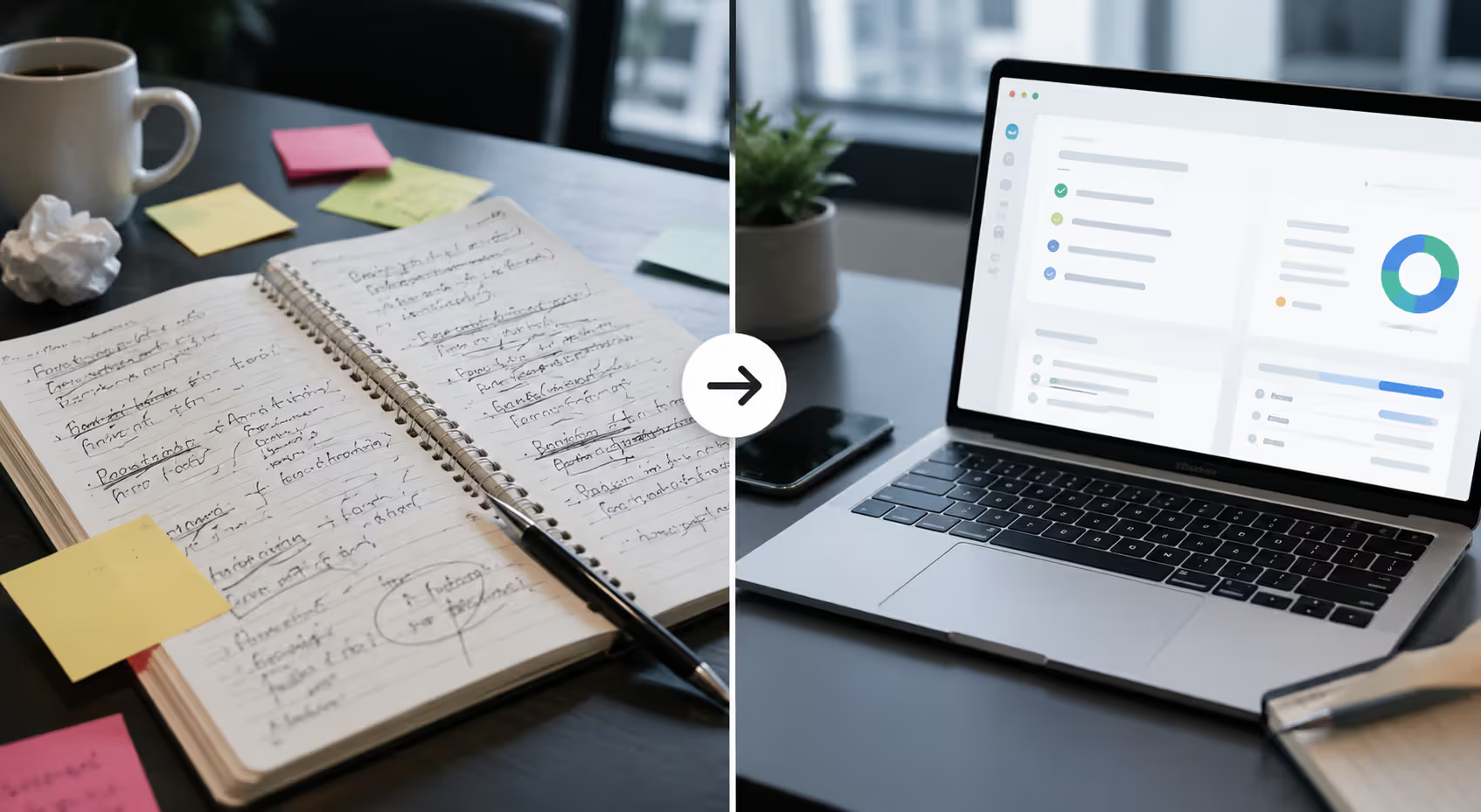
Meetings used to mean someone scribbling notes, missing half the discussion, and chasing people for action items afterward. Now an AI meeting assistant can listen, transcribe, summarize, and pull out tasks—all while you focus on the conversation. These tools have moved from experimental to everyday, especially for remote and hybrid teams that live in back-to-back video calls.
An AI meeting assistant is software that joins your meetings, records the audio or video, transcribes it in real time, and then uses natural language processing to generate summaries, extract action items, and sometimes even prepare agendas. Think of it as a digital note-taker that never zones out and can search every word you said three months ago.
The technology isn't science fiction anymore. By 2026, most meeting intelligence platforms integrate directly with Zoom, Microsoft Teams, Google Meet, and Slack. They run in the background, require minimal setup, and deliver structured output minutes after your call ends.
How AI Meeting Assistants Automate Meeting Workflows
At the core, an AI meeting assistant does three things: it listens, it understands, and it organizes.
First, it captures audio. The assistant either joins as a participant (you'll see a bot named "Recorder" or similar) or taps into the platform's native recording API. Either way, it grabs a clean audio feed.
Next comes transcription. Speech-to-text engines—often powered by models like Whisper or proprietary alternatives—convert spoken words into text with accuracy rates above 90 percent for clear audio. Accents, jargon, and crosstalk still trip them up occasionally, but the gap has narrowed fast.
Then the AI layer kicks in. Large language models analyze the transcript to identify speakers, detect topics, flag decisions, and pull out tasks. This isn't keyword matching; it's contextual understanding. The model knows that "John will send the draft by Friday" is an action item, while "we should probably send a draft sometime" is not.
The result? You get a searchable transcript, a concise summary, a list of action items with owners, and sometimes even sentiment analysis or talk-time breakdowns. All of this happens automatically, usually within five to ten minutes of the meeting ending.
One thing I've noticed: the assistant for meetings works best when people speak clearly and pause between points. Rapid-fire cross-talk still confuses most systems, so facilitation habits matter.
Author: Isabelle Norwyn;
Source: aleanetwork.net
Key Features of AI Powered Meeting Tools
Not all AI powered meeting tools are built the same. Some focus on transcription, others emphasize analytics, and a few try to do everything. Here's what the best ones offer.
AI Meeting Prep Assistant Capabilities
Preparation used to mean someone manually drafting an agenda and emailing it around. Now, an AI meeting prep assistant can scan your calendar, pull context from previous meetings, review linked documents, and generate a draft agenda automatically.
For recurring meetings, the tool can compare past agendas and suggest topics that were deferred or unresolved. For new meetings, it can analyze email threads or project management tools to infer what needs discussion. You review, tweak, and share—cutting prep time from twenty minutes to two.
Some platforms also suggest optimal meeting length based on the agenda complexity and participant count. It's a small feature, but it helps you avoid the default one-hour block when thirty minutes would do.
Automated Action Items and Follow-Ups
Extracting AI action items from meetings is where these tools shine. The assistant scans the transcript for commitment language: "I'll handle that," "Let's get this done by," "Can you check on…" It tags the task, assigns it to the speaker, and often adds a due date if one was mentioned.
Better systems integrate with project management platforms like Asana, Monday, or Jira. The action item flows directly into your task list without manual entry. You can also set the assistant to send follow-up emails or Slack messages to assignees, complete with context from the meeting.
A common mistake here is assuming the AI catches every nuance. It won't. If someone says "maybe I can look into that" without firm commitment, the tool might flag it or might not. Always review the output before trusting it fully.
Meeting Summaries and Transcripts
An AI meeting summary tool condenses an hour-long discussion into a few paragraphs. The summary typically includes key decisions, open questions, and next steps—structured so you can skim it in under a minute.
Transcripts are searchable, which is huge. Need to find what Sarah said about the Q3 budget? Search "Sarah Q3 budget" and jump straight to that moment. No more scrubbing through a recording or relying on memory.
Some tools also generate chapter markers or topic segments, so you can navigate the transcript by theme. If your meeting covered three distinct topics, the AI splits the transcript accordingly and labels each section.
The simpler option usually wins here. A clean summary beats a ten-page transcript dump every time.
Author: Isabelle Norwyn;
Source: aleanetwork.net
Types of Meeting Intelligence Platforms
You'll find two broad categories: standalone AI meeting tools and integrated meeting intelligence platforms. Each has trade-offs.
Small teams, startups, individuals who need plug-and-play simplicity
Free tier + per-user subscription ($10–$30/month)
Integrated Meeting Intelligence Platforms
All of the above plus analytics, coaching, CRM sync, custom workflows, API access
Sales teams, enterprise orgs, customer success departments needing deep insights and automation
Per-user or usage-based ($30–$100+/month), often with annual contracts
Standalone tools are lightweight. You connect your calendar, the bot joins meetings, and you get output. Setup takes minutes. They're perfect if you just want better notes without changing your workflow.
Integrated platforms embed into your broader stack. They push data to Salesforce, analyze rep performance, track customer sentiment over time, and feed dashboards. They're overkill for a five-person team but transformative for a fifty-person sales org.
Use cases vary by industry, too. Legal and consulting firms prioritize verbatim transcripts and secure storage. Sales teams want conversation analytics and deal insights. Engineering teams care about decision logs and task tracking.
How to Choose the Right AI Assistant for Meetings
Picking the right AI assistant for meetings comes down to five criteria: integrations, accuracy, privacy, pricing, and ease of use.
Integrations: Does it work with your video platform? Your calendar? Your project management tool? If you're a Microsoft shop, you want native Teams support. If you live in Google Workspace, look for Meet and Calendar integration. Check whether it syncs action items to your task manager—manual copy-paste defeats the purpose.
Accuracy: Transcription quality varies. Test a few meetings before committing. Pay attention to speaker identification (does it mix up voices?), jargon handling (does it butcher technical terms?), and action item detection (does it catch commitments reliably?). Most vendors offer free trials; use them.
Privacy: Who owns the data? Where is it stored? Is it encrypted in transit and at rest? Does the vendor train AI models on your meetings? (Some do, some don't.) If you're in healthcare, finance, or legal, you'll need SOC 2, GDPR, or HIPAA compliance. Read the privacy policy—boring but necessary.
Pricing: Free tiers are common but limited (often capped at a few meetings per month or basic transcription only). Paid plans range from $10 to $100+ per user per month. Calculate cost per meeting if you have irregular usage. Some platforms charge by minutes transcribed instead of seats, which can be cheaper for small, frequent users.
Ease of use: Can your team adopt it without training? Does it require admin setup, or can individuals start using it immediately? The best tools are invisible—they just work. If you're spending more time configuring the assistant than you save in note-taking, it's the wrong tool.
The pattern I see most often is teams picking a tool based on one flashy feature, then realizing it doesn't fit their actual workflow. Start with your biggest pain point—summarization, action tracking, or search—and choose the tool that nails that first.
Author: Isabelle Norwyn;
Source: aleanetwork.net
Common Use Cases and Benefits
AI meeting assistants aren't just for big companies. They're showing up everywhere meetings happen.
Remote and hybrid teams use them to level the playing field. When half the team is in a conference room and half is remote, the AI captures everything equally. No one misses context because they couldn't hear the side conversation.
Sales calls are a major use case. Reps focus on the prospect instead of typing notes. The AI logs objections, tracks questions, updates the CRM, and even scores the call quality. Managers review highlights instead of listening to full recordings. Win rates improve because follow-up is faster and more accurate.
Client meetings benefit from the professionalism angle. Sending a polished summary with action items within an hour signals competence. Clients appreciate it, and it reduces "wait, what did we agree on?" confusion.
Internal standups and syncs get lighter. If someone misses the standup, they read the two-paragraph summary instead of asking for a recap. Async work becomes easier because the record is always there.
Productivity gains are real. A 2025 study by a workplace analytics firm found teams using AI meeting summary tools saved an average of 4.2 hours per person per week—time previously spent in follow-up emails, clarifying decisions, or hunting for information. That's over 200 hours per year per employee.
We measured a 37 percent reduction in post-meeting follow-up time and a 22 percent increase in action item completion rates after deploying an AI meeting assistant across our organization. The ROI was clear within the first quarter.
— Patel Ravi
But there are limits. The AI won't facilitate a bad meeting into a good one. If the discussion is unfocused or decisions aren't made, the summary will reflect that mess. The tool is an amplifier, not a fix.
Privacy and Security Considerations
Recording meetings raises questions. Who consents? Where does the data go? What happens if it leaks?
Most jurisdictions require all-party or one-party consent for recording. In the US, it varies by state. California and Florida, for example, need everyone's permission. Your meeting intelligence platform should display a clear notice when the bot joins—something like "This meeting is being recorded and transcribed." Some tools announce it audibly. Don't skip this step; it's both a legal and trust issue.
Data handling policies matter. Look for vendors that encrypt data in transit (TLS) and at rest (AES-256 or equivalent). Ask where servers are located—US, EU, or elsewhere—and whether data crosses borders. If you're subject to GDPR, CCPA, or HIPAA, verify compliance certifications.
A bigger concern: does the vendor use your meetings to train AI models? Some do, some explicitly don't. OpenAI's policies, for instance, have shifted over time on this. If your meetings contain proprietary or sensitive information, choose a vendor with a zero-retention or no-training guarantee. Read the terms.
Retention settings are also key. Can you auto-delete transcripts after 90 days? Can you exclude certain meetings from recording? Granular controls reduce risk.
One counterintuitive point: sometimes the AI assistant for meetings is more secure than human note-takers. Humans forward notes to personal email, screenshot sensitive info, or lose their laptops. The AI logs everything in an auditable system with access controls. It depends on how you configure it.
Author: Isabelle Norwyn;
Source: aleanetwork.net
FAQ: AI Meeting Assistant Questions Answered
Do AI meeting assistants work with Zoom and Microsoft Teams?
Yes, nearly all modern AI meeting assistants integrate with Zoom, Microsoft Teams, Google Meet, and Webex. The assistant either joins as a bot participant or uses the platform's API to access the recording. Setup is usually as simple as connecting your calendar and granting permissions. Some tools also support in-person meetings if you record audio via your laptop or a dedicated device.
How accurate are AI-generated meeting summaries?
Accuracy depends on audio quality, speaker clarity, and the AI model. Transcription accuracy typically ranges from 85 to 95 percent for clear English audio. Summaries are generally reliable for capturing main points and decisions, but they can miss nuance, sarcasm, or implied meaning. Always review the output before sharing externally or making critical decisions based solely on the summary.
Can an AI meeting assistant create agendas before meetings?
Yes, many AI meeting prep assistants can generate draft agendas by analyzing calendar context, previous meeting notes, linked documents, and email threads. The AI suggests topics and time allocations, which you can edit before the meeting. This feature is especially useful for recurring meetings where the tool can track open items from prior sessions and carry them forward.
Are AI meeting tools secure and compliant with privacy laws?
Reputable tools offer encryption, access controls, and compliance with regulations like GDPR, CCPA, SOC 2, and sometimes HIPAA. However, security varies by vendor. Check where data is stored, whether it's used for model training, and what retention policies apply. Always notify participants that the meeting is being recorded, as consent laws differ by jurisdiction.
How much do AI meeting assistants cost?
Pricing ranges widely. Free tiers often allow a limited number of transcriptions per month with basic features. Paid plans typically cost between $10 and $30 per user per month for standalone tools, and $30 to $100+ per user per month for enterprise meeting intelligence platforms with advanced analytics and integrations. Some vendors charge by usage (minutes transcribed) instead of seats, which can be more economical for smaller teams.
Do participants need to install software to use an AI meeting assistant?
No. Participants don't need to install anything. The AI assistant joins the meeting as a bot or taps into the host's recording. Attendees see the bot in the participant list and receive a notification that recording is active, but they interact with the meeting platform as usual. Only the person setting up the assistant needs to configure integrations and permissions.
Meetings won't disappear, but the tedious parts—note-taking, follow-up, and memory—are now automatable. An AI meeting assistant handles the grunt work so you can focus on the discussion, the decisions, and the people. The technology is here, it works, and it's only getting better. If you're still manually typing notes or chasing action items, it's worth trying one of these tools. You'll get those hours back.
An AI data analyst uses machine learning to automate data analysis tasks—pattern recognition, anomaly detection, and insight generation—that traditionally required hours of manual work. Learn how these tools differ from human analysts, the core technologies behind them, and which platforms fit your needs.
An AI writing assistant uses natural language processing and machine learning to help you draft, edit, and polish content. Discover how these tools work, what they can create, their accuracy limitations, and how to choose the right AI writing software for your needs.
Learn everything about data visualization—from basic chart types to AI-powered tools. Discover techniques, compare popular software, avoid common mistakes, and follow best practices to transform complex data into clear, actionable insights for better decision-making.
AI infrastructure includes the compute hardware, storage, networking, and orchestration that power machine learning systems. This guide covers core components, hardware requirements for training vs inference, cloud versus on-premises trade-offs, and practical planning strategies for organizations building AI capabilities.
The content on this website is provided for general informational and educational purposes only. It is intended to explain concepts related to AI tools, agents, developer infrastructure, coding assistants, APIs, and productivity workflows.
All information on this website, including articles, guides, and examples, is presented for general educational purposes. Outcomes and tool performance may vary depending on implementation, skill level, and use case.
This website does not provide professional AI consulting, development services, or guarantees of results, and the information presented should not be used as a substitute for consultation with qualified AI or software development professionals.
The website and its authors are not responsible for any errors or omissions, or for any outcomes resulting from decisions made based on the information provided on this website.