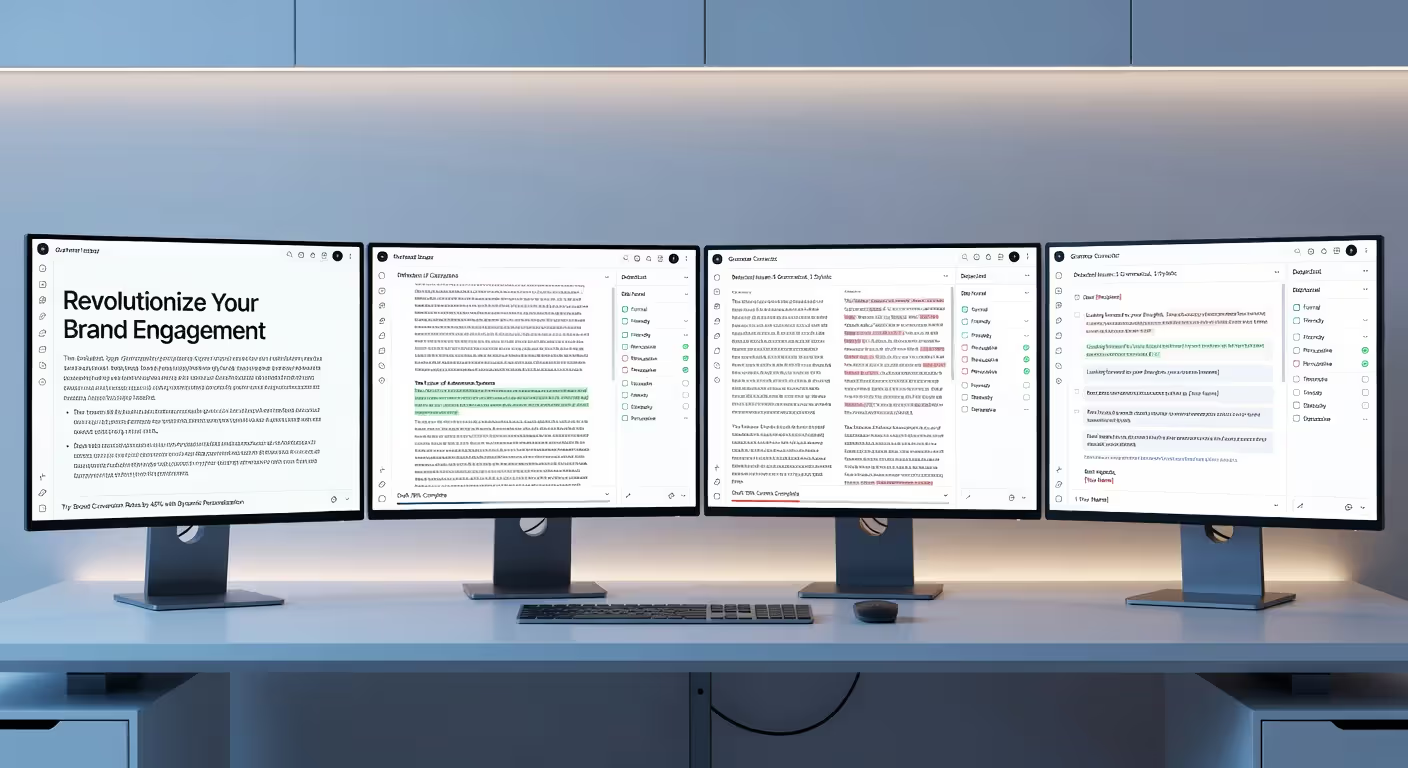
An AI writing assistant is software that uses artificial intelligence to help you draft, edit, and polish written content. Think of it as a co-pilot for your keyboard—it suggests sentences, completes thoughts, rewrites clunky phrases, and even generates entire paragraphs based on your prompts. You type a few words or describe what you need, and the tool produces text that sounds remarkably human.
These tools have exploded in popularity since 2025, and by 2026 they're practically everywhere—embedded in email clients, word processors, content management systems, and standalone apps. But how do they actually work? What can they realistically do for you? And where do they fall short? Let's break it down without the hype.
How AI Writing Assistants Generate Text
At their core, AI writing assistants rely on natural language processing (NLP) and machine learning. NLP is the branch of AI that teaches computers to understand, interpret, and produce human language. Machine learning means the system improves by analyzing massive amounts of text data—books, articles, websites, conversations—and learning patterns in how words and sentences fit together.
The magic happens through something called a language model. Modern AI writers use large language models (LLMs) trained on billions of sentences. When you type a prompt like "Write an intro about sustainable fashion," the model predicts the most likely next words based on everything it's learned. It doesn't "think" or "understand" fashion—it's recognizing patterns and probabilities at lightning speed.
Training data is crucial. The quality and diversity of the text an AI writer was trained on determines how fluent, accurate, and versatile it'll be. Most top-tier tools in 2026 use models trained on curated datasets that include professional writing, technical documentation, creative fiction, and conversational text. That's why an AI writing assistant can switch from formal business emails to casual blog posts without breaking a sweat.
But here's the catch: these models don't fact-check themselves. They generate plausible-sounding text, not necessarily true text. If the training data contained errors or biases, the output will reflect that. The pattern I see most often is people assuming AI-generated sentences are automatically accurate because they sound confident. They're not.
Author: Isabelle Norwyn;
Source: aleanetwork.net
Common Types of AI Writing Tools
Not all AI writing tools do the same thing. The category has splintered into specialized subcategories, each optimized for different tasks. Here's how they break down:
General writing assistants are the Swiss Army knives of AI content writing. They handle everything from emails to essays, offering autocomplete, paraphrasing, and tone adjustments. Google Docs' Smart Compose and Microsoft Editor fall into this bucket. They're built into platforms you already use, making them convenient for everyday writing.
Copywriting tools focus on marketing and sales copy. They come loaded with templates for ad headlines, product descriptions, landing pages, and email campaigns. Tools like Jasper and Copy.ai fit here. They're designed to generate persuasive, conversion-focused text quickly, often with frameworks like AIDA (Attention, Interest, Desire, Action) baked in.
Long-form content generators specialize in blog posts, articles, and reports. They can outline, draft, and expand ideas into multi-section documents. These tools often include SEO features—keyword integration, meta descriptions, readability scoring—to help content rank. Writesonic and Rytr are examples. They're popular with content marketers who need to publish at scale.
Grammar checkers with AI go beyond fixing typos. Tools like Grammarly and ProWritingAid use machine learning to suggest style improvements, clarity edits, and tone shifts. They analyze entire documents for readability and consistency, acting more like an editor than a proofreader.
Author: Isabelle Norwyn;
Source: aleanetwork.net
Some tools blur the lines. An AI copywriting assistant might also handle long-form content, or a grammar checker might add generative features. The boundaries aren't rigid, but knowing the primary focus helps you pick the right tool for your workflow.
What You Can Create with AI Content Writing
AI writing tools are remarkably versatile. Here's what you can realistically produce with them:
Blog posts and articles are the most common use case. You feed the AI a topic, outline, or keyword list, and it drafts sections or full posts. You'll still need to edit for accuracy and voice, but the first draft happens in minutes instead of hours. Many content teams use AI to handle research summaries, introductions, or explanatory sections, then polish the output manually.
Emails are another sweet spot. Whether it's cold outreach, customer support replies, or internal memos, an AI writing assistant can generate polite, clear messages fast. Some tools even suggest subject lines and follow-up sequences. The time savings here are real—especially if you send dozens of similar emails weekly.
Social media posts benefit from AI's ability to match tone and length constraints. Need five variations of a product announcement for Instagram, LinkedIn, and Twitter? An AI text generator can spin those out in seconds, adjusting formality and hashtags per platform.
Product descriptions are tedious to write at scale. If you're managing an e-commerce catalog with hundreds of SKUs, AI can generate unique descriptions based on specs and features. The output won't be poetic, but it'll be functional and SEO-friendly.
Ad copy is where AI copywriting assistants shine. Headlines, CTAs, and body text for Google Ads, Facebook campaigns, or display banners—AI tools can generate dozens of variations to A/B test. The best ones let you specify tone (urgent, playful, professional) and length limits.
Reports and summaries are emerging use cases. Feed an AI tool raw data, meeting notes, or a long document, and it'll condense the key points into a readable summary. This works well for internal reports, executive briefings, or research digests.
One common mistake: assuming AI can write final-draft content without input. It can't. Think of AI content writing as a first-draft generator or idea accelerator, not a replacement for your judgment.
Accuracy and Limitations of AI Text Generators
AI writing assistants are impressive, but they're far from perfect. Here's where they stumble:
Fact-checking is not their strength. An AI text generator will confidently state incorrect statistics, invent citations, or mix up dates. It's pulling from patterns in training data, not verifying facts in real time. Always double-check claims, especially for technical, legal, or medical content. In 2026, some tools have started integrating live web search to improve accuracy, but it's still hit-or-miss.
Tone can feel off. AI tends toward a neutral, slightly formal voice unless you prompt it otherwise. Even then, subtle nuances—sarcasm, regional slang, brand-specific quirks—often get lost. You'll notice generic phrasing creeping in: "In today's fast-paced world" or "It's important to note." (Yes, AI loves those clichés.) Human editing is essential to inject personality.
Creativity has limits. AI can remix existing ideas brilliantly, but true originality—novel metaphors, unexpected angles, bold opinions—is rare. It's a pattern-matcher, not a creative thinker. If you need groundbreaking thought leadership or artistic flair, you'll have to provide that yourself.
Author: Isabelle Norwyn;
Source: aleanetwork.net
Context windows are finite. Most AI writing tools can only "remember" a few thousand words at a time. If you're working on a 10,000-word report, the AI might contradict itself between sections or lose track of earlier points. You'll need to feed it context in chunks and stitch the output together.
Bias and ethical concerns persist. Training data reflects the internet's biases—gender stereotypes, cultural assumptions, outdated norms. AI-generated content can inadvertently perpetuate these. Responsible use means reviewing output critically and editing out problematic language.
The bottom line: AI writing assistants are powerful drafting tools, not autonomous writers. You still need a human in the loop to verify, refine, and approve.
How to Choose the Right AI Writing Software
Picking the right AI writing tool depends on your specific needs. Here's what to evaluate:
Pricing models vary widely. Some tools charge per word generated, others offer monthly subscriptions with usage caps, and a few provide unlimited plans. Free tiers exist but usually limit features or output volume. For casual users, a free or low-cost plan might suffice. Teams producing high volumes of content should budget for mid-tier or enterprise plans, which range from $30 to $200+ per user per month in 2026.
Integrations matter. Does the tool plug into your existing workflow? Look for compatibility with Google Docs, WordPress, Shopify, HubSpot, or whatever platforms you use daily. Browser extensions and API access are bonuses if you want to embed AI writing into custom apps.
Templates and frameworks can save time. Copywriting-focused tools often include pre-built templates for landing pages, email sequences, or ad campaigns. If you're writing the same types of content repeatedly, templates help maintain consistency and speed up production.
Language support is critical if you work internationally. Most AI writing assistants default to English, but top tools in 2026 support 20+ languages with varying quality. Spanish, French, German, and Portuguese usually work well; less common languages may produce awkward phrasing.
Customization and tone controls let you shape the AI's voice. Can you train the tool on your brand guidelines or past content? Can you adjust formality, enthusiasm, or reading level? The more control you have, the more useful the output.
Team features include shared workspaces, collaboration tools, usage analytics, and role-based permissions. If multiple people will use the AI writing software, these features prevent chaos and help manage costs.
Below is a comparison of AI writing assistant types to help you decide:
Type
Best For
Key Features
Pricing Range (2026)
General Writing Assistant
Everyday emails, docs, notes
Autocomplete, grammar fixes, tone suggestions
Free – $15/month
Copywriting Tool
Marketing copy, ads, landing pages
Templates, persuasive frameworks, A/B test variations
The simpler option usually wins here. Start with a tool that matches your primary use case, test it for a month, and expand features only if you need them. Don't overpay for bells and whistles you won't use.
AI writing assistants are democratizing content creation, but they're not replacing writers—they're amplifying what skilled writers can do. The best content in 2026 still comes from humans who know how to guide, edit, and fact-check AI output.
— Chen Sarah
FAQ: AI Writing Assistant Questions Answered
Is AI writing assistant content original?
Technically, yes. AI writing assistants generate text by predicting word sequences, not copying existing documents verbatim. The output is unique in the sense that it's newly assembled each time. However, it's derived from patterns in training data, so phrasing and ideas can feel familiar or generic. Plagiarism checkers typically don't flag AI-generated text as copied, but originality in the creative sense—fresh insights, novel arguments—requires human input. You'll get the most original results by providing specific prompts and editing the output to reflect your perspective.
Do I still need a human editor if I use an AI writer?
Absolutely. AI writing tools produce first drafts, not final copy. They can't verify facts, catch subtle tone issues, or ensure content aligns with your brand voice. Human editors add critical thinking, fact-checking, and stylistic polish. Even the best AI text generator in 2026 will occasionally produce awkward sentences, irrelevant tangents, or confidently wrong statements. Treat AI as a drafting assistant, not a replacement for editorial judgment. The most effective workflow pairs AI speed with human oversight.
Can AI writing tools replace copywriters?
Not entirely. AI copywriting assistants can handle routine, formulaic tasks—product descriptions, basic ad copy, email templates—but they struggle with strategic thinking, audience insight, and creative breakthroughs. A skilled copywriter understands brand positioning, emotional triggers, and cultural context in ways AI doesn't. In 2026, many copywriters use AI to speed up research and drafting, then apply their expertise to refine and strategize. The role is shifting toward editing and creative direction rather than pure writing, but it's far from obsolete.
How much does AI writing software cost?
Pricing varies by tool type and usage level. Free plans exist for basic features with limited output—usually a few thousand words per month. Entry-level paid plans start around $10 to $15 monthly for individuals, offering more words and advanced features. Mid-tier plans for professionals range from $30 to $100 per month, often with unlimited or high word caps. Enterprise plans for teams can exceed $200 per user monthly, adding collaboration tools, API access, and priority support. Pay-as-you-go models charge per word generated, typically $0.01 to $0.05 per word. The best value depends on how much content you produce and which features you need.
Are AI text generators accurate for technical topics?
They can be, but proceed with caution. AI writing assistants trained on diverse datasets can produce coherent technical explanations, but they don't verify accuracy or stay current with the latest research. For fields like medicine, law, engineering, or finance, AI-generated content often contains subtle errors, outdated information, or oversimplifications. Always have a subject-matter expert review technical drafts. Some specialized AI tools in 2026 are trained on domain-specific corpora and perform better, but even these require human fact-checking. Use AI for structure and first drafts, not authoritative technical content.
What languages do AI writing assistants support?
Most AI writing tools prioritize English, but multilingual support has expanded significantly by 2026. Leading platforms now handle 20 to 50+ languages, including Spanish, French, German, Portuguese, Italian, Dutch, Polish, Russian, Japanese, Chinese, Korean, Arabic, and Hindi. Quality varies—Western European languages typically work well, while less common languages may produce awkward phrasing or grammatical errors. Some tools offer translation features alongside generation, letting you draft in one language and convert to another. Check the specific tool's language list and test output quality before committing, especially for professional or customer-facing content.
So, what's the verdict? AI writing assistants are genuinely useful for speeding up drafts, brainstorming ideas, and handling repetitive writing tasks. They won't replace your judgment, creativity, or expertise, but they'll free up time for the parts of writing that actually require a human touch. Pick a tool that fits your workflow, stay skeptical of the output, and edit ruthlessly. That's the writing with AI guide in a nutshell.
An AI data analyst uses machine learning to automate data analysis tasks—pattern recognition, anomaly detection, and insight generation—that traditionally required hours of manual work. Learn how these tools differ from human analysts, the core technologies behind them, and which platforms fit your needs.
Learn everything about data visualization—from basic chart types to AI-powered tools. Discover techniques, compare popular software, avoid common mistakes, and follow best practices to transform complex data into clear, actionable insights for better decision-making.
AI infrastructure includes the compute hardware, storage, networking, and orchestration that power machine learning systems. This guide covers core components, hardware requirements for training vs inference, cloud versus on-premises trade-offs, and practical planning strategies for organizations building AI capabilities.
A knowledge base is your organization's single source of truth for documentation, FAQs, and processes. This guide covers what knowledge bases are, how they work, AI-powered features, setup steps, tool comparisons, and best practices for building one that drives adoption.
The content on this website is provided for general informational and educational purposes only. It is intended to explain concepts related to AI tools, agents, developer infrastructure, coding assistants, APIs, and productivity workflows.
All information on this website, including articles, guides, and examples, is presented for general educational purposes. Outcomes and tool performance may vary depending on implementation, skill level, and use case.
This website does not provide professional AI consulting, development services, or guarantees of results, and the information presented should not be used as a substitute for consultation with qualified AI or software development professionals.
The website and its authors are not responsible for any errors or omissions, or for any outcomes resulting from decisions made based on the information provided on this website.