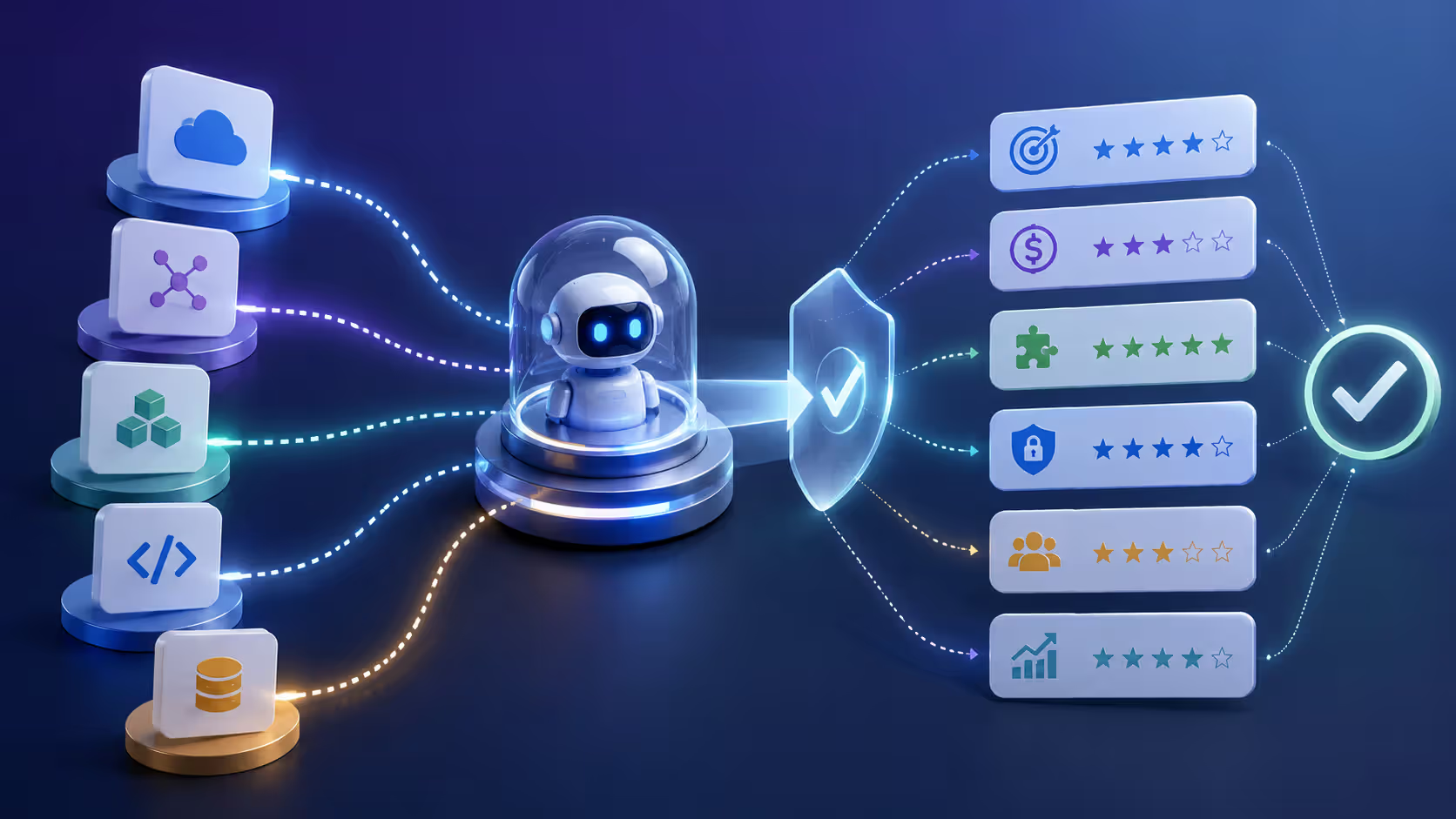
AI agents are moving from proof-of-concept demos to production systems that handle real customer interactions, automate complex workflows, and make decisions without human oversight. That shift requires infrastructure—not just models or APIs, but a complete platform that manages deployment, monitoring, scaling, and governance.
An ai agent platform is the orchestration and management layer that sits between your AI models and your business systems. It handles the runtime environment, coordinates multiple agents, manages state and memory, provides observability, and integrates with your existing tech stack. Without this layer, you're building everything from scratch every time you deploy a new agent.
The market has matured fast. In 2025 and early 2026, we've seen platforms consolidate around a few core architectural patterns. Some vendors focus on no-code builders for simple use cases. Others offer deep infrastructure control for teams running hundreds of specialized agents. The right choice depends entirely on what you're building and who's building it.
Core Components of AI Agent Infrastructure
Every production-grade ai agent infrastructure layer includes several technical subsystems working together. These aren't optional features—they're the foundation that determines whether your agents run reliably at scale or fail unpredictably under load.
Orchestration layer. This is the control plane that routes tasks to agents, manages execution queues, and handles retries when something fails. The orchestrator decides which agent instance handles which request, balances load across compute resources, and ensures that long-running tasks don't block new requests. Most platforms use event-driven architectures here—agents react to triggers rather than polling for work.
Runtime environment. Agents need somewhere to execute. The runtime provides the compute, memory, and storage each agent instance requires. It isolates agents from each other (so one misbehaving agent can't crash the whole system), manages dependencies and library versions, and handles cold starts when agents haven't run recently. Cloud-based runtimes typically use containerization or serverless functions. On-premise setups might use virtual machines or Kubernetes clusters.
Integration APIs. Agents rarely work in isolation. They need to call external services, query databases, read from message queues, and write results back to business systems. The platform's integration layer provides pre-built connectors for common tools (CRMs, ERPs, data warehouses) and a framework for building custom integrations. Authentication, rate limiting, and error handling happen here.
Author: Damien Crowhurst;
Source: aleanetwork.net
Monitoring and observability systems. You can't manage what you can't measure. Production platforms log every agent action, track latency and error rates, capture input/output pairs for auditing, and surface performance metrics in dashboards. The best systems go further—they trace multi-step agent workflows, correlate errors across distributed components, and alert you before small issues become outages.
State and memory management. Agents often need to remember context across multiple interactions. A customer service agent should recall earlier messages in a conversation. A research agent might accumulate findings over hours or days. The platform manages this state—storing it, retrieving it when needed, and expiring it when no longer relevant. Some platforms offer vector databases for semantic memory, others use traditional key-value stores.
One mistake I see often: teams focus on the model and ignore infrastructure. They spend weeks fine-tuning prompts but deploy on a runtime that can't handle concurrent requests or recover from failures. The infrastructure determines uptime, not the model.
Deployment Models for AI Agents
Where your agents run matters as much as how they're built. The ai agent deployment platform you choose shapes your cost structure, operational burden, and control over data and performance.
On-premise deployment. You run everything on your own hardware or private cloud. The platform software gets installed in your data center, and all agent execution happens inside your network perimeter. This model gives you maximum control—over data residency, network policies, compute allocation, and security configurations.
Setup takes longer. You'll need to provision infrastructure, install dependencies, configure load balancers, and integrate with your existing monitoring tools. Maintenance is your responsibility: patching vulnerabilities, upgrading platform versions, scaling capacity as demand grows.
On-premise works best when regulatory requirements prohibit cloud processing of sensitive data, or when you already have significant in-house infrastructure and DevOps expertise. Financial services, healthcare, and government agencies often default to this model.
Hosted AI agent platforms. A vendor runs the platform in their environment, and you deploy agents to their infrastructure. You don't manage servers, databases, or networking—the vendor handles operations, scaling, and uptime. You interact through a web console and APIs.
This is the fastest path to production. You can deploy your first agent in hours instead of weeks. Costs are typically usage-based: you pay for agent execution time, API calls, and storage. The vendor handles security patches, infrastructure upgrades, and disaster recovery.
The tradeoff: less control. You're trusting the vendor's security posture, accepting their data residency policies, and relying on their uptime SLAs. If the vendor experiences an outage, your agents go down too.
Cloud AI agent platforms. These run on major cloud providers (AWS, Azure, Google Cloud) but offer deeper integration with the provider's ecosystem. They're technically hosted, but the distinction matters because you can often deploy them into your own cloud account (a "bring your own cloud" model) or use hybrid configurations.
Cloud platforms excel at elastic scaling. They can spin up hundreds of agent instances during peak demand and scale back down when traffic drops. They integrate natively with cloud-native services—managed databases, message queues, identity systems, logging tools.
Pricing can get complex. You pay the platform vendor and the cloud provider. Compute costs can spike unexpectedly if agents run inefficiently or if you don't configure auto-scaling limits.
Hybrid approaches. Some platforms let you split workloads: run sensitive agents on-premise and general-purpose agents in the cloud. Or keep orchestration in the cloud but execute agents locally. This adds architectural complexity but solves real problems—like meeting data residency rules while still using cloud scalability for non-sensitive workloads.
Enterprises already on cloud, variable workloads, need for elasticity
Hybrid
Weeks
Mixed CapEx and OpEx
Complex—different scaling per environment
High—manage multiple environments
Maximum flexibility—control where it matters
Compliance requirements with performance needs, phased cloud migration
The simpler option usually wins here. Don't choose hybrid unless you have a specific requirement that forces it.
Key Features to Evaluate in an AI Agent Platform
Not all platforms are built the same. When you're comparing options, these ai agent platform features separate production-ready systems from glorified demo environments.
Scalability—vertical and horizontal. Can the platform handle one agent processing 10,000 requests per second? Can it run 1,000 different agents simultaneously? Vertical scaling means giving a single agent more compute resources. Horizontal scaling means running multiple instances of the same agent in parallel. You need both. Ask vendors for load test results and check if they throttle or queue requests during spikes.
Multi-agent coordination. Real-world applications often require multiple specialized agents working together. One agent might handle data retrieval, another performs analysis, a third generates a report. The platform should orchestrate these workflows—passing data between agents, managing dependencies, and handling failures gracefully. Look for built-in support for agent-to-agent communication, workflow DAGs (directed acyclic graphs), and conditional branching.
Security and access control. Agents interact with sensitive systems. The platform must enforce role-based access control (who can deploy or modify agents), encrypt data in transit and at rest, manage secrets (API keys, database passwords) securely, and provide audit logs of all actions. Multi-tenancy matters if different teams or customers share the same platform instance—their agents and data must stay isolated.
Observability and debugging. When an agent misbehaves, you need to diagnose why—fast. The platform should capture detailed execution traces, log all inputs and outputs, track token usage and costs, measure latency at each step, and visualize multi-agent workflows. Bonus points for built-in A/B testing, so you can compare agent versions in production and roll back if a new version underperforms.
Version control and rollback. Agents evolve. You'll update prompts, change models, modify logic. The platform should version every change, let you roll back to any previous version instantly, and support canary deployments (route 5% of traffic to the new version, monitor results, then gradually increase if it performs well).
Integration ecosystem. Pre-built connectors save weeks of development time. Check whether the platform integrates with your CRM, support ticketing system, data warehouse, authentication provider, and monitoring tools. If you're using niche or custom systems, make sure the platform offers a flexible SDK or webhook framework for building your own integrations.
Cost management and quotas. Cloud-based agents can rack up bills quickly if they call expensive APIs or run inefficiently. The platform should let you set spending limits per agent or per team, track costs in real time, and alert you when usage exceeds thresholds. Token usage tracking is non-negotiable if you're using LLM-based agents—you need to know which agents are burning through your OpenAI or Anthropic credits.
A counterintuitive point: more features aren't always better. Platforms with dozens of advanced capabilities often have steeper learning curves and higher operational overhead. Match features to your actual needs, not to a hypothetical future state.
Enterprise Requirements and Considerations
Building a demo agent is easy. Running agents in production for an enterprise ai agent platform deployment is a different game. Enterprises have requirements that startups and individual developers can skip—but ignoring them leads to failed audits, security incidents, or vendor lock-in that costs millions to escape.
Compliance and certifications. If you're in healthcare, you need HIPAA compliance. Financial services require SOC 2 Type II and sometimes PCI DSS. Government contracts demand FedRAMP. European customers need GDPR guarantees. The platform vendor should provide documentation proving they meet these standards—not just promises, but actual audit reports you can review.
Data residency is part of this. Some regulations require that data never leaves a specific geographic region. The platform must let you choose where agents run and where data gets stored. Cloud platforms usually offer regional deployments; on-premise gives you total control.
SLA guarantees and support tiers. Uptime matters. A platform with 99.9% uptime sounds good until you realize that's 8.76 hours of downtime per year. Enterprises often need 99.95% or higher, with financial penalties if the vendor misses the target. Read the SLA carefully—does it cover only the platform's core services, or does it include integrations and dependencies?
Support tiers vary widely. Basic plans might offer email-only support with 24-hour response times. Premium tiers provide dedicated Slack channels, phone support, and named technical account managers. If agents are business-critical, you can't wait a day for help when something breaks.
The biggest mistake enterprises make is treating AI agent platforms like SaaS tools they can swap out easily. These platforms become deeply embedded in your operations—they touch your data pipelines, your security policies, your customer-facing systems. Choosing the wrong platform isn't just a bad purchase decision; it's an architecture decision that shapes your capabilities for years.
— Chen Michael
Vendor lock-in and portability. Proprietary platforms make it hard to leave. If all your agents are built using a vendor-specific framework, migrating to a different platform means rewriting everything. Look for platforms that use open standards—OpenAI-compatible APIs, standard container formats, exportable workflow definitions. Ask vendors directly: "If we decide to leave, how do we export our agents and data?"
Some platforms offer hybrid deployment specifically to reduce lock-in. You can start in their hosted environment, then move to your own infrastructure later without rewriting code.
Governance and policy enforcement. Large organizations need centralized control. Who can deploy agents? Which models are approved for use? What data sources can agents access? The platform should enforce policies automatically—blocking deployments that violate rules, requiring approval workflows for sensitive changes, and logging all actions for audit trails.
Role-based access control (RBAC) is table stakes. More advanced platforms offer attribute-based access control (ABAC), which lets you define fine-grained policies like "only agents tagged 'customer-facing' can access the CRM, and only during business hours."
Total cost of ownership. The platform's subscription fee is just the start. Add compute costs, API usage (if agents call third-party LLMs), storage for logs and state, data transfer fees, and the internal labor cost of managing and operating the platform. On-premise deployments have higher upfront costs but lower ongoing fees. Cloud platforms flip that ratio.
Hidden costs appear later. Training your team on the platform. Building custom integrations. Migrating legacy systems. Hiring specialists if the platform requires rare expertise. Factor these in before committing.
How to Choose the Right Platform for Your Use Case
There's no universal best ai agent management platform. The right choice depends on your specific context—team size, technical depth, budget constraints, and integration requirements.
Start with your team's capabilities. Do you have experienced DevOps engineers and ML engineers who can manage infrastructure? Then an open-source or self-hosted platform gives you maximum flexibility. Is your team mostly product managers and business analysts with limited coding experience? A no-code or low-code hosted platform makes more sense.
One pattern I see often: teams overestimate their technical capacity. They choose a powerful but complex platform, then spend months just getting it configured. Be honest about your team's bandwidth and expertise.
Define your scale and performance requirements. How many agents will you run? How many requests per day? What's your latency budget—can responses take seconds, or do you need sub-100ms replies? If you're starting small (a few agents handling hundreds of requests daily), a simple hosted platform works fine. If you're planning to scale to thousands of agents processing millions of requests, you need a platform built for high throughput.
Map your integration landscape. List every system your agents need to interact with: databases, APIs, SaaS tools, internal services. Check which platforms offer pre-built connectors for these systems. Building custom integrations is possible but time-consuming. If a platform already integrates with 80% of your stack, that's a huge advantage.
Budget realistically. Set a total budget that includes platform fees, infrastructure costs, third-party API usage, and internal labor. Get quotes from multiple vendors. Ask about volume discounts and annual prepayment options (which often cut costs by 20–30%).
Watch for pricing models that penalize success. Some platforms charge per agent execution, which means your costs scale linearly with usage. That's fine for predictable workloads but dangerous if you're building viral consumer features where usage could spike 10x overnight.
Evaluate vendor stability and roadmap. Is the vendor well-funded? Do they have a track record of supporting enterprise customers? Check their release cadence—platforms that ship updates monthly are actively investing in the product. Platforms that haven't released a major feature in six months might be stagnating.
Ask about their roadmap. Where are they investing? If you need better multi-agent orchestration and that's on their roadmap for next quarter, great. If they're focused on features you don't care about, that's a mismatch.
Run a proof of concept. Don't commit based on demos and documentation. Build a real agent on the platform—something close to your actual use case. Deploy it, run load tests, try to break it. Measure how long it takes to go from idea to working agent. This reveals friction points that aren't obvious in sales presentations.
Author: Damien Crowhurst;
Source: aleanetwork.net
Compare at least three platforms. The differences become clear when you're hands-on.
Common Implementation Challenges and Solutions
Even with the right platform, implementation hits obstacles. Here's what goes wrong most often—and how to fix it.
Integration friction. Your agents need data from systems that weren't designed to be automated. APIs are poorly documented, require obscure authentication schemes, or rate-limit aggressively. Legacy systems don't have APIs at all.
Solution: Budget time for integration work upfront. Don't assume pre-built connectors will work perfectly—they rarely do. Build thin wrapper services that normalize data from messy sources before agents consume it. For systems without APIs, consider RPA (robotic process automation) as a bridge, though it's fragile.
Agent performance tuning. Your agent works great in testing but performs poorly in production. It's slow, gives inconsistent answers, or fails on edge cases you didn't anticipate.
Solution: Treat agents like any other software—profile them, optimize bottlenecks, and iterate. If latency is high, check whether you're making unnecessary API calls or loading too much context into prompts. If quality is inconsistent, add evaluation datasets that cover edge cases and measure performance systematically. Use the platform's A/B testing features to compare changes objectively.
Cost management. Your first month's bill is 3x what you expected. Agents are calling expensive LLM APIs thousands of times per day, or they're running on oversized compute instances.
Solution: Instrument everything. Track costs per agent, per user, per workflow. Identify the top cost drivers. Often, a single poorly-designed agent accounts for 50% of spend. Optimize that agent—cache repetitive queries, use cheaper models for simple tasks, batch requests. Set hard spending limits so runaway costs trigger alerts before they wreck your budget.
Governance and sprawl. Teams start deploying agents without coordination. Six months later, you have dozens of agents doing overlapping work, no one knows who owns what, and security policies are inconsistently applied.
Solution: Establish governance early. Create a registry of all agents—what they do, who owns them, what data they access. Require approvals for new agent deployments. Use the platform's tagging and organization features to group agents by team or function. Schedule quarterly reviews to decommission agents that are no longer needed.
Lack of observability. An agent starts failing, but you can't figure out why. Logs are scattered across systems, and you don't have enough detail to reproduce the issue.
Solution: Standardize logging and tracing from day one. Every agent should emit structured logs with consistent fields (timestamp, agent ID, user ID, input, output, latency, errors). Use the platform's built-in observability tools, or send logs to a centralized system like Datadog or Splunk. Capture enough context to debug issues without needing to reproduce them live.
Resistance to change. Users don't trust the agents. They override agent decisions or refuse to adopt workflows that depend on automation.
Solution: Involve users early. Show them prototypes, gather feedback, and iterate. Start with agents that assist rather than replace—give users an AI copilot that suggests actions instead of taking them autonomously. Build trust gradually. Track metrics that prove value (time saved, errors reduced, customer satisfaction improved) and share those wins.
Comparison Table: Deployment Models
Here's how the three main deployment approaches stack up across the dimensions that matter most for production systems:
(See table in previous section for full comparison.)
Looking Ahead: Platform Evolution in 2026
The ai agent platform market is consolidating. In 2025, there were dozens of startups offering agent platforms. By mid-2026, acquisitions and market exits have narrowed the field. The survivors are platforms that either dominate a specific vertical (healthcare, finance, customer service) or offer genuinely differentiated infrastructure.
We're seeing convergence on a few architectural patterns. Most platforms now support both LLM-based agents and traditional rule-based automation in the same environment. Multi-agent orchestration has moved from experimental to expected. Observability and cost management tools that were add-ons a year ago are now core features.
The biggest shift: enterprises are moving from experimentation to production at scale. That's changing vendor priorities. Features that matter for demos—flashy UIs, pre-built templates—are less important than features that matter for operations—uptime SLAs, audit logs, disaster recovery.
If you're choosing a platform now, think three years out. Where will your agent workloads be in 2029? The platform you pick today will shape what's possible then.
Author: Damien Crowhurst;
Source: aleanetwork.net
FAQ: AI Agent Platform Questions Answered
What is the difference between an AI agent platform and a chatbot builder?
Chatbot builders focus on conversational interfaces—they help you design dialog flows, manage intents, and connect to messaging channels like Slack or WhatsApp. They're optimized for back-and-forth conversations with users.
AI agent platforms are broader. They support conversational agents but also agents that automate workflows, analyze data, make decisions, and interact with other software systems without human involvement. Agents can run autonomously on schedules, react to events, and coordinate with other agents. The platform manages the full lifecycle—deployment, monitoring, scaling, versioning—not just the conversation design.
If you're building a customer support chatbot, a chatbot builder might be enough. If you're building agents that process invoices, route support tickets, and update CRM records autonomously, you need an agent platform.
Can I deploy AI agents without a dedicated platform?
Yes, but it's harder. You can build agents using LLM APIs and custom code, deploy them on standard cloud infrastructure (EC2 instances, Lambda functions), and manage them with your existing DevOps tools.
The tradeoff: you're building infrastructure from scratch. You'll need to implement orchestration, state management, monitoring, retry logic, and integration frameworks yourself. That's months of engineering work before you deploy your first production agent.
A platform gives you these components out of the box. It's the difference between building a web app with raw HTTP libraries versus using a framework like Django or Rails. You can do it the hard way, but most teams are better off using a platform and focusing their engineering effort on agent logic, not infrastructure plumbing.
How much does an enterprise AI agent platform typically cost?
Pricing varies widely based on deployment model and scale. Hosted platforms usually charge per agent execution or per API call, starting around $500–$2,000/month for small deployments and scaling to $10,000–$50,000+/month for enterprises running hundreds of agents.
On-premise platforms often use license-based pricing: an upfront fee ($50,000–$200,000+) plus annual maintenance (15–20% of the license cost). You also pay for the infrastructure to run it—servers, storage, networking.
Cloud platforms mix both models: a platform fee plus usage-based charges for compute, storage, and API calls. Total costs depend heavily on how efficiently your agents run and how much traffic they handle.
Don't forget indirect costs. Training, integration development, and ongoing management can easily match or exceed the platform's direct costs. Budget for the total cost of ownership, not just the subscription fee.
What security certifications should I look for in a cloud AI agent platform?
Start with SOC 2 Type II—it's the baseline for SaaS platforms handling sensitive data. SOC 2 Type II covers security, availability, processing integrity, confidentiality, and privacy, and it requires an independent audit.
If you're in healthcare, HIPAA compliance is mandatory. Financial services often require PCI DSS (if agents handle payment data) and adherence to frameworks like NIST or ISO 27001. Government contracts need FedRAMP authorization.
For European customers or data, GDPR compliance matters. The platform should offer data processing agreements (DPAs), support data subject access requests, and provide data residency controls.
Check whether the certifications cover the entire platform or just parts of it. Some vendors have SOC 2 for their core services but not for integrations or add-on features. Ask for the actual audit reports, not just badges on the website.
How long does it take to deploy an AI agent on a managed platform?
For simple agents, you can go from zero to production in a few hours. Sign up, use a template or wizard to configure the agent, connect it to a data source or API, test it, and deploy. Hosted platforms are optimized for this speed.
Complex agents take longer. If you're building multi-step workflows, integrating with legacy systems, or implementing custom logic, expect days to weeks. The platform reduces infrastructure work, but you still need time for design, testing, and iteration.
Enterprise deployments add overhead. Security reviews, compliance checks, approval workflows, and change management can stretch timelines by weeks or months. The platform itself isn't the bottleneck—organizational processes are.
Plan for a proof of concept (1–2 weeks), a pilot with real users (4–6 weeks), and then a phased production rollout. Rushing to production without testing under realistic conditions usually backfires.
Do I need a data science team to use an AI agent platform?
It depends on the platform and the complexity of your agents. No-code and low-code platforms let non-technical users build simple agents—think of them like advanced workflow automation tools. You don't need data scientists or ML engineers for these.
If you're building agents that use custom models, fine-tune LLMs, or implement complex decision logic, you'll need technical expertise. Not necessarily a full data science team, but at least engineers comfortable with APIs, scripting, and debugging.
Most platforms fall somewhere in between. Product managers or business analysts can configure and deploy agents using templates and pre-built components. Engineers get involved for custom integrations, performance tuning, and troubleshooting.
The trend is toward platforms that require less specialized expertise. In 2026, you can build capable agents without knowing how transformers or embeddings work. But understanding the basics—how LLMs behave, what makes a good prompt, how to evaluate agent performance—still helps a lot.
Choosing an AI agent platform isn't just a technology decision. It's an architectural choice that shapes what your organization can build, how quickly you can deploy, and what risks you're exposed to. The platform becomes part of your infrastructure—embedded in your workflows, connected to your systems, and central to your automation strategy.
The market has matured enough that you don't need to build everything from scratch, but it's still young enough that choosing the wrong platform can cost you months of rework. Do your homework. Run proofs of concept. Talk to reference customers who've deployed at scale. And remember: the best platform is the one that fits your team's capabilities and your business requirements, not the one with the most impressive demo.
AI visibility tools monitor how often your brand appears in AI-generated responses across ChatGPT, Perplexity, and Gemini. Unlike traditional SEO tools that track Google rankings, these platforms measure citations, mentions, and context in AI answers—helping you optimize for generative engine visibility.
An AI SDR automates prospecting, outreach, and lead qualification using machine learning and natural language processing. Discover how these systems work, when to use AI versus human SDRs, common implementation mistakes, and what tools are available.
Discover how conversational AI assistants use NLP and machine learning to understand context and hold natural dialogues. This guide covers technology fundamentals, use cases, implementation strategies, and how to avoid common challenges when deploying AI assistants for business.
AI voice agents combine speech recognition, natural language processing, and voice synthesis to conduct natural phone conversations. Learn how the technology works, what capabilities modern systems offer, and which industries benefit most from automated voice interactions.
The content on this website is provided for general informational and educational purposes only. It is intended to explain concepts related to AI tools, agents, developer infrastructure, coding assistants, APIs, and productivity workflows.
All information on this website, including articles, guides, and examples, is presented for general educational purposes. Outcomes and tool performance may vary depending on implementation, skill level, and use case.
This website does not provide professional AI consulting, development services, or guarantees of results, and the information presented should not be used as a substitute for consultation with qualified AI or software development professionals.
The website and its authors are not responsible for any errors or omissions, or for any outcomes resulting from decisions made based on the information provided on this website.