Large language models have moved from research labs into everyday business operations faster than almost any technology in recent history. But the models themselves are just the starting point. What makes them actually useful are the tools built around them — the platforms, frameworks, and utilities that let developers and businesses harness their capabilities without needing a PhD in machine learning.
If you're building an application that needs natural language understanding, generating content at scale, or automating customer interactions, you'll need to navigate a rapidly expanding ecosystem of LLM tools. Some are designed for quick API integration. Others focus on fine-tuning models to your specific domain. Many handle the messy middle ground: prompt management, cost tracking, evaluation, and deployment.
This guide breaks down what these tools actually do, how they fit together, and which ones make sense for different types of projects.
What Are LLM Tools and Why They Matter
LLM tools are software platforms, libraries, and services that help you work with large language models. They handle everything from accessing pre-trained models to customizing them for specific tasks, managing how you communicate with them, and deploying them in production environments.
The distinction matters because "AI tools" is a broad category that includes everything from image recognition APIs to recommendation engines. Large language model tools specifically deal with text generation, understanding, and transformation using models trained on massive text datasets — think GPT-4, Claude, Llama, or Gemini.
Why do developers and businesses use them instead of building from scratch? Training an LLM from the ground up costs millions of dollars and requires specialized infrastructure. Even if you have the budget, it takes months. LLM tooling explained simply: these tools let you skip that entire process and start with capable models that already understand language, then adapt them to your needs.
The pattern I see most often is companies underestimating how much infrastructure sits between "calling an API" and "running a reliable production service." Token counting, rate limiting, prompt versioning, output validation, cost monitoring — none of this is trivial at scale. That's where specialized LLM software tools come in.
Author: Damien Crowhurst;
Source: aleanetwork.net
Categories of LLM Developer Tools
The LLM developer tools landscape breaks down into several distinct categories. Each solves different problems in the workflow from prototype to production.
API Platforms and Model Access Tools
These are your entry point. Services like OpenAI's API, Anthropic's Claude API, Google's Vertex AI, and AWS Bedrock give you access to powerful models through simple HTTP requests. You send text, you get text back.
The best LLM tools in this category handle authentication, rate limiting, and model versioning for you. They typically charge per token — both for what you send (input) and what you receive (output). Pricing varies wildly. GPT-4 costs significantly more per token than GPT-3.5, which costs more than open-source models you host yourself.
Some platforms offer model routers that automatically select the most cost-effective model for each request based on complexity. Others provide unified interfaces to multiple providers, so you can switch between OpenAI and Anthropic without rewriting code.
Fine-Tuning and Training Frameworks
When pre-trained models don't quite fit your use case, fine-tuning frameworks let you adapt them using your own data. Tools like Hugging Face Transformers, Ludwig, and Axolotl provide the infrastructure for this process.
Fine-tuning isn't always necessary. It makes sense when you have specialized terminology, need consistent formatting, or work in a niche domain where general models struggle. Medical diagnosis, legal document analysis, and proprietary code generation are common examples.
These frameworks handle data preprocessing, training loop management, and checkpoint saving. The more sophisticated ones optimize memory usage so you can fine-tune large models on consumer GPUs using techniques like LoRA (Low-Rank Adaptation) or QLoRA (Quantized LoRA).
Prompt Engineering and Management Tools
Prompts are how you communicate with LLMs. As projects grow, managing hundreds of prompt variations becomes chaotic. Prompt engineering tools like LangChain, LlamaIndex, and PromptLayer solve this by treating prompts as versioned, testable assets.
These platforms let you build complex workflows where one model's output feeds into another's input, retrieve relevant context from databases before generating responses, and track which prompt versions perform best for specific tasks.
The simpler option usually wins here. If you're just starting, a spreadsheet with prompt versions might be enough. But once you're running A/B tests across multiple prompts or chaining together multi-step reasoning, dedicated tooling saves significant time.
Author: Damien Crowhurst;
Source: aleanetwork.net
How LLM Application Tools Work in Production
Understanding the technical workflow helps you choose the right tools. Here's what happens when an LLM-powered application handles a user request.
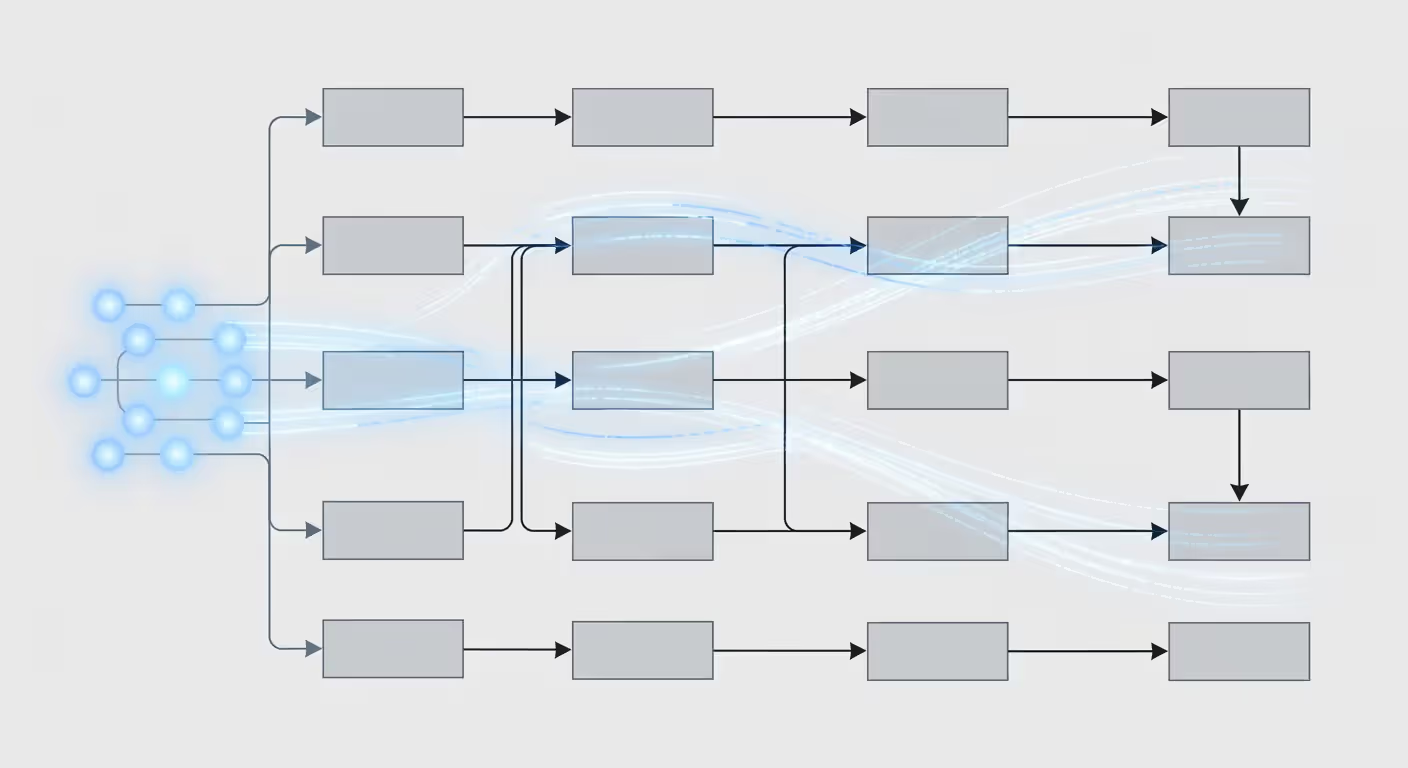
First, the application receives input — a user question, a document to summarize, whatever. Before sending this to the model, you typically preprocess it: validate length, sanitize content, maybe retrieve relevant context from your database or knowledge base.
Then comes token management. LLMs have context windows — maximum amounts of text they can process at once. GPT-4 Turbo handles 128,000 tokens, roughly 96,000 words. But longer contexts cost more and respond slower. Smart LLM application tools automatically truncate or summarize input to fit budget and latency requirements.
The actual API call goes to your chosen model. Response times vary from under a second to 30+ seconds depending on output length and model size. Most production systems implement timeouts and fallbacks. If the primary model is slow or unavailable, they route to a faster backup.
After receiving the response, you'll validate it. Does it contain the expected format? Any inappropriate content? Some applications use a second, smaller model to check the first model's output before showing it to users.
Finally, you log everything. Which prompt version was used? How many tokens? What was the latency? Cost? User feedback? This data feeds into your evaluation and optimization process.
Common architecture patterns include:
Direct API calls — Simplest approach. Your application calls the model API directly. Works fine for low-volume applications where latency isn't critical.
Queue-based processing — Requests go into a queue, workers process them asynchronously. Better for high volume or when you can tolerate delays.
Caching layers — Store responses for common queries. If someone asks "What are your business hours?" for the hundredth time, serve the cached response instead of paying for another API call.
Hybrid systems — Use small, fast models for simple queries, larger models only when needed. A router decides which model gets each request based on complexity.
Choosing the Right LLM Software Tools for Your Project
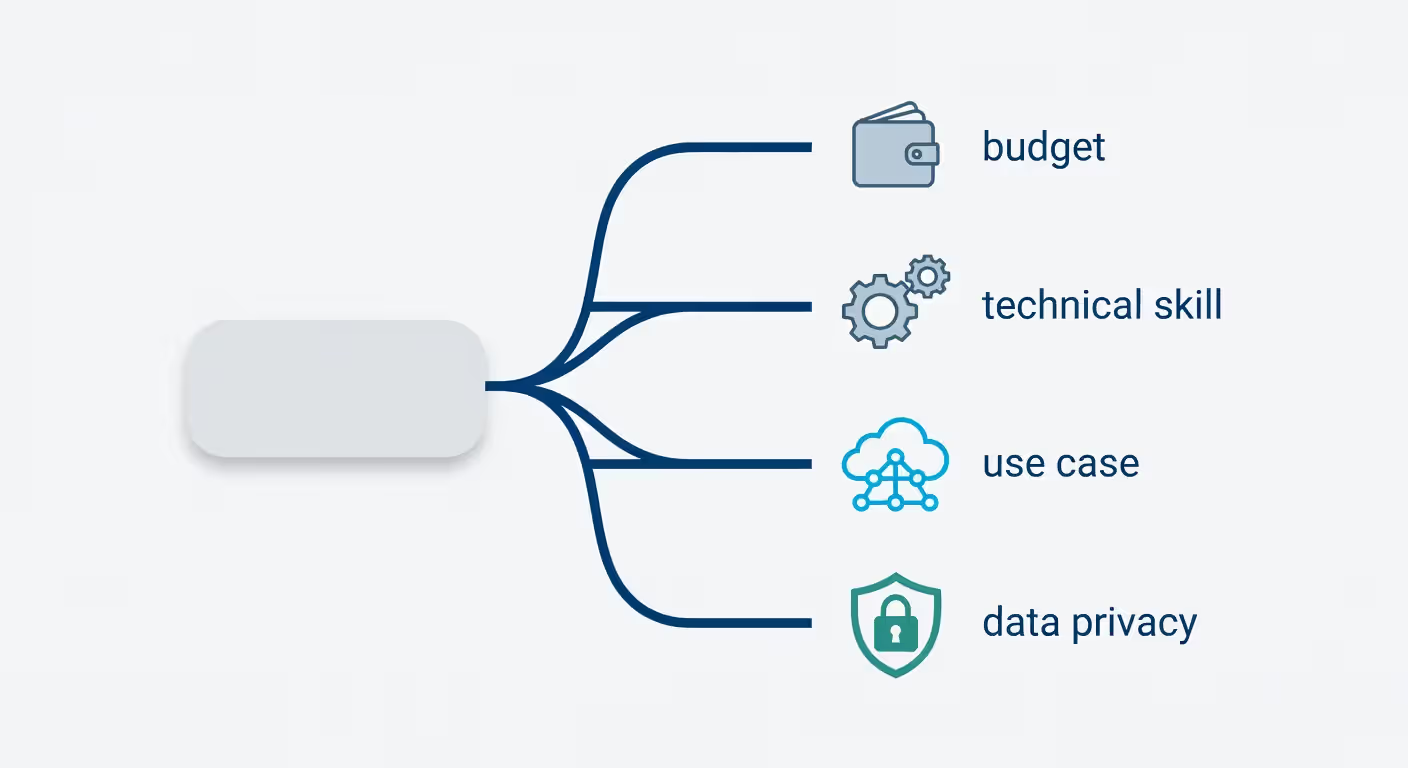
The best llm tools for your project depend on several factors. Here's a practical decision framework.
Start with your use case. Are you building a chatbot? A content generation pipeline? A code assistant? A document analysis system? Different tools excel at different tasks. LangChain works well for chatbots and agents. Hugging Face is better if you need to fine-tune models. OpenAI's API is hard to beat for general-purpose text generation.
Consider your technical expertise. Some platforms require minimal coding — you can build functional applications with low-code interfaces. Others assume you're comfortable with Python, understand API design, and can debug infrastructure issues. Don't pick a tool that's two levels above your team's current skill set.
Budget matters more than most people expect. At small scale, everything feels cheap. But if you're processing thousands of requests daily, costs add up fast. Calculate your expected token usage and multiply by provider pricing. Factor in development time too — a free open-source solution might cost more in engineering hours than a paid service.
Scalability requirements shape your options. If you're prototyping, a simple API integration works fine. But if you're planning to handle millions of users, you need tools that support load balancing, caching, and cost optimization. Some platforms offer enterprise features like dedicated capacity and SLAs.
Data privacy can't be an afterthought. If you're handling sensitive information — medical records, financial data, personal communications — check where your data goes. Some API providers train on your inputs unless you explicitly opt out. Others offer private deployments where data never leaves your infrastructure.
One counterintuitive point: starting with the most powerful model isn't always smart. GPT-4 is impressive, but it's also expensive and slower than GPT-3.5. Many applications work fine with smaller models, and you can always upgrade later. Test with the cheaper option first.
Author: Damien Crowhurst;
Source: aleanetwork.net
Common Mistakes When Implementing LLM Powered Tools
Even experienced developers hit predictable problems when working with LLM powered tools. Here are the ones that cause the most pain.
Over-reliance on default settings is surprisingly common. Most APIs come with default temperature, top_p, and max_tokens values. These are generic compromises. For creative writing, you want higher temperature. For structured data extraction, you want it near zero. Default prompt templates rarely fit your specific use case. Customize them.
Ignoring cost management until the bill arrives. This happens constantly. You prototype with GPT-4, it works great, you launch, and suddenly you're spending $500 a day on API calls. Set up billing alerts immediately. Track cost per user interaction. Implement caching for repeated queries. Use smaller models where possible.
Poor prompt design wastes money and produces inconsistent results. Vague prompts like "Write something about this topic" give you vague outputs. Specific prompts with examples, format requirements, and constraints work dramatically better. The difference between "Summarize this article" and "Write a 3-sentence summary focusing on the main conclusions, suitable for a technical audience" is huge.
Inadequate testing is another trap. LLMs are non-deterministic — the same prompt can produce different outputs. You can't test them like traditional software. You need evaluation datasets, automated scoring for output quality, and human review processes. Many teams skip this and discover problems only after users complain.
Security oversights can be serious. Prompt injection attacks are real — users can manipulate prompts to make your application do things you didn't intend. If you're building a customer service bot, someone will try to make it reveal system prompts or generate inappropriate content. Input validation and output filtering aren't optional.
One mistake I see less often but that's more costly: building too much custom infrastructure too early. Unless you have very specific requirements, use existing platforms. The time you save is worth the vendor dependency risk.
Comparing Popular LLM Tooling Options
Here's a side-by-side look at leading platforms. This isn't exhaustive — the landscape changes constantly — but these represent the major categories.
Platform
Pricing Model
Supported Models
Ease of Integration
Best Use Case
Technical Requirements
OpenAI API
Pay-per-token
GPT-4, GPT-3.5, DALL-E, Whisper
Very easy (REST API)
General-purpose text generation, chat, embeddings
Basic HTTP/API knowledge
Anthropic Claude
Pay-per-token
Claude 3 family
Easy (REST API)
Long-context tasks, safer outputs, analysis
Basic HTTP/API knowledge
AWS Bedrock
Pay-per-token + infrastructure
Multiple (Claude, Llama, Titan, etc.)
Moderate (AWS ecosystem)
Enterprise deployments, existing AWS users
AWS familiarity, IAM setup
Hugging Face
Free + paid hosting
Thousands of open models
Moderate to complex
Fine-tuning, custom models, research
Python, ML fundamentals
LangChain
Open-source + paid LangSmith
Model-agnostic
Moderate
Building agents, chains, retrieval systems
Python, prompt engineering
Replicate
Pay-per-run
Many open models
Easy (API)
Running open-source models without infrastructure
Basic API knowledge
Practical considerations beyond the table:
OpenAI remains the default choice for most developers. The API is well-documented, the models are powerful, and integration takes minutes. But you're locked into their pricing and subject to their usage policies.
Author: Damien Crowhurst;
Source: aleanetwork.net
Anthropic's Claude excels at longer contexts and tends to refuse inappropriate requests more reliably. If you're building something customer-facing where safety matters, it's worth testing.
AWS Bedrock makes sense if you're already deep in the AWS ecosystem and need compliance features. The integration with other AWS services is smooth, but the learning curve is steeper than direct API access.
Hugging Face is the go-to for open-source models and fine-tuning. The community is massive, and you'll find pre-trained models for almost any task. But you're responsible for hosting and scaling.
LangChain helps when you're building complex applications with multiple steps, external data retrieval, or agent-like behavior. It's a framework more than a platform — you still need to choose which models to use.
Replicate sits in a useful middle ground: run open-source models through an API without managing infrastructure. Great for experimentation or when you want to avoid vendor lock-in with closed models.
The most significant shift in LLM tooling isn't about model size anymore — it's about making these systems reliable, cost-effective, and safe enough for production use at scale.
— Ng Andrew
FAQ: LLM Tools Questions Answered
What is the difference between LLM tools and AI tools?
AI tools is a broad category covering any software that uses artificial intelligence — image recognition, recommendation systems, predictive analytics, and more. LLM tools specifically work with large language models, which are AI systems trained on massive text datasets to understand and generate human language. If it's processing or creating text using a model like GPT-4 or Claude, it's an LLM tool. If it's identifying objects in photos or predicting customer churn, it's an AI tool but not an LLM tool.
Do I need coding skills to use LLM developer tools?
It depends on what you're building. Simple integrations with platforms like OpenAI or Anthropic require basic API knowledge — you can often get started with just a few lines of code or even no-code platforms like Zapier. But building production applications, fine-tuning models, or creating complex workflows typically requires Python skills and understanding of API design, error handling, and system architecture. Many platforms now offer low-code interfaces for common use cases, so you can start simple and learn as you go.
How much do LLM tools typically cost?
Pricing varies dramatically based on which models you use and how much you use them. OpenAI's GPT-3.5 costs around $0.50 per million input tokens and $1.50 per million output tokens, while GPT-4 costs $30 per million input tokens and $60 per million output tokens. A typical conversation might use 1,000-5,000 tokens total. For a small application with 1,000 users making 10 queries each monthly, you might spend $50-500 depending on the model. High-volume applications can easily hit thousands of dollars monthly. Open-source models hosted yourself have different economics — you pay for compute infrastructure instead of per-token fees.
Can LLM tools work with proprietary company data?
Yes, but you need to be careful about how. Most API providers offer options to prevent your data from being used for training their models — you typically need to opt into enterprise agreements or specific API settings. For highly sensitive data, you can use open-source models deployed on your own infrastructure, so data never leaves your control. Many platforms now offer private deployments or VPC options where the model runs in your cloud environment. Always check the provider's data usage policy and consider using encryption for data in transit and at rest.
What are the most popular LLM frameworks for developers?
LangChain is probably the most widely used framework for building LLM applications, especially for chatbots and retrieval-augmented generation systems. LlamaIndex (formerly GPT Index) specializes in connecting LLMs to external data sources. Hugging Face Transformers is the standard for working with open-source models and fine-tuning. Semantic Kernel from Microsoft integrates well with enterprise .NET applications. Haystack focuses on search and question-answering systems. The right choice depends on your programming language, use case, and whether you're using open-source or proprietary models.
How do I evaluate which LLM tool is right for my business?
Start by clearly defining your use case and success metrics. Then test 2-3 options with real examples from your domain. Compare them on output quality, speed, cost, and reliability. Build a small prototype with your top choice before committing to a full implementation. Consider factors beyond the model itself: documentation quality, community support, compliance features, and integration with your existing systems. Don't optimize for the wrong thing — the cheapest option that produces mediocre results costs more in the long run than a slightly pricier solution that works well. Run a pilot with actual users and measure their satisfaction before scaling.
The LLM tools ecosystem will keep evolving rapidly, but the fundamentals won't change much. You'll always need ways to access models, customize them for your domain, manage how you communicate with them, and deploy them reliably. The specific platforms and frameworks will improve, pricing will shift, and new capabilities will emerge. But if you understand the categories, the tradeoffs, and the common pitfalls, you'll be able to navigate whatever comes next. Start small, measure everything, and scale what works.
Computer vision enables machines to interpret visual data like humans do—only faster and more accurately. This comprehensive guide explains the technology behind facial recognition, autonomous vehicles, medical imaging, and more, breaking down how it works and where it's applied.
Retrieval Augmented Generation combines information retrieval with language models to create AI systems that provide accurate, source-backed answers. This guide explains how RAG works, its architecture, and practical implementation steps for building production systems.
Discover what makes transformer models the foundation of modern AI. This guide explains attention mechanisms, architecture components, and why transformers outperform RNNs for language tasks, with real-world examples from ChatGPT to BERT.
Generative AI creates new content rather than analyzing existing data. Learn how neural networks and transformers power tools like ChatGPT and DALL-E, explore different model types, and understand real-world applications across industries from healthcare to marketing.
The content on this website is provided for general informational and educational purposes only. It is intended to explain concepts related to AI tools, agents, developer infrastructure, coding assistants, APIs, and productivity workflows.
All information on this website, including articles, guides, and examples, is presented for general educational purposes. Outcomes and tool performance may vary depending on implementation, skill level, and use case.
This website does not provide professional AI consulting, development services, or guarantees of results, and the information presented should not be used as a substitute for consultation with qualified AI or software development professionals.
The website and its authors are not responsible for any errors or omissions, or for any outcomes resulting from decisions made based on the information provided on this website.