AI agents are transforming how businesses automate workflows, handle customer interactions, and process information at scale. Unlike traditional software that follows rigid rules, these intelligent systems can reason, learn from context, and make decisions autonomously. They're showing up everywhere—from customer service platforms that resolve issues without human intervention to research assistants that synthesize information from thousands of documents in seconds.
The shift toward AI agents represents a fundamental change in how we build software. You're no longer just coding instructions; you're designing behaviors and teaching systems to handle ambiguity. The good news? You don't need a PhD in machine learning to create one. Modern AI agent builders have democratized the process, offering everything from drag-and-drop interfaces to sophisticated development frameworks.
The pattern I see most often is businesses jumping into agent development without understanding the fundamentals. They pick a platform, start building, and hit walls they didn't anticipate. This guide walks you through the entire process—what these tools actually are, how to choose the right one, and the step-by-step workflow that separates successful deployments from abandoned prototypes.
What Is an AI Agent Builder?
An AI agent builder is a platform or framework designed specifically to create autonomous AI systems that can perceive their environment, make decisions, and take actions to achieve defined goals. Think of it as the construction toolkit for building intelligent assistants, not just chatbots that respond to prompts.
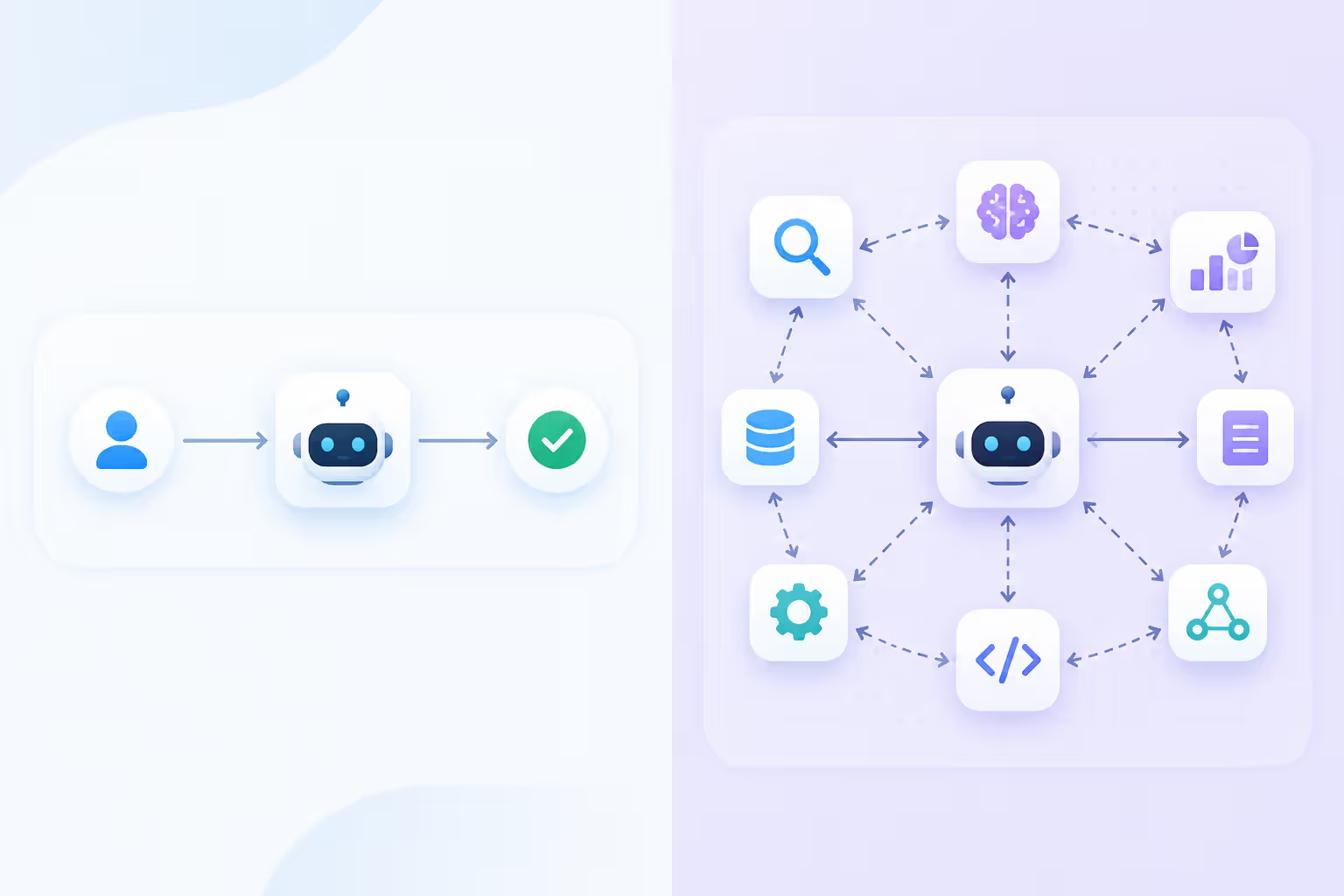
The distinction matters. General AI platforms like ChatGPT or Claude let you interact with pre-built models. Agent builders let you architect systems that integrate with your tools, maintain context across interactions, execute multi-step workflows, and operate independently once deployed.
The next decade will be defined by agentic systems that can plan, reason, and act on behalf of users. We're moving from tools that respond to tools that anticipate.
— Ng Andrew
Here's what sets them apart:
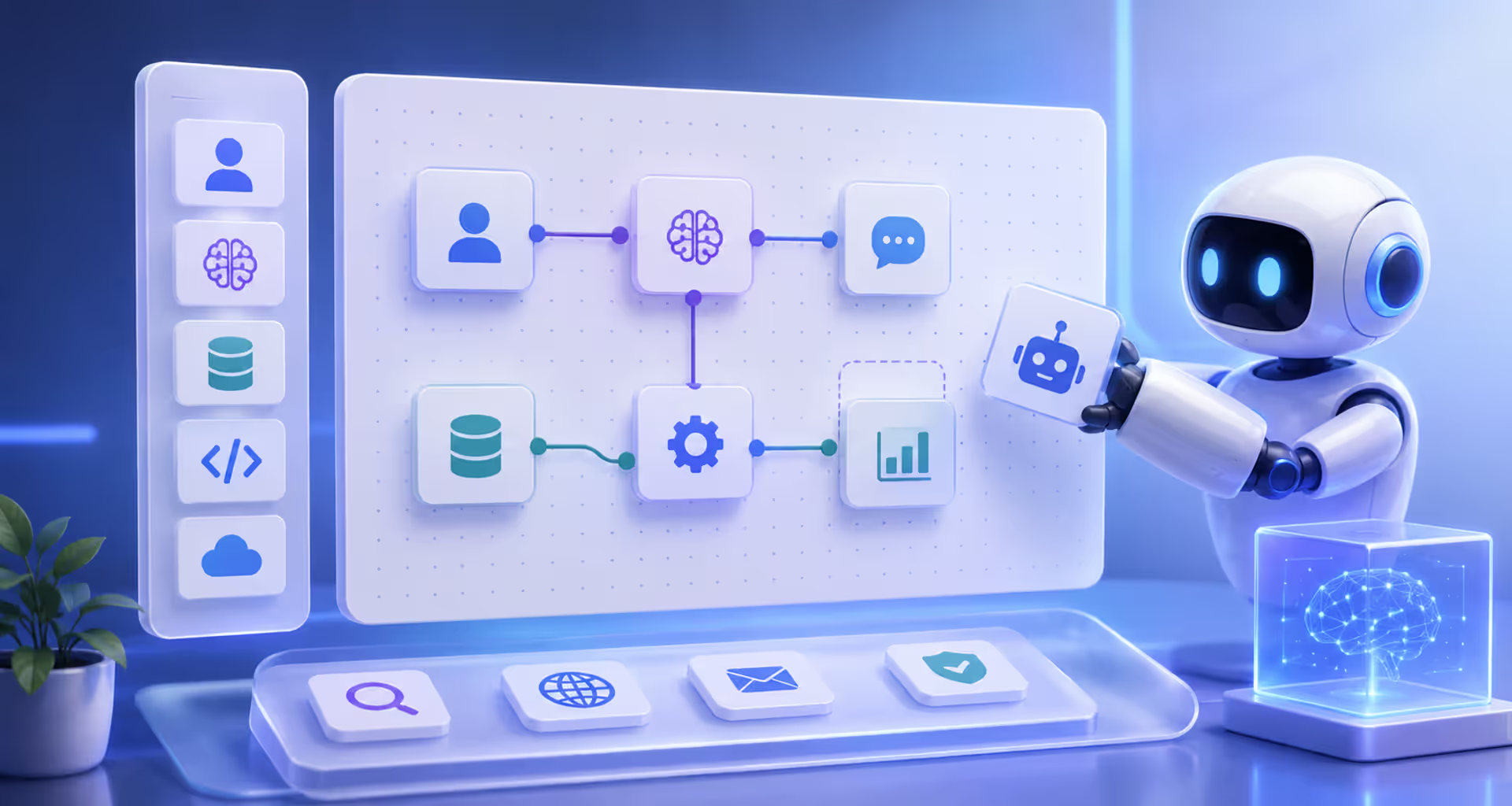
Workflow orchestration capabilities. Agent builders include visual or code-based tools to design decision trees, conditional logic, and multi-step processes. Your agent doesn't just answer questions—it can check a database, call an API, process the results, and decide what to do next.
Integration infrastructure. They come with pre-built connectors to business tools, databases, and external services. An agent might pull data from Salesforce, analyze it, then update records in your CRM and send Slack notifications—all without human intervention.
Memory and state management. Unlike stateless chatbots that forget everything after each conversation, agents maintain context. They remember previous interactions, track ongoing tasks, and build knowledge over time.
Autonomous operation modes. The best builders let you deploy agents that monitor conditions and act independently. They don't wait for user prompts; they watch for triggers and execute workflows automatically.
Use cases span industries. Customer service agents handle tier-one support tickets, escalating only complex issues. Sales agents qualify leads, schedule meetings, and update CRM records. Research agents monitor news feeds, summarize relevant information, and flag items needing human attention. Operations agents monitor system health, predict failures, and trigger maintenance workflows.
The key difference from traditional automation? Agents handle variability. They work with unstructured inputs, adapt to changing conditions, and make judgment calls within parameters you define.
Types of AI Agent Development Tools
The market splits into three categories, each targeting different skill levels and use cases. Your choice depends on technical resources, customization needs, and how much control you want over the underlying architecture.
Author: Adrian Westmere;
Source: aleanetwork.net
Platform Type
Technical Skill Required
Customization Level
Typical Use Cases
No-Code
None (visual interface only)
Limited to platform features
Customer support, lead qualification, FAQ automation, simple workflows
Low-Code
Basic scripting, API knowledge
Moderate (templates + custom logic)
Sales automation, data enrichment, multi-step approval workflows, integration-heavy tasks
These platforms use visual builders where you drag components onto a canvas and connect them with lines representing logic flow. You're essentially drawing your agent's decision-making process rather than coding it.
The appeal is speed. You can prototype and deploy an agent in hours, not weeks. Most platforms include pre-built templates for common scenarios—support agents, appointment schedulers, data collection assistants. You customize them by adjusting conversation flows, connecting your data sources, and setting business rules through dropdown menus and form fields.
Limitations show up when you need custom logic. If your workflow requires complex calculations, unusual API integrations, or decision-making that doesn't fit the platform's templates, you'll hit walls. You're constrained by what the platform builder anticipated users would need.
Popular examples include Voiceflow for conversational agents, Zapier Central for workflow automation agents, and platforms like Relevance AI that focus on business process automation without code.
The simpler option usually wins here if your use case is straightforward. Don't overcomplicate with code-based tools when a visual builder handles 90% of what you need.
Developer-Focused Agent Builders
These frameworks give you the building blocks—SDKs, APIs, and libraries—to construct agents from the ground up. You write code to define behaviors, integrate services, and implement custom logic that no-code platforms can't support.
The trade-off is complexity for control. You can integrate any LLM model, build custom reasoning loops, implement specialized memory systems, and create agent behaviors that don't exist in template libraries. Your agent can call proprietary APIs, process data in unique ways, and implement business logic as complex as you can code.
Frameworks like LangChain and LlamaIndex provide abstractions that simplify common agent patterns—tool calling, retrieval-augmented generation, multi-agent orchestration. AutoGPT and similar projects focus on autonomous operation, where agents plan and execute multi-step tasks with minimal human guidance.
You'll need developers comfortable with Python or JavaScript, understanding of API integration, and familiarity with LLM concepts like prompting, context windows, and token management. The learning curve is steeper, but the ceiling is essentially unlimited.
Most organizations end up using both. No-code for rapid prototyping and simple agents. Code-based frameworks for production systems that need custom capabilities or integration with complex internal infrastructure.
How to Build AI Agents Step by Step
The process follows a consistent pattern regardless of which platform you choose. Skip steps, and you'll waste time rebuilding or debugging issues that proper planning would have caught.
Step 1: Define objectives and scope precisely. Vague goals produce vague agents. Don't say "improve customer service." Say "reduce tier-one support ticket response time to under 2 minutes by handling password resets, account questions, and basic troubleshooting without human intervention."
Write down specific tasks the agent will handle. List the data sources it needs access to. Identify the systems it must integrate with. Define success metrics—not just "works well" but concrete numbers like resolution rate, accuracy percentage, or time saved.
Step 2: Choose your platform based on requirements. Match technical resources to tool complexity. If you don't have developers, code-based frameworks aren't realistic regardless of their capabilities. If your workflow requires custom API calls to internal systems, no-code platforms might not support it.
Evaluate integration requirements first. Does the platform connect to your existing tools natively? Can it access your databases? What authentication methods does it support? Integration gaps kill more agent projects than any other factor.
Author: Adrian Westmere;
Source: aleanetwork.net
Step 3: Design the workflow architecture. Map out the agent's decision tree before building anything. What happens when a user asks a question? What checks does the agent perform? When does it escalate to a human? What data does it need at each step?
Visual flowcharts work best here, even if you're building on a code-based platform. Tools like Miro or even pen and paper help you spot logic gaps and edge cases before you've invested time in implementation.
Include error handling from the start. What happens when an API call fails? When user input is ambiguous? When the agent can't find the information it needs? Agents that gracefully handle failures feel professional. Ones that crash or give nonsensical responses get abandoned.
Step 4: Configure and train the agent. This varies dramatically by platform. No-code tools might have you filling in conversation templates and uploading FAQ documents. Code-based frameworks require writing prompts, selecting models, and implementing retrieval systems.
Key considerations across all platforms:
Context window management: Agents need relevant information without overloading the model's context limit. Implement retrieval systems that fetch only pertinent data.
Prompt engineering: How you instruct the underlying model determines behavior quality. Test different prompt structures and instructions.
Tool integration: Connect the agent to external services it needs—databases, APIs, calculators, search engines.
Memory configuration: Decide what the agent remembers between interactions and how long that memory persists.
Step 5: Test extensively before deployment. Don't just test happy paths. Try to break your agent. Give it ambiguous inputs. Test edge cases. See what happens when APIs are slow or return errors.
Involve people unfamiliar with the project. They'll use the agent in ways you didn't anticipate, uncovering issues you missed. Run at least 50-100 test interactions covering different scenarios before considering the agent production-ready.
Track specific metrics during testing: task completion rate, average handling time, escalation frequency, accuracy of responses. Set minimum thresholds before deployment.
Step 6: Deploy with monitoring. Launch to a limited audience first—internal team, subset of customers, or specific use case. Monitor performance closely. Watch for patterns in failures or user frustration.
Implement logging that captures agent decisions, not just inputs and outputs. You need to understand why the agent chose certain actions to debug problems and improve performance.
Plan for iteration. Your first version won't be perfect. Build feedback loops that capture user reactions and agent performance data. Use that information to refine prompts, adjust workflows, and expand capabilities over time.
Popular Tools to Build AI Agents
The market has exploded with options. Here's a breakdown of platforms that represent different approaches and use cases.
LangChain dominates the developer-focused space. It's a Python and JavaScript framework that provides abstractions for common agent patterns. You get pre-built components for tool calling, retrieval-augmented generation, and multi-agent systems. The learning curve is real, but the flexibility is unmatched. Best for teams with engineering resources building production systems.
Voiceflow targets non-technical teams needing conversational agents quickly. The visual builder is intuitive—you create conversation flows by connecting blocks on a canvas. It handles voice and chat interfaces, deploys to multiple channels, and includes analytics. Limitations appear when you need complex logic or unusual integrations, but for standard conversational use cases, it's hard to beat for speed.
AutoGPT represents the autonomous agent category. You give it a goal, and it plans and executes steps to achieve it. The system can search the web, run code, save files, and call tools—all without step-by-step human direction. It's experimental and can produce unexpected results, but it demonstrates where agent technology is heading.
Microsoft Copilot Studio makes sense if you're already in the Microsoft ecosystem. Native integration with Teams, Office apps, and Azure services means less integration work. The governance and compliance features matter for enterprises with strict security requirements. Pricing is higher, but you're paying for enterprise-grade reliability and support.
Zapier Central brings agent capabilities to the workflow automation platform millions already use. If you've built Zaps, the interface feels familiar. The massive integration library means you can connect agents to almost any business tool. It won't handle complex reasoning tasks, but for automating workflows with AI-powered decision-making, it's accessible and powerful.
CrewAI focuses on multi-agent systems where several specialized agents collaborate on complex tasks. You define roles, assign goals, and let agents work together. It's newer but gaining traction for use cases where single-agent approaches fall short—like research projects requiring specialized agents for different information sources.
Platform choice matters less than matching capabilities to requirements. The best tool is the one your team can actually use to solve your specific problem.
AI Agent Creation Workflow Best Practices
Success patterns emerge across projects regardless of platform or use case. These practices separate agents that get adopted from those that get abandoned after initial enthusiasm fades.
Start with a narrow, high-value use case. Don't build a general-purpose assistant that handles everything. Pick one specific task that's repetitive, time-consuming, and has clear success criteria. Master that before expanding scope.
An agent that excels at one thing beats one that's mediocre at ten things. Users trust specialists. Once you've proven value in a focused area, you can expand capabilities based on actual usage patterns rather than assumptions.
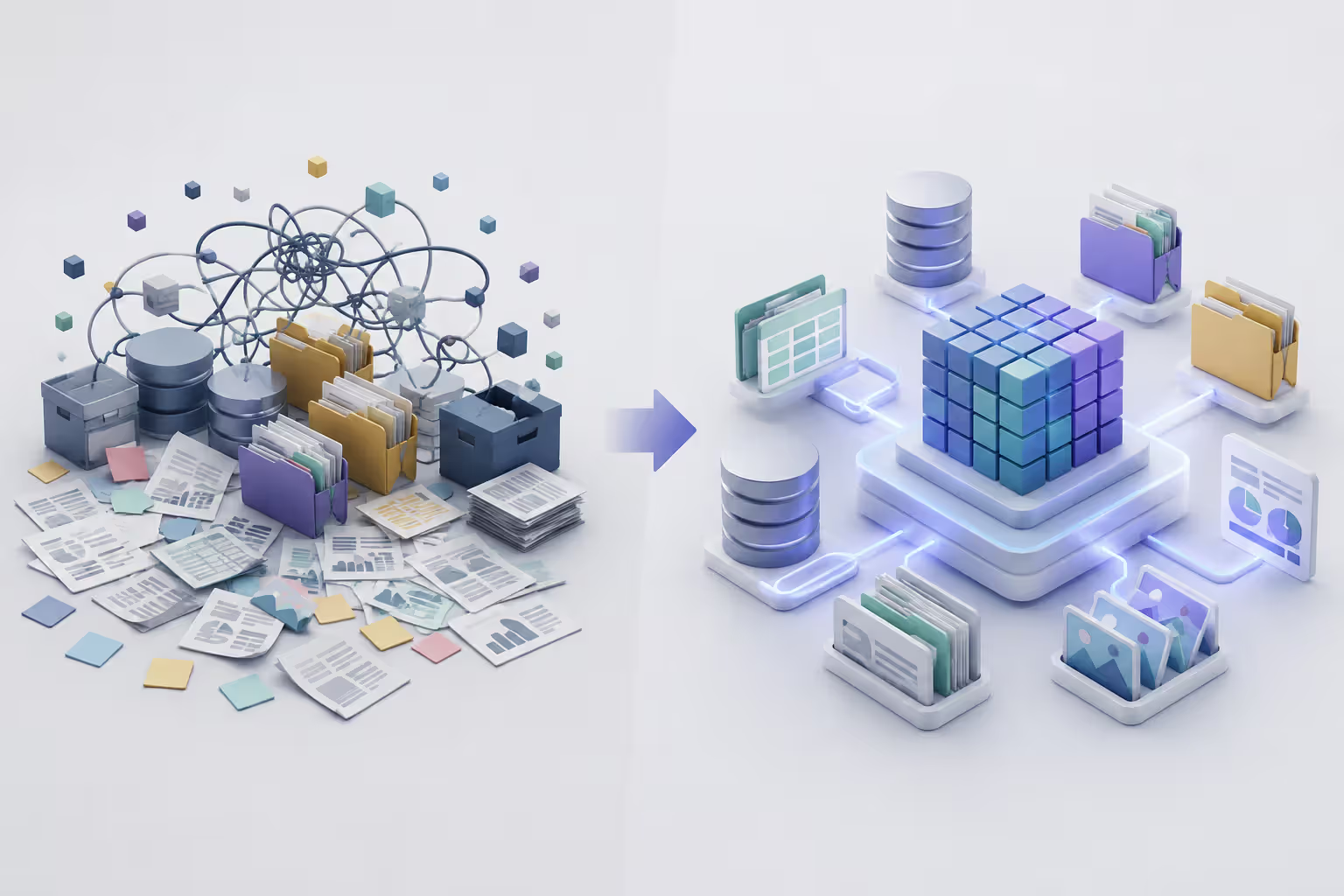
Invest heavily in data preparation. Agents are only as good as the information they can access. If your knowledge base is outdated, poorly organized, or incomplete, the agent will produce unreliable results.
Clean, structure, and validate your data before connecting it to the agent. Create clear documentation. Remove contradictions. Organize information logically. This work isn't glamorous, but it's the difference between an agent that helps and one that frustrates.
Author: Adrian Westmere;
Source: aleanetwork.net
Design for transparency and control. Users need to understand what the agent is doing and why. Build in explanations for decisions. Show which sources informed responses. Provide clear escalation paths when the agent can't help.
Include override mechanisms. Users should be able to correct the agent, provide feedback, and access human help easily. Agents that feel like black boxes generate distrust, even when they're accurate.
Implement progressive disclosure of capabilities. Don't overwhelm users with everything the agent can do on first interaction. Introduce features gradually as users become comfortable. Start with core functionality, then reveal advanced capabilities through use.
Guide users toward successful interactions. If the agent handles specific query types well, prompt users toward those formats. "I can help you with X, Y, and Z" works better than making users guess what's possible.
Build feedback loops into every interaction. After the agent completes a task, ask if it helped. Collect ratings. Monitor where users abandon interactions. Track escalation patterns.
Use this data to prioritize improvements. If 30% of users ask about topic X but the agent can't handle it, that's your next development priority. If accuracy is 95% on task A but 70% on task B, you know where to focus refinement.
Plan for model updates and platform changes. The underlying AI models you're using will update. APIs will change. Platforms will add features and deprecate others. Build with the assumption that you'll need to adapt.
Version your prompts and configurations. Document why you made specific choices. When updates break something, you'll need to understand what worked and why to fix it quickly.
Monitor costs and performance continuously. Agent operations have ongoing costs—API calls, compute resources, data storage. Small inefficiencies multiply at scale. An agent that makes unnecessary API calls or processes too much context per interaction can become expensive fast.
Set up dashboards that track usage patterns, costs per interaction, and performance metrics. Optimize before costs become a problem, not after.
Common Mistakes When Building Custom AI Agents
Most failures follow predictable patterns. Avoid these, and you're already ahead of the majority of projects.
Over-engineering the initial version. Teams get excited and try to build everything at once. The agent should handle all customer questions, integrate with every system, support multiple languages, and learn from every interaction. Result? Projects that take months, miss requirements, and launch with so many features that core functionality suffers.
Build the minimum viable agent first. Get it working reliably for one use case. Learn from real usage. Then expand. You'll waste less time building features nobody needs and discover actual requirements faster.
Underestimating the importance of data quality. You can't compensate for bad data with better prompts or fancier models. If your knowledge base contains outdated information, contradictions, or gaps, the agent will hallucinate, provide wrong answers, or fail to help.
Audit your data sources before connecting them. Test the agent's responses against known correct answers. When accuracy is low, the problem is usually data, not the agent architecture.
Skipping the testing phase or testing only happy paths. Developers test features they built. Users try to accomplish goals, often in unexpected ways. They mistype. They ask ambiguous questions. They try to use the agent for tasks it wasn't designed for.
Comprehensive testing includes edge cases, error conditions, and adversarial inputs. Give the agent to people unfamiliar with it and watch what happens. You'll discover issues you never anticipated.
Ignoring user feedback after launch. Initial deployment isn't the finish line. Users will immediately show you what works and what doesn't through their behavior and comments.
Set up systems to capture feedback—ratings, comments, escalation patterns. Review this data weekly. Prioritize improvements based on actual usage, not assumptions about what users need.
Treating agents as set-and-forget solutions. AI models change. Business processes evolve. Information updates. An agent that works perfectly at launch will degrade over time without maintenance.
Schedule regular reviews of agent performance. Update knowledge bases. Refine prompts based on new model capabilities. Expand functionality as users become comfortable with core features. Agents require ongoing investment, not one-time development.
Failing to plan for failure modes. What happens when the agent doesn't understand a request? When an API it depends on is down? When user input is ambiguous or contradictory?
Graceful failure handling makes the difference between an agent users trust and one they avoid. Design error messages that help rather than confuse. Provide clear escalation paths. Let users know what went wrong and what they can do about it.
The pattern I see most often? Teams focus on the 80% case where everything works perfectly and ignore the 20% where things go wrong. Users remember the failures, not the successes. Plan for them.
FAQ: AI Agent Builder Questions Answered
Do I need coding skills to use an AI agent builder?
Not necessarily. No-code platforms like Voiceflow, Zapier Central, and similar tools let you build functional agents using visual interfaces and pre-built templates. You can create conversational agents, workflow automation, and basic task assistants without writing a single line of code. That said, coding skills dramatically expand what's possible. Developer-focused frameworks like LangChain give you full control over agent behavior, custom integrations, and complex logic that visual builders can't support. Choose based on your use case complexity and available technical resources.
How long does it take to build a custom AI agent?
It depends on scope and complexity. A simple FAQ agent using a no-code platform can be functional in a few hours—maybe a day if you include testing. More complex agents with multiple integrations, custom logic, and sophisticated workflows typically take 2-4 weeks from planning through initial deployment. Enterprise agents with extensive integrations, compliance requirements, and custom capabilities can take several months. The key variable is usually integration work and data preparation, not the agent building itself. Most teams underestimate how long it takes to clean data and connect systems, not to build the agent logic.
What's the difference between an AI agent and a chatbot?
Chatbots respond to user inputs with pre-programmed or AI-generated responses. They're reactive—they wait for you to ask something, then answer. AI agents are autonomous systems that can plan, reason, and take actions to achieve goals. An agent can monitor conditions, decide when to act, execute multi-step workflows, integrate with external tools, and operate independently once deployed. Think of it this way: a chatbot tells you the weather when you ask. An agent monitors the forecast, notices rain is coming, checks your calendar, and automatically reschedules your outdoor meeting. Chatbots are conversational interfaces. Agents are intelligent systems that happen to sometimes use conversation as one interaction mode.
Can I integrate AI agents with existing business tools?
Yes, and integration capability is often the deciding factor in platform choice. Most agent builders include pre-built connectors to popular business tools—CRMs like Salesforce, communication platforms like Slack, databases, calendar systems, and thousands of other applications. The quality and breadth of integrations varies significantly by platform. Zapier-based solutions offer the widest range of pre-built connections. Code-based frameworks give you unlimited integration potential if you can work with APIs. Before choosing a platform, verify it supports the specific tools your agent needs to access. Custom integrations are possible but add development time and complexity.
How much does it cost to build an AI agent?
Costs vary wildly based on approach and scale. No-code platforms typically charge $20-200 per month for hosted solutions with usage limits. Open-source frameworks like LangChain are free, but you'll pay for the underlying AI model API calls (typically $0.001-0.03 per thousand tokens), hosting infrastructure, and developer time. A simple agent might cost under $100/month to run. Complex enterprise agents can cost thousands monthly in API calls, compute resources, and maintenance. Development costs range from zero (if you build it yourself on a no-code platform) to $10,000-50,000+ for custom enterprise solutions built by developers. The ongoing operational costs—API calls, hosting, monitoring—often exceed the initial development investment over time.
What are the best use cases for AI agents?
Agents excel at repetitive tasks requiring judgment, workflows with multiple steps and decision points, and scenarios where 24/7 availability matters. Top use cases include customer support (handling common questions, routing complex issues, updating tickets), sales automation (lead qualification, meeting scheduling, CRM updates), research and analysis (monitoring information sources, summarizing findings, flagging important items), data processing (extracting information from documents, enriching records, validating inputs), and operations monitoring (watching system health, predicting issues, triggering maintenance). The sweet spot is tasks that are time-consuming for humans, require accessing multiple systems, and follow patterns that can be learned but aren't simple enough for traditional automation. If you're doing something repetitive that requires reading, deciding, and acting across multiple tools, an agent can probably help.
Building AI agents represents a fundamental shift in how we think about software. You're not just automating tasks; you're creating systems that can handle ambiguity, make decisions, and adapt to changing conditions. The technology has matured to the point where practical, valuable agents are accessible to teams without specialized AI expertise. Start narrow, focus on real problems, and iterate based on actual usage. The agents that succeed aren't the most technically sophisticated—they're the ones that reliably solve specific problems users actually have.
AI visibility tools monitor how often your brand appears in AI-generated responses across ChatGPT, Perplexity, and Gemini. Unlike traditional SEO tools that track Google rankings, these platforms measure citations, mentions, and context in AI answers—helping you optimize for generative engine visibility.
An AI SDR automates prospecting, outreach, and lead qualification using machine learning and natural language processing. Discover how these systems work, when to use AI versus human SDRs, common implementation mistakes, and what tools are available.
Discover how conversational AI assistants use NLP and machine learning to understand context and hold natural dialogues. This guide covers technology fundamentals, use cases, implementation strategies, and how to avoid common challenges when deploying AI assistants for business.
AI voice agents combine speech recognition, natural language processing, and voice synthesis to conduct natural phone conversations. Learn how the technology works, what capabilities modern systems offer, and which industries benefit most from automated voice interactions.
The content on this website is provided for general informational and educational purposes only. It is intended to explain concepts related to AI tools, agents, developer infrastructure, coding assistants, APIs, and productivity workflows.
All information on this website, including articles, guides, and examples, is presented for general educational purposes. Outcomes and tool performance may vary depending on implementation, skill level, and use case.
This website does not provide professional AI consulting, development services, or guarantees of results, and the information presented should not be used as a substitute for consultation with qualified AI or software development professionals.
The website and its authors are not responsible for any errors or omissions, or for any outcomes resulting from decisions made based on the information provided on this website.