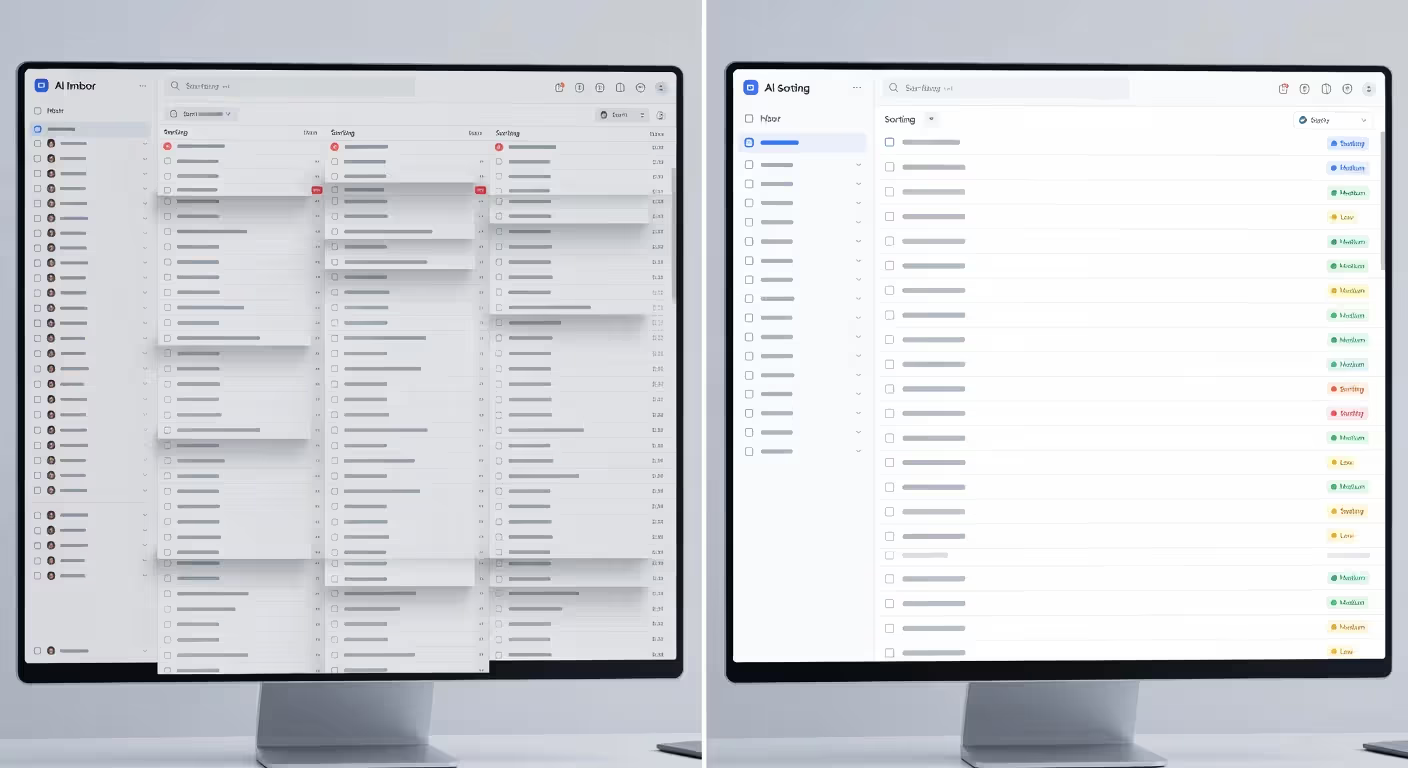
Email inboxes are drowning in messages. The average professional receives over 120 emails daily, and responding to each one manually eats up hours you don't have. AI email automation steps in to handle the repetitive work—drafting replies, scheduling follow-ups, and managing workflows—while you focus on decisions that actually need your attention. It's not about replacing human judgment. It's about reclaiming time from tasks a machine can handle just as well.
What Is AI Email Automation
AI email automation uses artificial intelligence to manage email tasks that traditionally required manual effort. Unlike basic rule-based automation—which follows rigid "if this, then that" logic—AI systems learn from patterns, understand context, and adapt their responses based on the content of each message.
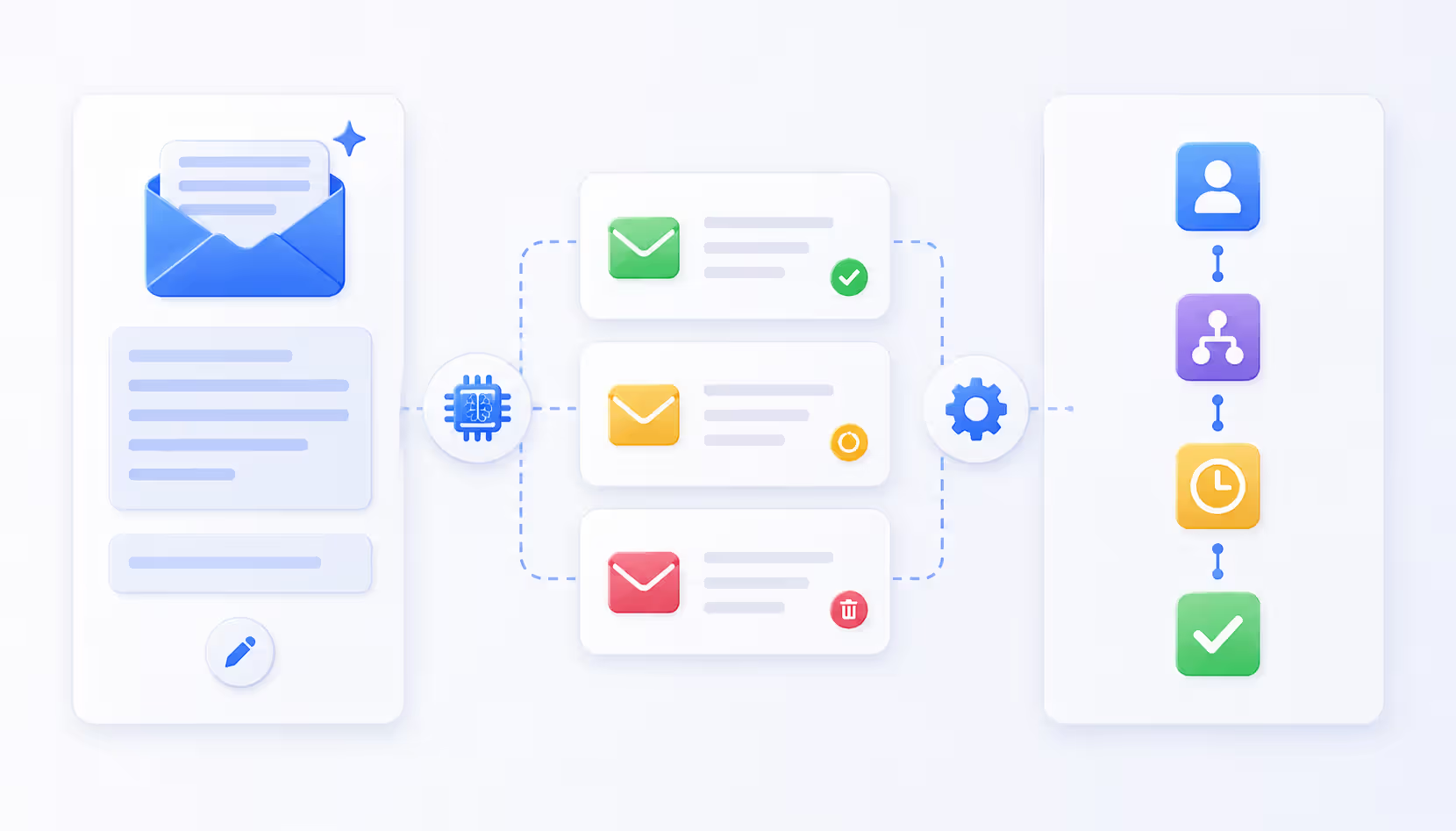
Traditional automation might sort emails into folders or send a canned reply when specific keywords appear. AI-powered email workflow tools go further. They read the intent behind a message, generate contextually appropriate responses, suggest actions, and even predict which emails deserve your immediate attention.
Core capabilities include:
Intelligent drafting. The AI composes new emails from scratch based on brief prompts or context from your calendar and previous conversations.
Contextual responses. Rather than template replies, the system analyzes incoming messages and generates tailored responses that match tone and address specific questions.
Workflow orchestration. AI manages multi-step email sequences, adjusting timing and content based on recipient behavior—opens, clicks, replies.
Prioritization. Machine learning models score emails by urgency and importance, surfacing what needs your attention now and deferring what can wait.
The difference is adaptability. A traditional autoresponder sends the same message every time. An email AI assistant reads each message individually and crafts something appropriate for that specific situation.
Author: Adrian Westmere;
Source: aleanetwork.net
How AI Email Automation Works
The technology stack behind automated email AI overview combines several machine learning components working together.
Natural language processing (NLP) forms the foundation. NLP models break down email text into semantic meaning—not just keywords, but intent, sentiment, and context. When you receive "Can we reschedule our Tuesday meeting?", the AI understands this is a scheduling request, identifies the specific event, and recognizes the polite tone.
Large language models (LLMs) handle generation. These are the same type of models powering chatbots, trained on billions of text examples to produce human-like writing. When generating a response, the model considers your prompt, the incoming email, your previous messages (for tone consistency), and any relevant context from your calendar or CRM.
Integration layers connect AI to your email platform. APIs link the AI system to Gmail, Outlook, or other providers, allowing it to read incoming mail, access your sent folder to learn your style, and send messages on your behalf when you approve them.
Two operational modes exist:
Trigger-based actions work automatically. You define conditions—"When someone emails about pricing, send them the rate sheet and schedule a follow-up in three days"—and the AI executes without asking. This works well for predictable scenarios.
Intelligent suggestions offer assistance without full automation. The AI drafts a response and presents it for your review. You edit, approve, or reject. This mode suits complex or sensitive communications where you want oversight.
Most systems blend both approaches. Routine acknowledgments run automatically. Nuanced negotiations get suggested drafts you refine before sending.
The learning component matters. Better AI email automation tools improve over time by analyzing which suggestions you accept, how you edit them, and which emails you handle manually. This feedback loop gradually aligns the AI's output with your preferences.
Types of AI Email Tools and Their Use Cases
The market splits into three main categories, each solving different problems.
AI Email Drafting and Writing Tools
These platforms focus on composition. You provide a brief—"Write a follow-up to yesterday's sales call with Acme Corp, mention the pricing discussion, and ask about their timeline"—and the AI generates a complete email.
Best for: Creating outbound emails from scratch, especially when you're starting from a blank page. Sales teams use them for prospecting sequences. Executives use them to draft announcements or updates quickly.
Limitation: They don't monitor your inbox. You still manually decide when to write and to whom.
AI Response and Reply Assistants
These tools live inside your inbox, watching for incoming mail and suggesting replies. When a message arrives, the AI email response tool analyzes it and offers one or more response options—often as quick one-click replies for simple messages or full drafts for complex ones.
Best for: High-volume inboxes where most messages fall into recognizable patterns. Customer support teams, administrative assistants, and anyone drowning in routine inquiries.
Limitation: They're reactive. They help you respond faster but don't proactively manage sequences or follow-ups.
Workflow Automation Platforms
These systems orchestrate entire email processes. You build multi-step workflows—"Send initial outreach, wait three days, if no reply send follow-up A, if they reply with questions send info packet and schedule call"—and the AI executes the sequence while adapting based on recipient actions.
Best for: Marketing campaigns, sales pipelines, onboarding sequences, any scenario requiring coordinated multi-touch communication.
Limitation: Setup takes time. You need to map out processes and test thoroughly before going live.
The pattern I see most often is teams starting with reply assistants to get immediate relief from inbox overload, then expanding to drafting tools for outbound work, and finally implementing workflow platforms once they've identified repeatable processes worth automating end-to-end.
Author: Adrian Westmere;
Source: aleanetwork.net
How to Automate Email with AI in Your Workflow
Implementation follows a predictable path. Skip steps and you'll end up with AI that sounds robotic or makes embarrassing mistakes.
Step 1: Audit your email patterns. Spend a week tracking how you actually use email. Which messages are repetitive? Which require genuine thought? Which could someone else handle if they knew your preferences? This audit reveals where automation delivers the biggest return. Don't automate everything—automate the tedious stuff.
Step 2: Choose your tool based on your primary pain point. Drowning in replies? Start with a response assistant. Need help with outbound? Pick a drafting tool. Running complex campaigns? Go for a workflow platform. Most people try to do too much at once. Pick one category and get good at it first.
Step 3: Connect your email account and grant permissions. This usually involves OAuth authentication—you log into your email provider and approve access. Read the permissions carefully. Good tools request only what they need (read mail, send mail, access calendar). Sketchy ones ask for more.
Step 4: Train the AI on your voice. Better platforms analyze your sent folder to learn your writing style—how formal you are, which phrases you use, how you structure messages. Some let you upload sample emails or specify preferences explicitly ("I never use exclamation points in business emails" or "Always sign off with 'Best regards'"). This step separates AI that sounds like you from AI that sounds generic.
Step 5: Start with suggestions, not full automation. Configure the system to draft responses but require your approval before sending. This lets you catch errors, refine tone, and build confidence in the AI's judgment. It's training wheels. You'll remove them later for routine scenarios.
Step 6: Create rules for common scenarios. Identify the 5-10 message types you handle most often—meeting requests, pricing inquiries, status updates, thank-you notes. Build templates or automation rules for each. The AI uses these as starting points, adapting them to specific context.
Step 7: Test with low-stakes emails first. Don't launch by automating client communications or executive correspondence. Start with internal updates, routine confirmations, or non-urgent inquiries. Learn how the system behaves when the cost of mistakes is low.
Step 8: Monitor and refine weekly. Check which AI-generated emails you're editing heavily—that signals the AI needs better training or the scenario needs a human touch. Note which automations you disable—they're probably too aggressive. Adjust thresholds, retrain on new examples, and gradually expand what runs automatically.
Step 9: Expand gradually to more complex use cases. Once simple scenarios work smoothly, tackle trickier ones. Add conditional logic. Connect your CRM so the AI can personalize based on customer data. Build multi-step sequences. But always test thoroughly before going live.
The biggest mistake? Turning on full automation for everything on day one. You'll send something embarrassing, panic, and abandon the whole system. Slow rollout wins.
Benefits and Limitations of AI-Powered Email Systems
Let's be honest about what works and what doesn't.
Time savings are real. Teams report reclaiming 5-15 hours per week once AI handles routine email tasks. That's not hype—it's the result of offloading dozens of small tasks that individually take 2-3 minutes but collectively consume your morning.
Consistency improves. Humans get tired, distracted, or grumpy. AI maintains the same tone and quality in the 87th email as in the first. For customer-facing teams, this consistency matters. Every inquiry gets a professional, complete response regardless of when it arrives.
Personalization scales. An email AI assistant can reference customer history, previous conversations, and relevant data points in every message—something impossible when you're manually writing 50 emails a day. The AI has perfect memory and infinite patience for details.
Response speed increases. Customers get answers in minutes instead of hours. Sales prospects get follow-ups while they're still interested. Time-sensitive opportunities don't slip through because you were in meetings all afternoon.
But limitations exist.
Accuracy isn't perfect. AI occasionally misreads intent, especially with sarcasm, ambiguous phrasing, or industry-specific jargon. You can't set it and forget it—at least not for high-stakes communication.
Nuance gets flattened. AI struggles with complex emotional situations. A customer who's frustrated but trying to stay polite, a colleague who's hinting at a problem without stating it directly, a negotiation where subtext matters—these need human judgment.
Privacy concerns are valid. You're feeding your email content to a third-party AI system. Reputable providers encrypt data and promise not to train models on your messages, but the risk isn't zero. Regulated industries (healthcare, finance, legal) face special constraints.
Over-automation backfires. Send too many automated emails and people notice. They feel like they're talking to a bot. The relationship suffers. You need to balance efficiency with genuine human connection.
Setup and training take effort. AI-powered email workflow tools don't work out of the box. You invest hours upfront configuring, training, and testing. For individuals with low email volume, the ROI might not justify the effort.
The smart approach: automate the routine, assist with the complex, and keep humans in the loop for anything sensitive or strategic. AI handles the "what" and "when" efficiently. You handle the "why" and "whether" that require judgment.
Author: Adrian Westmere;
Source: aleanetwork.net
Comparing Popular AI Email Automation Tools
The market offers dozens of options. Here's how leading platforms stack up across key dimensions:
Tool Name
Primary Function
Starting Price
Key Integrations
Best For
Free Trial Available
Superhuman
AI reply suggestions, inbox prioritization
$30/month
Gmail, Outlook, Slack
High-volume professionals who need speed
Yes, 30 days
Lavender
AI email writing coach, sales optimization
$29/month
Gmail, Outlook, Salesforce, HubSpot
Sales teams optimizing outreach
Yes, 7 days
SaneBox
Smart filtering, follow-up reminders
$7/month
All major email providers
Anyone drowning in subscriptions and low-priority mail
Yes, 14 days
Flowrite
AI drafting from short prompts
$5/month
Gmail, Outlook, LinkedIn
Professionals who write many similar emails
Yes, limited free tier
Smartwriter.ai
Personalized cold outreach at scale
$59/month
Gmail, Outlook, CSV import
B2B sales and marketing teams
Yes, 7 days
Missive
Team inbox with AI drafting and chat
$14/month per user
Gmail, Outlook, SMS, WhatsApp
Teams managing shared inboxes
Yes, 15 days
Pricing varies widely based on features and volume. Entry-level tools start around $5-10 monthly. Professional platforms run $25-50. Enterprise solutions with advanced workflow automation and team features can exceed $100 per user monthly.
The simpler option usually wins here. If you just need help drafting replies, don't pay for complex workflow automation you won't use. Match the tool to your actual needs, not to an idealized version of your workflow that exists only in your head.
Integration depth matters more than integration breadth. A tool that connects to 50 platforms superficially is less useful than one that deeply integrates with the three you actually use daily—pulling data, pushing updates, syncing status bidirectionally.
We've moved from asking whether AI can write emails to asking which emails humans should still write themselves. That's a fundamental shift in how we think about communication productivity. The organizations winning with email automation aren't the ones automating everything—they're the ones who've clearly defined which interactions scale with AI and which require authentic human presence.
— Chen Alexandra
Common Mistakes When Implementing Email AI Assistants
You can predict most failures before they happen. Here's what goes wrong and how to avoid it.
Mistake 1: Automating before standardizing. Teams rush to automate their existing chaos. But if your manual email process is inconsistent or poorly defined, automating it just scales the mess. Fix your process first—document how different scenarios should be handled, what tone to use, what information to include—then automate the clean version.
Mistake 2: Ignoring brand voice. AI defaults to generic professional tone. That might not match your company's personality. If your brand is casual and friendly, train the AI accordingly. If you're formal and technical, adjust for that. Mismatched tone confuses recipients and damages brand consistency.
Mistake 3: No human review period. Going from zero to full automation overnight is reckless. You need a review phase where AI drafts but humans approve. This catches errors, reveals edge cases, and builds team confidence. The review period should last weeks, not days.
Mistake 4: Neglecting data security. Not all AI email tools handle data the same way. Some process everything on their servers. Some train their models on customer data. Some sell anonymized usage data. Read the privacy policy. For sensitive industries, look for tools offering on-premise deployment or explicit data isolation guarantees.
Mistake 5: Setting it and forgetting it. AI models drift over time as language patterns change or your business evolves. What worked six months ago might sound off-brand today. Schedule monthly reviews of automated emails. Check for quality degradation. Retrain on recent examples.
Mistake 6: Over-relying on AI for complex situations. AI handles routine well. It struggles with nuance, conflict, or anything requiring strategic thinking. When a customer is angry, a deal is at risk, or a message has political implications, write it yourself. AI can draft a starting point, but you own the final version.
Mistake 7: Not monitoring performance. Track metrics: response rates, reply times, customer satisfaction scores, deal closure rates. If automating sales outreach drops your reply rate, the AI's messages aren't working. If support satisfaction falls, the AI might be missing empathy cues. Data tells you what's working.
Mistake 8: Automating too many touches. Sending five AI-generated follow-ups to someone who hasn't responded to four makes you look desperate and robotic. Build in human checkpoints. After two automated touches with no response, flag for manual review. Maybe the person isn't interested. Maybe the approach needs rethinking.
The common thread? Treating AI as a magic solution rather than a tool requiring thoughtful implementation, ongoing management, and clear boundaries.
FAQ: AI Email Automation Questions Answered
How accurate are AI email response tools?
Accuracy varies by tool and use case. For straightforward scenarios—meeting confirmations, routine inquiries, standard follow-ups—modern AI achieves 85-95% accuracy, meaning you'll make minor edits to one in ten drafts. For complex or nuanced situations, accuracy drops to 60-70%, requiring more substantial revision. The AI improves as it learns your style, but you should always review messages before sending, especially during the first few months. High-stakes communications still need human oversight regardless of how long you've used the tool.
Can AI email automation work with Gmail and Outlook?
Yes. Nearly all major AI email automation platforms integrate with both Gmail and Outlook, the two dominant email providers. Integration typically happens through official APIs, so you're not giving your password to a third party—you authorize access through OAuth, the same secure method used by other apps. Some tools also support Apple Mail, Yahoo Mail, and other providers, though feature depth may vary. Check whether the tool supports your specific email setup (personal account vs. Google Workspace vs. Microsoft 365) before committing.
How much does AI email automation cost?
Pricing spans a wide range. Basic AI reply assistants start around $5-10 monthly for individual users. Mid-tier platforms with drafting and workflow features typically run $25-50 per user monthly. Enterprise solutions with advanced automation, team collaboration, and priority support can exceed $100 monthly per user. Many providers offer tiered pricing based on email volume or features needed. Free trials are common, letting you test before paying. For teams, volume discounts usually kick in above 10 users. Calculate ROI based on time saved—if the tool reclaims even five hours monthly, it pays for itself quickly at typical professional billing rates.
Do I need coding skills to set up an AI email assistant?
No. Modern AI email tools are designed for non-technical users. Setup involves connecting your email account (click a button, log in, approve access), configuring preferences through visual interfaces, and writing rules in plain English rather than code. Some advanced workflow platforms offer visual builders where you drag and drop elements to create automation sequences—no programming required. That said, technical users can often access APIs or scripting options for custom integrations, but these are optional. If you can use Gmail or Outlook, you can set up an AI email assistant.
Is my email data safe with AI automation tools?
Reputable providers encrypt data in transit and at rest, maintain SOC 2 compliance, and contractually commit not to train AI models on your specific emails. However, risk isn't zero—you're still sharing email content with a third party. Read the privacy policy carefully. Look for providers that process data in regions matching your compliance requirements (US, EU, etc.). For highly sensitive industries (legal, healthcare, finance), consider tools offering on-premise deployment or those specifically designed for regulated sectors. Avoid free tools with vague privacy policies—if you're not paying, your data may be the product.
How long does it take to see results from AI email automation?
Most users notice time savings within the first week as the AI handles simple, repetitive emails. Meaningful productivity gains—reclaiming several hours weekly—typically emerge after 3-4 weeks once you've trained the AI on your style and identified which scenarios to automate. Full ROI, where automation runs smoothly with minimal oversight, usually takes 2-3 months. The timeline depends on your email volume, complexity, and how thoroughly you train the system. Quick wins come fast. Sophisticated automation requires patience and refinement.
AI email automation isn't about removing humans from communication—it's about removing humans from the repetitive parts so you can focus on the messages that actually need your expertise, empathy, and judgment. Start small, automate the obvious, and expand as you build confidence. Your inbox doesn't have to own your day.
An AI data analyst uses machine learning to automate data analysis tasks—pattern recognition, anomaly detection, and insight generation—that traditionally required hours of manual work. Learn how these tools differ from human analysts, the core technologies behind them, and which platforms fit your needs.
An AI writing assistant uses natural language processing and machine learning to help you draft, edit, and polish content. Discover how these tools work, what they can create, their accuracy limitations, and how to choose the right AI writing software for your needs.
Learn everything about data visualization—from basic chart types to AI-powered tools. Discover techniques, compare popular software, avoid common mistakes, and follow best practices to transform complex data into clear, actionable insights for better decision-making.
AI infrastructure includes the compute hardware, storage, networking, and orchestration that power machine learning systems. This guide covers core components, hardware requirements for training vs inference, cloud versus on-premises trade-offs, and practical planning strategies for organizations building AI capabilities.
The content on this website is provided for general informational and educational purposes only. It is intended to explain concepts related to AI tools, agents, developer infrastructure, coding assistants, APIs, and productivity workflows.
All information on this website, including articles, guides, and examples, is presented for general educational purposes. Outcomes and tool performance may vary depending on implementation, skill level, and use case.
This website does not provide professional AI consulting, development services, or guarantees of results, and the information presented should not be used as a substitute for consultation with qualified AI or software development professionals.
The website and its authors are not responsible for any errors or omissions, or for any outcomes resulting from decisions made based on the information provided on this website.