The difference between code that works and code you'd trust with your business? Testing. Every time you push a feature live, you're making a bet—will it handle real traffic? Will edge cases break it? Will users hit errors you never imagined? Testing gives you answers before your customers find them the hard way.
Here's the brutal truth about bugs: they get expensive fast. Catch a problem while you're still writing code? Maybe you spend 20 minutes fixing it. Find that same bug after it's in production? Now you're dealing with emergency patches, angry support tickets, data cleanup, and customers who remember that time your app broke. The cost difference isn't 2x or 3x—it's often 10x or more.
Testing looks nothing like it did ten years ago. The old model—QA team in a separate room, testing everything manually before launch—doesn't cut it anymore. Now testing happens constantly during development, automation handles the repetitive stuff, and AI tools are starting to tackle problems that used to require armies of testers.
What Is Software Testing and Why It Matters
At its core, testing means running your software through scenarios to find problems, verify it does what you promised, and see how it behaves when things go wrong.
Think of it as insurance for your code. You're checking whether features work, yes, but also whether the app can handle 10,000 simultaneous users, whether hackers can break in, whether it runs on both Chrome and Safari, and whether actual humans can figure out how to use it.
The business impact shows up fast when you skip testing:
Users leave immediately: One bad experience and they're gone. App crashes during checkout? That customer isn't coming back.
Revenue evaporates: Every minute of downtime costs money. For e-commerce sites, we're talking thousands or millions per hour.
Security breaches happen: Unpatched vulnerabilities lead to data leaks, lawsuits, and regulatory fines.
Technical debt piles up: Rushed code creates problems that slow down every future feature.
Remember Knight Capital? They deployed untested code in 2012 and lost $440 million in 45 minutes. Healthcare.gov's disastrous 2013 launch? Insufficient load testing played a major role. These aren't freak accidents—they're what happens when testing becomes optional.
People tell me "testing slows us down" all the time. They've got it backwards. Fixing bugs in production takes 5-10x longer than catching them during development.
How Software Testing Works in Practice
Testing isn't something that happens once at the end. It's woven into everything you do, from day one until deployment (and beyond, honestly).
Understanding how software testing works means seeing it as continuous activity, not a checkpoint. Testing starts when someone writes the first requirement document. Test engineers read specs, ask clarifying questions, spot ambiguities, and start planning test scenarios before developers write a single line of code. This "shift-left" approach catches design problems when they're still cheap to fix.
While building features, developers write unit tests alongside their code. These tests verify individual functions work correctly in isolation. You get feedback in seconds—instant confirmation whether your changes broke something.
Once components start talking to each other, testers run integration tests. Does your payment gateway actually communicate with the order system? Do API responses match what you expect?
Before release, system testing validates everything end-to-end. This covers functional stuff (features work), performance (response times are acceptable), and security (you're protected against common attacks).
Who does what?
Developers write unit tests and integration tests
QA engineers design test strategies, do manual exploration, build automation frameworks
DevOps teams handle deployment checks and production monitoring
Real users participate through beta programs and acceptance testing
The best teams I've worked with blend these approaches—developers handle low-level verification, dedicated QA tackles complex scenarios and exploratory work, automation runs constantly in CI/CD pipelines.
Author: Adrian Westmere;
Source: aleanetwork.net
The Software Testing Lifecycle Explained
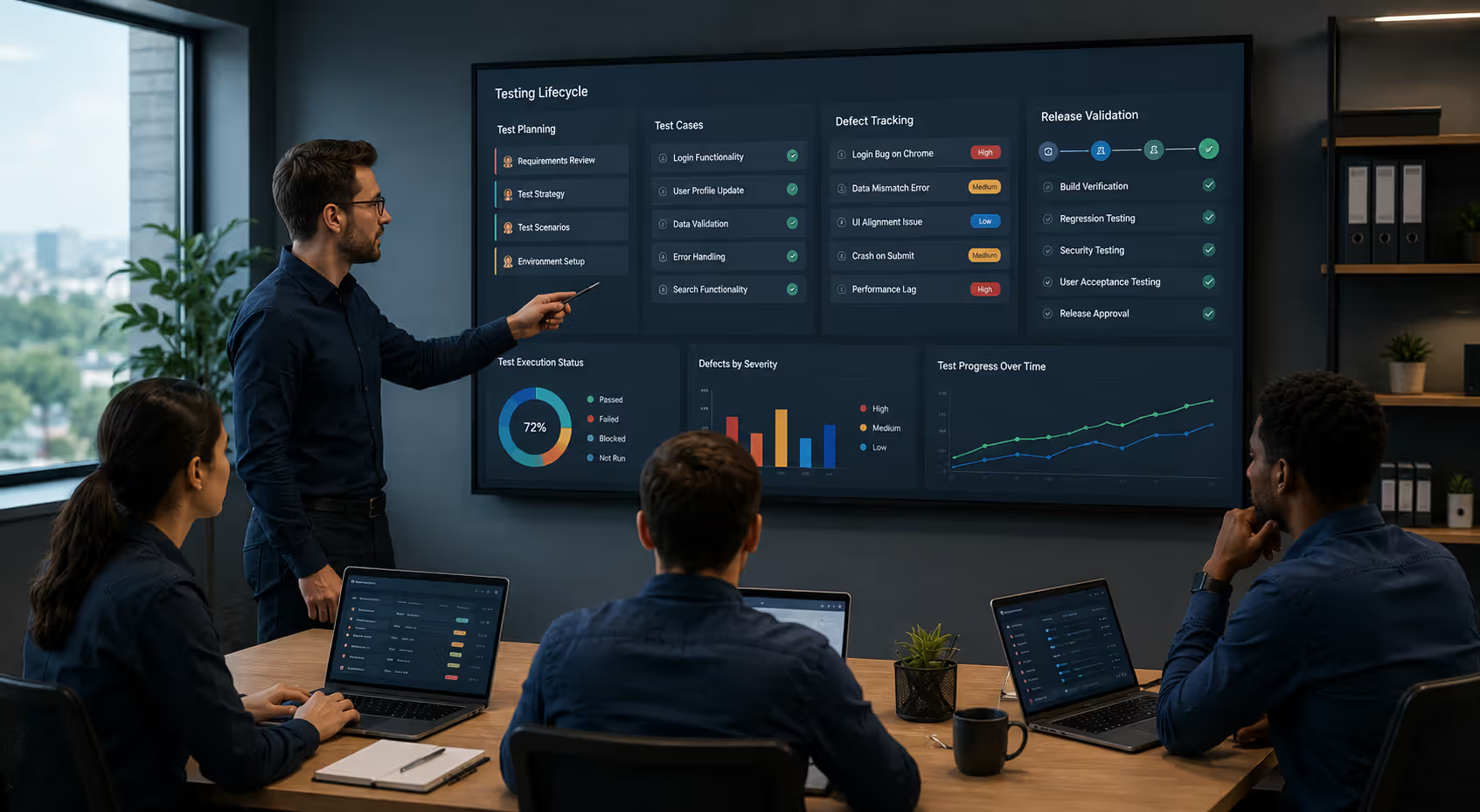
The software testing lifecycle breaks testing into phases. Each phase has specific goals and deliverables.
Planning: Set scope, identify risks, allocate resources, create schedules. Which parts need heavy testing? What breaks if component X fails? You're producing your test strategy and resource plan here.
Design: Write detailed test cases, create test data, set up environments. Test cases document preconditions, steps to execute, expected results, and pass/fail criteria. You're building the blueprint for your testing work.
Execution: Run tests—manually or automated. Record results, compare actual vs. expected behavior, log failures with reproduction steps. This phase shows you what's broken.
Defect tracking: Document bugs with clear steps to reproduce, severity levels, and evidence (logs, screenshots, videos). Developers fix issues, testers verify fixes, cycle repeats until quality thresholds are met.
Closure: Evaluate whether test coverage was adequate, document lessons learned, archive test artifacts. Did we test the risky areas thoroughly enough? What should we do differently next time?
This lifecycle repeats every release. In agile environments, it compresses into sprints—planning Monday, execution by Thursday, fixes done before Friday's deployment.
Manual vs Automated Testing Approaches
Manual testing means humans clicking through your app—entering data, observing what happens, checking if things look right. Automated testing means code checking code—scripts that run test scenarios without human involvement.
Both have their place. The trick is knowing when to use which.
Manual testing works best for:
Exploratory sessions where you're hunting for unexpected problems
Usability evaluation—does this feel natural to use?
Visual checks—does this design render correctly?
One-off tests where automation setup doesn't pay for itself
Complex scenarios that resist automation
Automated testing shines for:
Regression tests you run repeatedly
Performance tests simulating thousands of users
Data-driven tests with hundreds of input combinations
Integration checks across multiple systems
Tests triggered on every code commit
The economics matter. Manual testing has low upfront cost but high recurring cost—you pay testers every time tests run. Automation has high upfront cost (writing and maintaining scripts) but low marginal cost—once built, tests run essentially free.
Domain knowledge, attention to detail, communication
Programming, framework knowledge, debugging
Maintenance
Minimal—update documentation as needed
Constant—scripts break when UI or APIs change
Feedback speed
Slower—limited by human pace
Fast—completes in seconds or minutes
The mistake teams make? Trying to automate everything immediately, or automating too early. Start manual to understand behavior. Automate the tests you run most often. Keep manual testing for things requiring human judgment.
Testing is not about breaking software; it's about providing information that helps people make informed decisions about quality and risk. The best testers combine technical skills with critical thinking and a deep understanding of how software will be used in the real world.
— James Bach
Core Types of Software Testing Methods
Types of software testing include dozens of specialized approaches. This software testing methods guide covers the ones you'll actually use.
Functional Testing Types
Functional testing verifies software does what it's supposed to do according to requirements.
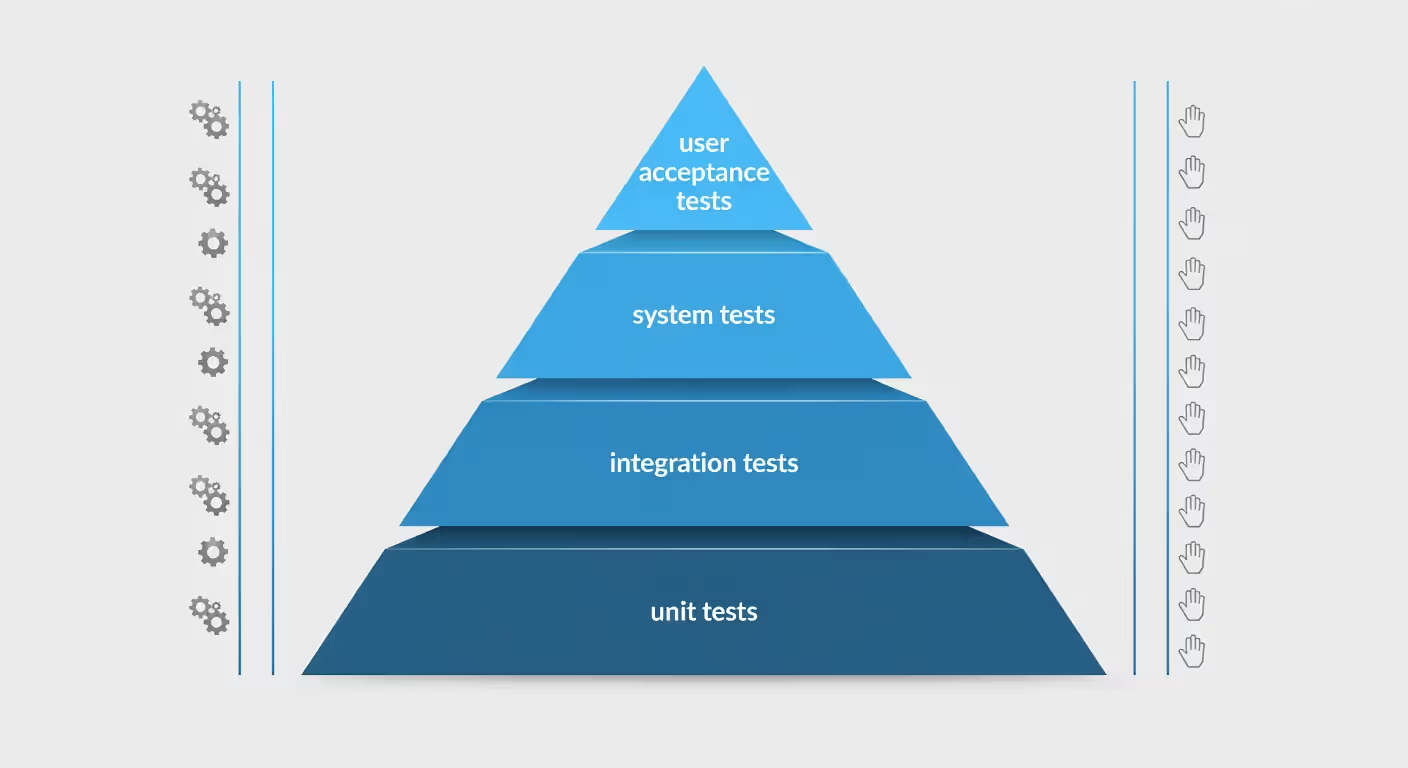
Unit testing checks individual functions in isolation. Testing a calculateDiscount() function means verifying it calculates correctly for different inputs. It's the foundation—tests run fast, focus is narrow, debugging is straightforward when something fails.
Integration testing verifies components work together. After testing your payment processor and inventory system separately, integration tests confirm they communicate properly—does successful payment trigger inventory updates?
System testing evaluates the complete, integrated application. You're testing entire user journeys: create account, log in, browse products, add to cart, checkout, pay, receive confirmation. Everything working together.
Acceptance testing (UAT) confirms the system meets business needs from the user's perspective. Real users or product owners run realistic scenarios to verify the software solves their actual problems. It's the final gate before production.
Regression testing ensures new changes didn't break existing functionality. After adding new features, you re-run tests for old features to catch unintended side effects. This is where automation really pays off—regression suites grow fast.
Smoke testing does quick sanity checks after deployment. Can users log in? Do critical paths work? If smoke tests fail, you stop deeper testing—something fundamental is broken.
Non-Functional Testing Types
Non-functional testing evaluates how the system behaves rather than what it does.
Performance testing measures speed, responsiveness, and stability under load. How fast do pages load? How many concurrent users can you handle? Does performance degrade under sustained traffic?
Performance testing includes:
Load testing: Simulating expected user volumes
Stress testing: Pushing past capacity to find breaking points
Endurance testing: Maintaining load over time to find memory leaks or gradual degradation
Security testing looks for vulnerabilities. Can attackers inject SQL? Is authentication properly secured? Are passwords stored safely? This includes penetration testing (ethical hacking) and automated vulnerability scans.
Usability testing evaluates user experience. Can users complete tasks efficiently? Is navigation intuitive? Where do people get confused? Usually involves watching real users interact with your software.
Compatibility testing verifies functionality across environments—browsers, operating systems, devices, screen sizes. Your app might work perfectly on Chrome/Windows but fail on Safari/iOS.
Accessibility testing ensures people with disabilities can use your software. Can screen readers navigate it? Does color contrast meet standards? Can users navigate without a mouse?
The big mistake? Focusing only on functional testing and ignoring performance and security until production problems emerge. Non-functional requirements matter just as much as functional ones.
Author: Adrian Westmere;
Source: aleanetwork.net
AI in Software Testing and Emerging Trends
AI in software testing is changing how we approach quality assurance. It's not replacing human testers—it's taking over tedious, repetitive work so humans can focus on complex scenarios and creative problem-finding.
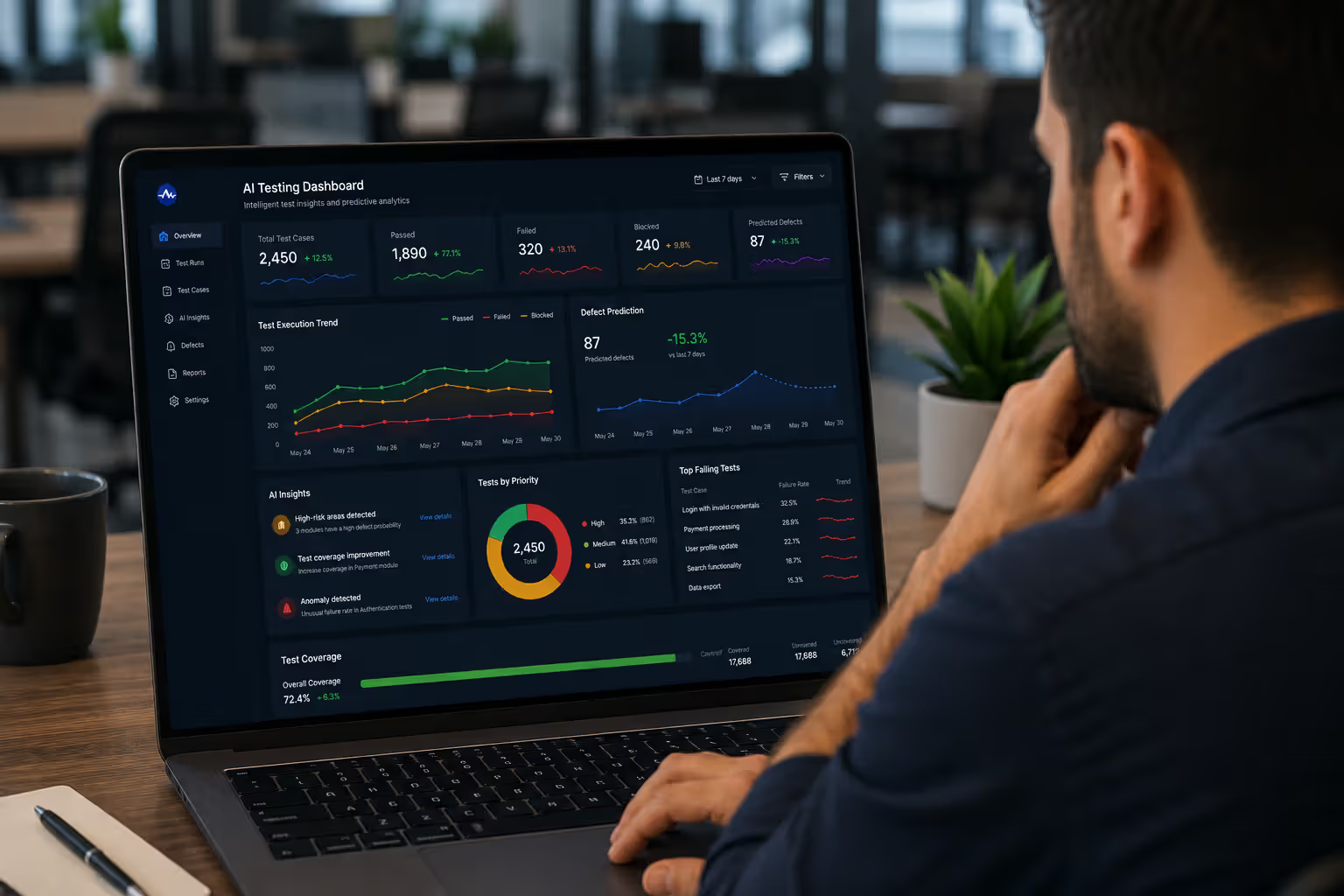
Machine learning test generation analyzes how your app behaves and automatically creates test cases. Tools watch user interactions in production, identify common workflows, and generate tests covering those patterns. You're building test coverage from real usage data instead of guesses.
Predictive analytics helps you focus testing effort where it matters. ML models analyze code changes, historical bug patterns, and component complexity to predict which areas are most likely to have defects. Test the high-risk zones intensively.
Self-healing tests automatically adapt when interfaces change. Traditional automation breaks when developers rename element IDs or restructure layouts. Self-healing tests use visual recognition and multiple locator strategies to find elements even after interface changes, dramatically cutting maintenance work.
Intelligent test maintenance identifies obsolete or redundant tests. As test suites grow, they accumulate low-value tests—ones that don't provide useful information or duplicate coverage. AI tools analyze test results, execution patterns, and code coverage to recommend which tests to keep, update, or delete.
Visual testing with AI compares screenshots to detect unintended visual changes. Instead of writing assertions for every styling property, AI models learn what your UI should look like and flag anomalies—buttons shifting position, colors changing unexpectedly, text overlapping.
Real implementations are already here. GitHub Copilot and similar tools suggest test code alongside production code. Testim, Applitools, and Mabl offer AI-powered testing platforms. Selenium Grid with AI routing optimizes how tests distribute across infrastructure.
Where's this heading? Testing will become more predictive than reactive. Instead of finding bugs after you write code, AI will flag risky code patterns while you're writing. Test coverage will automatically adjust based on code complexity and usage patterns.
But—and this is important—AI won't replace human testers. It handles mechanical work. Humans are still essential for designing test strategies, evaluating risk, doing exploratory testing, and making judgment calls about what quality means in specific contexts.
Author: Adrian Westmere;
Source: aleanetwork.net
Common Software Testing Mistakes to Avoid
Even experienced teams fall into the same testing traps repeatedly. Here are the ones that cause the most damage.
Insufficient test coverage: Testing only happy paths while ignoring error conditions, edge cases, and boundary values. Users will find the scenarios you didn't test. Always ask: what could go wrong? Test null values, empty strings, maximum limits, invalid inputs, network failures, concurrent access.
Testing too late: Waiting until development is "done" before starting testing. By then, architectural flaws are expensive to fix. Shift testing left—start during requirements and design.
Ignoring non-functional requirements: Your features work great, but the app crashes with 100 concurrent users or takes 10 seconds to load pages. Performance, security, and scalability aren't optional extras—they're core requirements.
Poor test documentation: Writing vague test cases only the author understands. "Test login functionality" isn't a test case. Be specific: "Given a registered user with valid credentials, when they enter username and password and click 'Login', they should reach the dashboard within 2 seconds."
Environment mismatch: Testing in environments that don't match production. Different database versions, different configurations, different data volumes. Then production behaves differently.
Skipping regression tests: Assuming old features still work without checking. New code introduces unintended side effects more often than you'd think. Automate regression tests so you can run them frequently and cheaply.
Testing in isolation: QA testing without understanding user context or business goals. You need to know why features exist to test them effectively. Talk to users. Understand their workflows.
The pattern I see? Teams treating testing as a checkbox exercise instead of risk management. They test because they have to, not because they're genuinely investigating where their software might fail.
Frequently Asked Questions About Software Testing
What is the main goal of software testing?
The core purpose is finding defects before users do, while building confidence that software meets quality standards and business requirements. Testing doesn't prove perfection—it reduces risk by discovering problems when they're still cheap to fix. You're gathering intelligence about quality so stakeholders can make informed decisions about releasing.
How long does software testing usually take?
It varies wildly based on scope, complexity, and quality standards. A small feature might need a few hours. A major enterprise release could take weeks or months. Typically, testing consumes 20-40% of total development time in well-run projects. Teams practicing continuous testing in agile sprints test constantly throughout development instead of in separate phases.
Do I need automated testing for a small project?
Not necessarily. For simple projects with limited scope and no plans for ongoing development, manual testing might be sufficient and more cost-effective. Automation becomes worthwhile when you have repetitive tests, frequent releases, or expect the project to grow. Start manual to understand behavior, then automate your most frequently run tests. Don't automate just because—do it when the ROI is clear.
What's the difference between QA and software testing?
Quality Assurance (QA) is broader than testing. QA encompasses the entire process of ensuring quality throughout development—setting standards, defining processes, doing code reviews, training people. Testing is one specific QA activity: executing software to find defects. Think of QA as preventive (building quality in) and testing as detective (finding defects). QA engineers might design processes while testers execute test cases, though roles often overlap.
When should testing start in the development process?
Testing should start during requirements gathering, before any code exists. Test engineers review requirements for completeness and testability, identify ambiguities, and design test scenarios. This "shift-left" approach catches design flaws when they're cheap to fix. Then testing continues throughout development—unit tests during coding, integration tests as components connect, system tests before release. The old model of testing only at the end is expensive and ineffective.
Can AI completely replace manual testers?
No way. AI excels at pattern recognition, repetitive tasks, and processing large datasets—it can generate test cases, maintain automation scripts, and spot visual anomalies. But AI can't replace human judgment, creativity, and contextual understanding. Exploratory testing requires intuition about how users might mess things up. Usability evaluation needs human empathy. Risk assessment requires business context AI doesn't have. AI is a powerful tool that amplifies what testers can do, not a replacement for them.
Software testing keeps evolving as applications get more complex and user expectations rise. Successful teams treat testing as integrated discipline—not a separate phase—and use automation strategically while preserving space for human insight and creativity. Whether you're building a simple web app or a distributed system, investing in solid testing practices pays off in reliability, security, and user satisfaction.
Containerization packages applications with their dependencies into lightweight, portable units. This comprehensive guide explains how containers work, compares them to virtual machines, covers Docker and orchestration platforms, and shows you how to implement container-based deployment in modern DevOps workflows.
Performance monitoring tools track application response times, server health, and infrastructure metrics to catch problems before users notice. This guide covers how monitoring works, types of tools available, key features to evaluate, and common implementation mistakes to avoid.
An API platform is the complete ecosystem that handles routing, security, lifecycle management, and governance for your APIs. Understand the core components—gateway, manager, portal, analytics—and learn how to evaluate platforms based on scalability, developer experience, and integration capabilities.
Comprehensive guide to test automation for QA teams. Covers automation frameworks, popular testing tools comparison, best practices for maintainable test suites, continuous testing in CI/CD pipelines, and common mistakes to avoid when implementing automated testing strategies.
The content on this website is provided for general informational and educational purposes only. It is intended to explain concepts related to AI tools, agents, developer infrastructure, coding assistants, APIs, and productivity workflows.
All information on this website, including articles, guides, and examples, is presented for general educational purposes. Outcomes and tool performance may vary depending on implementation, skill level, and use case.
This website does not provide professional AI consulting, development services, or guarantees of results, and the information presented should not be used as a substitute for consultation with qualified AI or software development professionals.
The website and its authors are not responsible for any errors or omissions, or for any outcomes resulting from decisions made based on the information provided on this website.