Developers looking for search functionality that goes beyond simple keyword matching now have access to Perplexity's API, which brings conversational AI search into your applications. Instead of dumping a list of blue links on your users, you get synthesized answers with proper citations—think of it as hiring a research assistant who actually reads the sources and writes you a summary. The API handles natural language questions, searches current web content, and packages everything into structured responses your code can work with.
What separates this from Google's Custom Search or Bing's API? Those tools excel at finding pages. Perplexity's API excels at answering questions. Your users ask "How does photosynthesis work in desert plants?" and get an actual explanation drawn from multiple biology sources, not ten links they need to click through and read themselves. The heavy lifting—web crawling, source evaluation, content synthesis—happens server-side while you focus on building your application.
The technical implementation uses standard REST patterns. Send a POST request with your question, receive JSON with the answer and metadata. No exotic protocols or complex authentication flows. If you've integrated any modern API before, you'll recognize the patterns here.
What Is Perplexity API and How Does It Work
Perplexity's AI API provides a REST interface connecting your code to conversational search powered by large language models. Send natural language questions, get back synthesized answers with source attribution. The whole system runs on real-time web data, so answers reflect current information rather than stale training data.
Traditional search APIs like Google's or Bing's operate on keyword matching. Type "python tutorial," get ranked pages containing those words. Perplexity's approach differs fundamentally—it interprets what you're actually asking, finds relevant content across multiple sources, reads that content, then writes a coherent response. The gap between "here are ten websites about Python tutorials" and "Python tutorials typically start with variables and data types; here's how to begin" represents a different category of tool entirely.
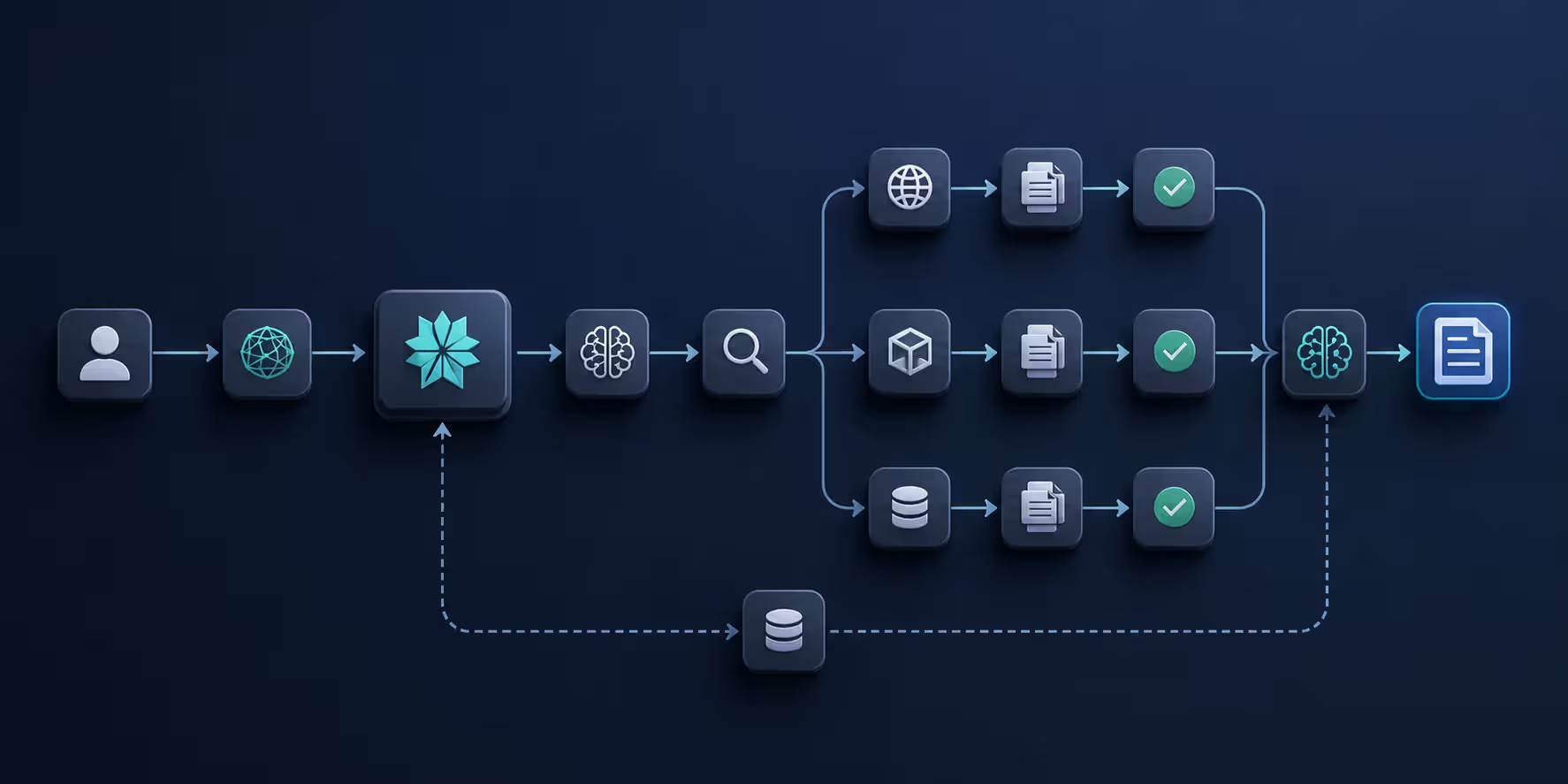
The processing pipeline breaks down into distinct steps. Your question arrives at the API, where NLP models parse the intent and context. The system then executes web searches targeting that specific information need. Retrieved content gets evaluated for relevance and credibility—not every website makes the cut. Finally, the language model synthesizes findings into readable text with inline source references.
Context persistence across multiple exchanges sets this apart from single-shot search tools. Ask "What's France's capital?" then follow with "How many people live there?" The API connects "there" back to Paris without you spelling it out. This contextual memory lives in conversation threads you maintain across API calls.
Response structure comes back as JSON containing several key elements: the main answer text, an array of source URLs with titles, suggested follow-up questions, and token usage metadata. Everything's designed for easy parsing and display in whatever interface you're building.
The shift from link-based search to answer-based search APIs represents the biggest change in how applications access information since REST became standard. Users don't want ten blue links anymore—they want the answer, and they want it now.
— Chen Michael
One aspect catches developers off guard during testing: responses aren't deterministic. The same question asked twice produces slightly different wording because language models generate text probabilistically. Core facts stay consistent, but phrasing shifts. Your test suite needs to account for this variability rather than expecting exact string matches.
Multi-turn conversations work differently than you might expect coming from stateless APIs. Maintain a conversation identifier across requests, and the system remembers everything discussed in that thread. This becomes crucial for chatbot implementations where users naturally reference earlier parts of the conversation without repeating context.
Author: Damien Crowhurst;
Source: aleanetwork.net
Getting Started with Perplexity Developer API Setup
Getting your API access configured takes roughly ten minutes assuming you have your email and project details ready. The process skips the lengthy approval queues and business verification steps that plague many enterprise APIs.
Creating Your API Account and Authentication
Visit Perplexity's developer portal and register using your email address. The signup form asks about your intended use case—they're collecting usage statistics, not gatekeeping access. Answer honestly, but don't stress over getting it perfect. They approve standard developer accounts automatically.
After email verification, you'll land in the dashboard where API key generation lives. Click to create your first key. The system displays this key exactly once—copy it immediately and store it somewhere secure like a password manager. Anyone who gets this key can burn through your API quota and rack up charges on your account.
Authentication follows the Bearer token pattern in HTTP headers. Every request needs this header:
Authorization: Bearer YOUR_API_KEY
No OAuth dances, no token refresh logic, no request signing with secret keys. The simplicity is intentional—Perplexity wants you testing within minutes of signup, not hours.
The mistake I see repeatedly: developers hardcode keys directly into source files during initial experiments, then forget to move them before pushing to GitHub. Start with environment variables on day one:
import os
api_key = os.getenv('PERPLEXITY_API_KEY')
Free tier access activates immediately without verification. Higher tiers requiring significant volume or enterprise features may trigger a brief call with Perplexity's team to confirm you understand rate limits and have legitimate use cases.
Understanding API Keys and Rate Limits
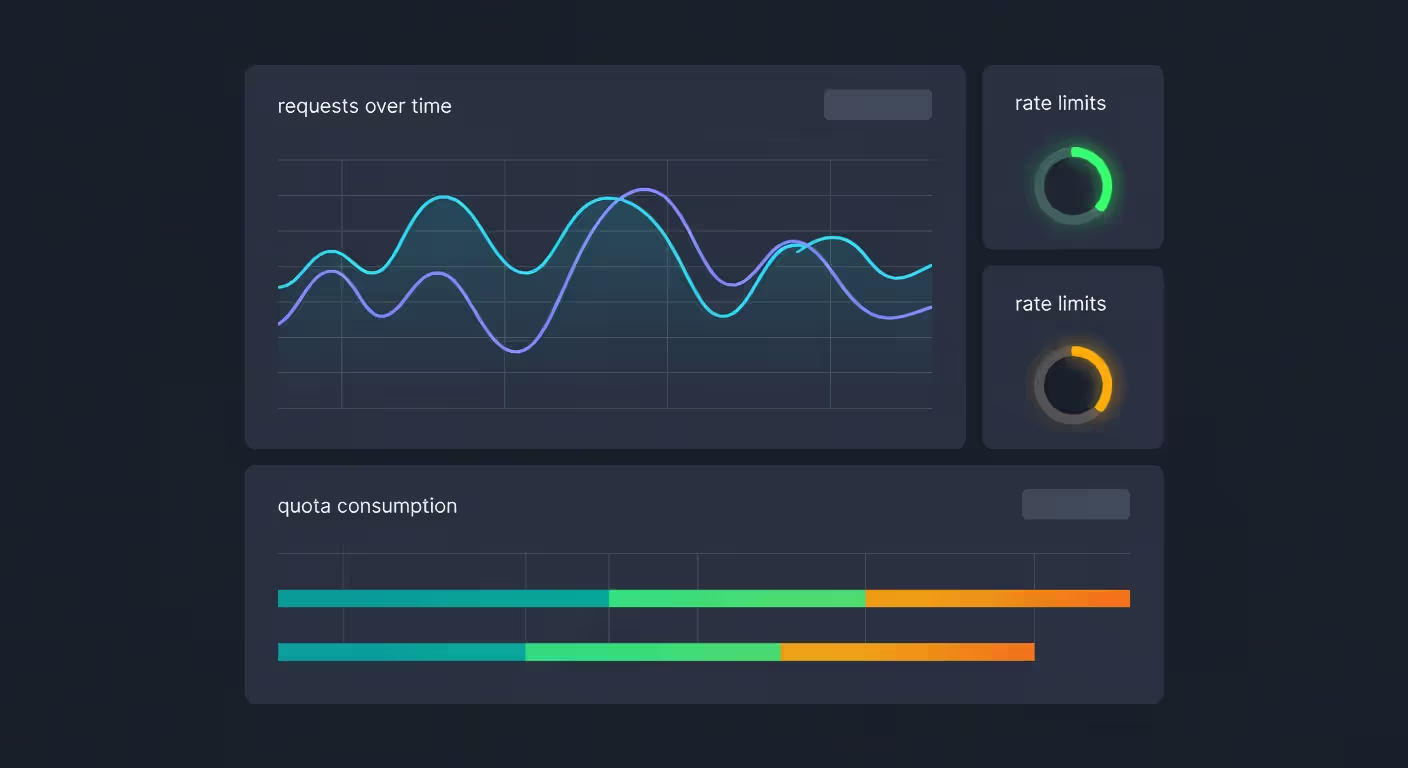
Rate limits vary by tier, measured in requests per minute (RPM) and daily request caps. Free accounts typically get 5 RPM and 200 daily requests. Pro accounts jump to 50 RPM and 5,000 daily requests. Enterprise tiers get negotiated limits based on specific needs.
These limits reset on rolling windows, not fixed midnight boundaries. Hit your limit at 2:37 PM? You can request again at 2:38 PM (for per-minute caps) or exactly 24 hours later (for daily caps). Error responses clearly indicate when you've hit limits, making retry logic straightforward to implement.
Author: Damien Crowhurst;
Source: aleanetwork.net
Multiple keys per account are supported, useful for isolating production from development traffic or tracking usage across separate projects. Each key shares the same account-level limits though—they don't stack. Creating five keys doesn't grant five times the quota. Want higher limits? Upgrade the account tier.
Key rotation happens manually since the system doesn't enforce expiration. Security best practices suggest rotating every 90 days. When generating a replacement, the old key remains active until you explicitly revoke it, preventing downtime during the transition.
A misconception I encounter frequently: developers assume limits apply per key rather than per account. They create multiple keys expecting to multiply their quota. Doesn't work that way. Keys are just different credentials accessing the same account bucket.
Perplexity API Integration Methods and Best Practices
Integration happens through standard REST endpoints with https://api.perplexity.ai/ as the base URL. Most work centers on the /chat/completions endpoint. The API deliberately mirrors OpenAI's format, easing migration for teams already using GPT APIs.
Basic Python implementation using the requests library:
Language support extends to Python, JavaScript, Java, Go, Ruby, or anything capable of HTTP requests. Official SDKs don't exist yet, though community-built wrappers have emerged for popular languages. Production teams generally stick with their preferred HTTP client libraries rather than adding SDK dependencies.
Error handling deserves special attention. Wrap all API calls in try-catch blocks and handle these specific scenarios:
401 errors signal authentication failures—verify your API key is correct
429 errors mean rate limits kicked in—implement exponential backoff
500 errors indicate server problems—retry with increasing delays
Timeout errors need longer timeout settings or simpler queries
Timeout configuration matters more than usual. Complex queries requiring extensive web searches can take 10-15 seconds to complete. Default 5-second timeouts most HTTP libraries ship with will fail constantly. Start at 30 seconds and adjust based on observed response times.
Caching repeated queries saves both money and latency. Multiple users asking "What's the weather in New York?" within an hour should get the cached first response. The tradeoff is freshness—decide how stale your cached answers can be for your specific use case.
Conversation-based applications need to maintain message history arrays. Each exchange includes both sides:
conversation = [ {"role": "user", "content": "What is machine learning?"}, {"role": "assistant", "content": "Machine learning is..."}, {"role": "user", "content": "How is it different from AI?"}
]
Send this complete array with each request for context awareness. Longer conversations consume more tokens and increase costs. Implement pruning for extended sessions—keep the most recent 5-10 exchanges and either summarize or drop older content.
Model selection impacts both speed and quality. Smaller models (sonar-small) respond faster and cost less but might miss nuanced details. Larger models (sonar-large) deliver more comprehensive answers at the expense of latency and cost. Test both against your actual use cases.
Common Use Cases for Perplexity Search API
The API excels in scenarios where users need synthesized current information rather than link lists. Here's where teams are deploying it in production.
Chatbots with real-time knowledge solve a persistent problem—traditional bots can't answer questions outside their training data. Integrating Perplexity lets them search for current information on demand. Customer asks about yesterday's product recall announcement? The bot finds and summarizes breaking news without manual knowledge base updates.
Research and analysis tools help academics, journalists, and business analysts gather information quickly. Instead of spending an hour reading through search results, they get synthesized overviews with sources in seconds. One legal tech startup built a tool answering case law questions by searching recent court decisions in real-time.
Content generation assistants support writers during the drafting process. Need statistics on a topic? Get current numbers with sources. Want background on a company? Receive a summary of recent news and developments. Citations make verification and proper attribution straightforward.
Author: Damien Crowhurst;
Source: aleanetwork.net
Enterprise knowledge search integrates with internal documentation systems. Employees ask natural language questions and receive answers synthesized from company wikis, documentation, and public sources. This beats keyword search in internal knowledge bases because it understands intent and combines information from multiple documents.
Educational platforms provide students with instant concept explanations. A student stuck on a physics problem asks for clarification and gets an explanation with visual examples and related resources. The system adapts explanations based on follow-up questions.
Market intelligence dashboards help financial analysts and strategists monitor competitors, track industry trends, and gather market data. The API answers questions like "What are the latest product launches in the electric vehicle market?" with current, sourced information.
Starting narrow beats trying to replace your entire search infrastructure. One team began by only handling "How do I..." questions in their documentation, then expanded after understanding the API's strengths and limitations through real usage.
Treating the API like a database is a common mistake. It's not. Responses show some variability, and ambiguous queries occasionally get misinterpreted. Build applications acknowledging this—display sources for user verification, and provide feedback mechanisms for incorrect answers.
Perplexity API Pricing and Usage Limits
Pricing uses a tiered structure based on request volume and feature access. The model is more straightforward than token-based pricing—you're charged per request regardless of response length.
Current pricing structure:
Tier
Monthly Cost
Monthly Requests
RPM Limit
Response Priority
Support Channel
Included Features
Free
$0
200
5
Standard
Community forum
Basic search, citations, single API key
Pro
$20
5,000
50
Higher priority
Email support
All models, conversation history, five API keys
Business
$200
50,000
200
Higher priority
Email and chat
Advanced models, analytics dashboard, 20 API keys
Enterprise
Custom pricing
No hard cap*
Negotiated
Highest priority
Dedicated account manager
Custom models, SLA guarantees, unlimited keys
*Subject to reasonable use policies; unusual usage patterns may trigger account review.
The free tier provides genuine utility for testing and small projects. Build prototypes, run initial user tests, validate concepts before spending money. Processing more than a few dozen queries daily requires upgrading.
Pro tier suits small to medium applications well. With 5,000 monthly requests, you can support a few hundred active users depending on query frequency. The $20 price point makes it accessible for indie developers and early-stage startups.
Business tier targets companies with established user bases. The analytics dashboard becomes valuable at this scale—track query patterns, identify common questions, optimize your implementation. Increased rate limits (200 RPM) support real-time applications with many concurrent users.
Enterprise contracts get negotiated individually based on volume and requirements. Processing millions of monthly queries or needing custom model training means working directly with Perplexity's sales team. Typical starting points hover around $2,000 monthly but vary significantly.
Something that surprises developers: no token-based pricing exists. OpenAI's API charges per token generated, making cost prediction tricky. Perplexity charges per request—a one-sentence answer costs the same as three paragraphs. This simplifies budgeting but eliminates optimization opportunities around response length.
Overages on Pro and Business tiers don't trigger automatic upgrades—requests simply fail with 429 errors. You must manually upgrade or wait for quota resets. This prevents surprise bills but requires proactive usage monitoring and timely upgrades when approaching limits.
Teams commonly start on Pro tier, hit limits within one or two months as usage grows, then jump straight to Enterprise rather than spending time on Business tier. Factor this growth trajectory into financial planning if you're scaling quickly.
Troubleshooting Common Perplexity API Errors
API integration always involves debugging. Here are errors you'll actually encounter with practical solutions.
401 Unauthorized indicates authentication problems. Check three things: Is the key present in your code? Is it spelled correctly without extra spaces? Does the Authorization header include the "Bearer" prefix? A frequent mistake is submitting just the key without "Bearer" preceding it.
429 Too Many Requests signals rate limit hits. Look for the "Retry-After" header in the response—it specifies your wait time. Implement exponential backoff: wait 1 second, then 2, then 4, doubling each attempt. Rate limit errors typically clear within 60 seconds.
400 Bad Request usually points to malformed JSON or missing required fields. Error messages specify the problem. Common culprits: missing the "messages" array, using incorrect model names, or sending empty content fields. Validate JSON structure before transmission.
500 Internal Server Error originates server-side. You can't fix it directly, but you can handle it gracefully. Wait a few seconds, then retry. If errors persist beyond a minute, check Perplexity's status page or contact support. Avoid rapid-fire retries—you'll worsen the situation.
504 Gateway Timeout means processing took too long. Complex queries requiring extensive web searching trigger this. Solutions: simplify your question, increase timeout settings in your HTTP client, or break complex questions into smaller parts.
Author: Damien Crowhurst;
Source: aleanetwork.net
Empty or incomplete responses occasionally occur when sufficient information isn't found or content filtering activates. Examine the "finish_reason" field. If it shows "length", the response hit token limits—request a shorter answer. If it shows "content_filter", your query triggered safety systems—rephrase it.
Citation errors happen when sources become unavailable after the API searches them. The API might reference a URL returning 404 by the time your user clicks it. This isn't fixable—web content changes constantly. Design your UI to handle missing sources gracefully.
Conversation context errors arise from conversation history that's too long or improperly formatted. Each message requires "role" and "content" fields. The role must be either "user" or "assistant"—not "system" or custom values. Very long conversations (50+ exchanges) may see early messages truncated.
Slow response times aren't technically errors but feel problematic. Responses consistently taking 20+ seconds usually indicate large models with complex queries. Switch to smaller models, simplify questions, or implement loading states in your UI showing users the system is working.
Inconsistent answers confuse developers expecting deterministic responses. This isn't a bug—it's how language models function. Identical queries can produce different phrasing each time. Need consistency? Implement caching. Need exact reproducibility? This API might not fit your requirements.
One debugging technique that saves hours: log complete requests and responses for every API call during development. When something breaks, you can examine exactly what you sent and what returned. Remember to disable detailed logging in production—API keys don't belong in log files.
FAQ: Perplexity API Questions Answered
What programming languages does Perplexity API support?
Any language capable of making HTTP requests works with Perplexity's API. No official SDK exists, so you'll use your language's standard HTTP client. Python developers typically reach for requests, JavaScript developers use fetch or axios, Go developers use net/http. The API follows standard REST conventions, making integration straightforward across any tech stack.
How much does Perplexity API cost?
Pricing begins with a free tier providing 200 monthly requests at no charge. Pro tier runs $20 monthly for 5,000 requests. Business tier costs $200 monthly for 50,000 requests. Enterprise pricing gets negotiated individually based on volume and requirements. Unlike token-based models, you're charged per request regardless of how long the response runs, simplifying cost prediction.
What's the difference between Perplexity API and OpenAI API?
Perplexity's API specializes in real-time web search, returning answers with current sources and citations. OpenAI's API generates text from training data with a knowledge cutoff—it doesn't search the web in real-time. Need current information or source citations? Perplexity wins. Need general text generation, creative writing, or code generation? OpenAI's models offer more versatility.
Can I use Perplexity API for commercial projects?
Yes, all tiers including free allow commercial use. No restrictions prevent using the API in products you sell or monetize. Terms of service prohibit abuse and prohibited purposes like generating spam or misinformation, but standard commercial applications are explicitly allowed.
What are the rate limits for Perplexity API?
Free tier permits 5 requests per minute and 200 daily. Pro tier increases to 50 requests per minute and 5,000 daily. Business tier provides 200 requests per minute and 50,000 daily. Enterprise tier has individually negotiated limits. Limits apply per account rather than per API key, resetting on rolling windows instead of fixed times.
Does Perplexity API require a credit card for the free tier?
No payment information is needed to create an account and access the free tier. Credit cards are only required when upgrading to Pro, Business, or Enterprise tiers. This makes testing the API and building proof-of-concept applications risk-free before committing to paid usage.
Perplexity's API delivers AI-powered search capabilities that would otherwise require years of development and millions in investment to build internally. Whether you're enhancing chatbots with intelligent search, building research tools, or creating customer support systems, the API provides a practical path to integrating conversational search. Start with free tier testing, validate your use case, then scale up as needs grow. The combination of real-time web search, natural language understanding, and source citations creates a powerful tool for applications that need to answer questions with current, verified information.
Regression testing prevents code changes from breaking existing functionality. This guide covers regression test types, manual vs. automated approaches, building effective test suites, and implementing regression testing in agile and CI/CD environments.
Discover how DevOps automation transforms software delivery through automated pipelines, CI/CD tools, and intelligent deployment strategies. Learn which tools to use, how to implement continuous deployment, and best practices that reduce errors while accelerating releases.
Discover how generative AI is changing software development in practice. This guide covers workflow integration, code quality concerns, tool comparisons, and real-world implementation strategies for development teams looking to adopt AI coding assistants effectively.
Low code platforms let teams build applications using visual interfaces and pre-built components instead of writing extensive code. This guide explains how low code development works, who uses it, key benefits and limitations, and how to choose the right platform for your needs.
The content on this website is provided for general informational and educational purposes only. It is intended to explain concepts related to AI tools, agents, developer infrastructure, coding assistants, APIs, and productivity workflows.
All information on this website, including articles, guides, and examples, is presented for general educational purposes. Outcomes and tool performance may vary depending on implementation, skill level, and use case.
This website does not provide professional AI consulting, development services, or guarantees of results, and the information presented should not be used as a substitute for consultation with qualified AI or software development professionals.
The website and its authors are not responsible for any errors or omissions, or for any outcomes resulting from decisions made based on the information provided on this website.