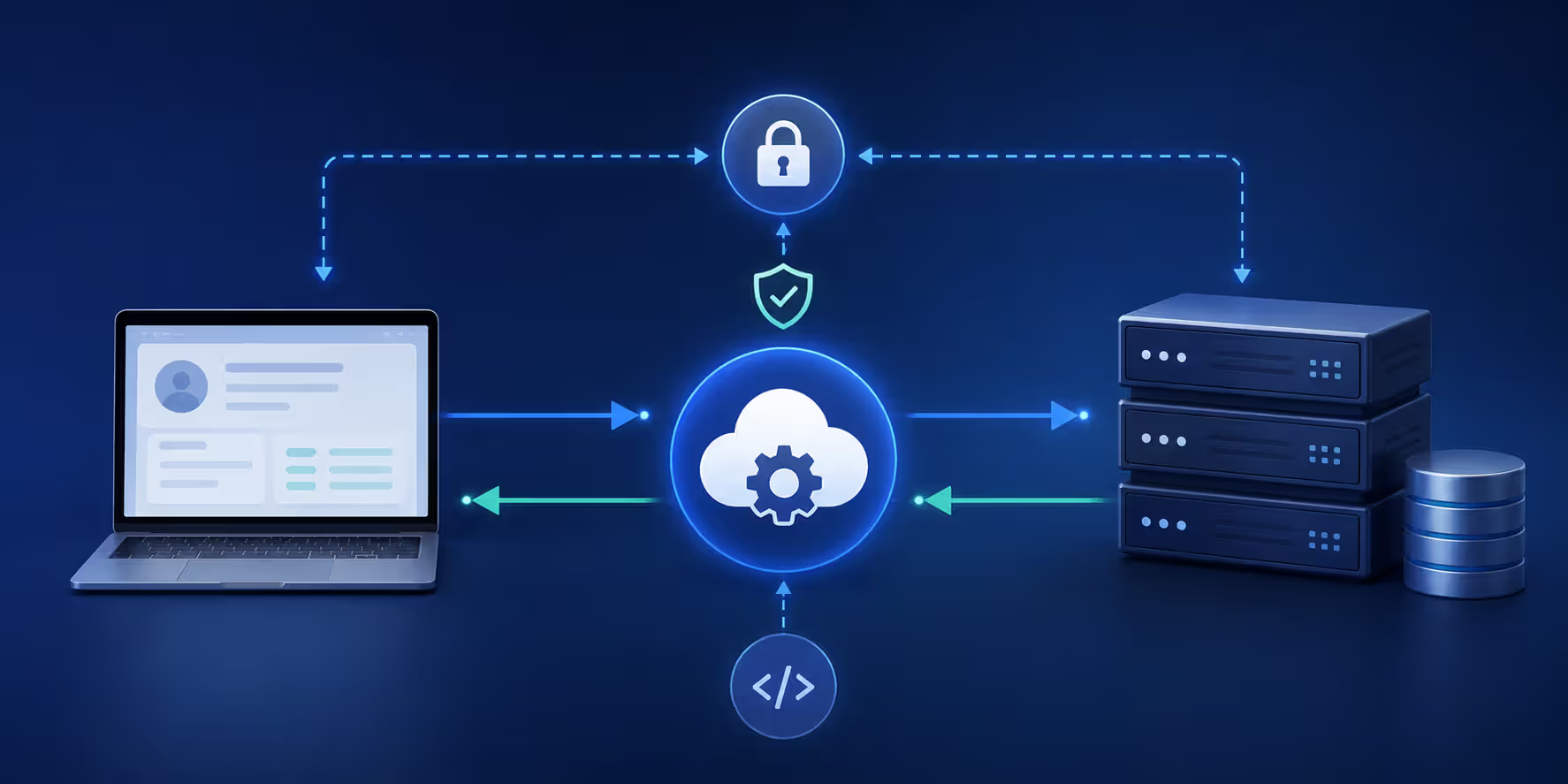
Connecting different software systems used to mean months of custom coding. Not anymore. API integration lets applications talk to each other automatically, moving data back and forth without manual work. You've probably used it today without realizing it—when you logged into a website with your Google account, or when your accounting software pulled transactions from your bank.
Businesses rely on API integration to connect everything from payment processors to CRM systems. It's how modern software ecosystems work together.
What Is API Integration
API integration is the process of connecting two or more applications through their APIs (Application Programming Interfaces) so they can exchange data and functionality automatically. Think of it as building a bridge between software systems that weren't originally designed to work together.
An API acts as a messenger. One application sends a request, the API carries it to another application, and brings back the response. This happens in milliseconds, without anyone manually copying and pasting data between systems.
Companies use API integration to eliminate repetitive tasks and reduce errors. When a customer places an order on an e-commerce site, API integration can automatically update inventory, charge the payment card, create a shipping label, and send a confirmation email—all without human intervention.
The real power shows up at scale. A single online retailer might process thousands of orders daily. Without API integration, each order would require manual data entry across multiple systems. With it, everything flows automatically.
Common examples include connecting Salesforce to your email marketing platform, syncing Stripe payments with your accounting software, or pulling social media metrics into a dashboard. Each connection eliminates a manual workflow.
Author: Isabelle Norwyn;
Source: aleanetwork.net
How API Integration Works
Every API integration follows the same basic pattern: request and response. Your application sends a request to another system's API endpoint, and that system sends back a response with the requested data or a confirmation that an action was completed.
Here's what happens behind the scenes. Your application formats a request with specific information—what you want, where to send it, and any required data. This request travels over the internet to the target system's API endpoint (a specific URL designed to handle requests). The receiving system processes the request, performs the necessary action or retrieves the data, then packages a response and sends it back.
Data typically moves in JSON or XML format. JSON has become the standard because it's lightweight and easy to read. A simple request might look like this: you ask for customer information by sending a customer ID, and you receive back a JSON object containing that customer's name, email, purchase history, and account status.
The entire cycle usually takes between 100 and 500 milliseconds, though this varies based on network speed, system load, and data complexity.
API Connection Methods
Different situations call for different connection approaches. The most common methods are REST, SOAP, GraphQL, and webhooks—each with distinct characteristics.
REST (Representational State Transfer) dominates modern API integration. It uses standard HTTP methods like GET (retrieve data), POST (create new data), PUT (update existing data), and DELETE (remove data). REST APIs are stateless, meaning each request contains all the information needed to process it. No session memory required.
SOAP (Simple Object Access Protocol) is older and more rigid. It requires XML formatting and follows strict standards. You'll find SOAP in enterprise systems, especially in finance and healthcare where formal contracts between systems matter. It's more verbose but offers built-in error handling and security features.
GraphQL lets you request exactly the data you need, nothing more. Instead of getting a full customer record when you only need an email address, you specify which fields you want. This reduces data transfer and speeds up responses. Facebook developed it, and it's gained traction for mobile apps where bandwidth matters.
Webhooks flip the script. Instead of repeatedly asking "got anything new for me?" (polling), you give the other system a URL and say "notify me when something happens." When an event occurs, that system sends data to your URL automatically. It's more efficient than polling every few minutes.
Authentication and Security
No system should accept requests from just anyone. Authentication proves you're authorized to access the API.
API keys are the simplest method. You get a unique string of characters and include it with each request. It's like showing an ID card. The downside? If someone steals your key, they can impersonate you until you revoke it.
OAuth 2.0 is more sophisticated. Instead of sharing your password, you grant specific permissions to an application. When you click "Sign in with Google," that's OAuth at work. The application gets a temporary access token with limited permissions. You can revoke access anytime without changing your password.
JWT (JSON Web Tokens) packages authentication information into a signed token. After you log in once, subsequent requests include this token. The receiving system verifies the signature without needing to check a database every time. It's faster and scales better.
Most APIs also use HTTPS encryption, rate limiting (restricting how many requests you can make per hour), and IP whitelisting (only accepting requests from approved addresses). Security isn't optional—one compromised integration can expose your entire system.
Author: Isabelle Norwyn;
Source: aleanetwork.net
REST API Integration Patterns
RESTful architecture has become the default for a reason. It's predictable, scalable, and works with the web's existing infrastructure. But within REST, you'll encounter several integration patterns, each suited to different scenarios.
The request-reply pattern is the foundation. Your application sends a request and waits for an immediate response. This synchronous approach works well when you need data right away—checking inventory before completing a purchase, validating an address, or retrieving account balances. The limitation? Your application sits idle waiting for the response.
Asynchronous patterns solve the waiting problem. You send a request and get an immediate acknowledgment: "Got it, we'll process this and notify you when it's done." This matters for time-consuming operations like generating reports, processing video uploads, or running complex calculations. Your application can continue working while the other system handles the heavy lifting.
Publish-subscribe (pub-sub) patterns create a one-to-many relationship. One system publishes an event, and multiple subscribers receive it. When a customer updates their address, that single event might trigger updates in your shipping system, billing system, and marketing database simultaneously. Each subscriber acts independently.
The pattern I see most often is the hybrid approach: REST for standard operations, webhooks for real-time notifications, and asynchronous processing for anything that takes more than a few seconds.
Polling versus webhooks represents a key architectural decision. Polling means repeatedly checking for updates: "Anything new? How about now? Now?" It's simple but wasteful—most checks return empty. Webhooks are event-driven: the system notifies you only when something changes. Webhooks are more efficient but require you to maintain an endpoint that can receive incoming requests.
Idempotency is a REST principle that prevents duplicate actions. If the same request is sent multiple times (due to network hiccups or user impatience), it should produce the same result as sending it once. This prevents charging a credit card twice or creating duplicate records.
How to Integrate APIs Step by Step
Theory meets reality here. You've got an API to integrate—now what?
Start with the documentation. Every decent API publishes docs explaining endpoints, required parameters, authentication methods, and response formats. Look for a "Getting Started" guide or quickstart tutorial. Good documentation includes code examples in multiple languages.
Read the rate limits section first. You don't want to build an integration that makes 1,000 requests per minute when the API only allows 100. Also check for sandbox or test environments—places where you can experiment without affecting production data.
Next, obtain credentials. Most APIs require you to create a developer account and register your application. You'll receive an API key, client ID, or OAuth credentials. Store these securely—never hardcode them directly in your source code. Use environment variables or a secrets management system.
Make your first test call using a tool like Postman or cURL. Start with a simple GET request that retrieves data. This confirms your credentials work and the API is accessible. Check the response format and status codes. A 200 status means success. 401 means authentication failed. 429 means you've hit rate limits.
Here's a common mistake: assuming the API will always return perfect data. It won't. Build error handling from the start. What happens if the API is down? If it returns incomplete data? If it times out? Your integration should fail gracefully, log errors, and retry when appropriate.
Handle responses systematically. Parse the JSON or XML, extract the data you need, validate it (check for nulls, unexpected formats, missing fields), then transform it to match your system's data structure. Data mapping—converting field names and formats between systems—takes more time than people expect.
Implement retry logic with exponential backoff. If a request fails, wait a second and try again. If it fails again, wait two seconds. Then four. Then eight. This prevents overwhelming a struggling API while giving transient issues time to resolve.
Test edge cases. What happens with an empty response? With special characters in text fields? With dates in different time zones? With numbers that exceed expected ranges? Real-world data is messy.
Finally, monitor your integration in production. Track request volumes, response times, error rates, and data quality issues. Set up alerts for when things go wrong—and they will.
Author: Isabelle Norwyn;
Source: aleanetwork.net
Third Party API Integration Architecture
Connecting to one API is straightforward. Connecting to dozens while maintaining reliability, security, and performance requires thoughtful architecture.
An API gateway sits between your applications and external APIs. It acts as a single entry point, handling authentication, rate limiting, request routing, and response caching. Instead of each application connecting directly to multiple APIs, they all talk to the gateway, which manages the external connections.
This centralization provides several benefits. You can enforce security policies consistently, monitor all API traffic from one place, and swap out APIs without changing your applications. If you decide to switch payment processors, you update the gateway configuration rather than modifying every application that processes payments.
Middleware layers transform data between systems. External APIs rarely return data in exactly the format your applications need. Middleware handles the translation—converting field names, reformatting dates, combining data from multiple sources, and applying business rules. This keeps integration complexity out of your core applications.
The microservices approach breaks integrations into small, focused services. One microservice handles payment processing. Another manages customer data. A third deals with shipping. Each owns its integrations and exposes a clean interface to other parts of your system. This isolation means a problem with one integration doesn't cascade through your entire architecture.
Scalability planning matters more than people think. An integration that works fine with 100 requests per day might collapse at 10,000. Consider these factors: Can you handle traffic spikes? What happens if response times increase? Can you process requests in parallel? Do you need a message queue to buffer requests during peak times?
Message queues (like RabbitMQ or AWS SQS) decouple your applications from external APIs. Instead of calling an API directly, you put a message in a queue. A separate worker process picks up messages and makes the API calls. If the API is slow or temporarily down, messages wait in the queue rather than timing out. Your application continues working.
Caching reduces API calls and speeds up responses. If you're repeatedly requesting the same product information, cache it for a few minutes. Serve subsequent requests from the cache instead of hitting the API. This cuts costs (many APIs charge per request) and improves performance.
Consider data residency and compliance requirements. Some APIs store data in specific geographic regions. Healthcare and financial integrations must comply with HIPAA or PCI-DSS standards. Your architecture needs to accommodate these constraints.
Common API Integration Challenges and Solutions
Every integration project hits obstacles. Here are the ones that come up repeatedly, with practical solutions.
Rate limiting frustrates developers constantly. You're cruising along, making requests, then suddenly you get a 429 error: "Too many requests." APIs impose limits to protect their infrastructure. The solution is request throttling—spreading your requests over time instead of sending them all at once. Implement a queue system that respects rate limits, and use batch endpoints when available (one request for 100 records instead of 100 requests for one record each).
API versioning breaks integrations without warning. You build an integration against version 1 of an API. The provider releases version 2 with breaking changes. Suddenly your integration fails. Best practice: always specify the API version in your requests, monitor deprecation notices from providers, and maintain compatibility with at least two versions during transitions. Build abstraction layers so you can switch versions without rewriting your entire integration.
Data mapping is tedious and error-prone. One API calls it "firstName," another uses "first_name," a third just says "fname." Phone numbers come in different formats. Dates use different time zones. Create a canonical data model—your system's standard format—and write transformers for each API. Store these mappings in configuration files, not code, so you can adjust them without deploying new versions.
Authentication token expiration causes mysterious failures. OAuth tokens typically expire after an hour. Your integration works fine, then suddenly fails. The solution: implement token refresh logic. Before each request, check if the token expires soon. If so, refresh it automatically. Store refresh tokens securely and handle the case where refresh fails (requiring full re-authentication).
Inconsistent error responses make debugging difficult. One API returns detailed error messages with codes. Another just says "Bad Request." A third returns HTML error pages instead of JSON. Wrap all API calls in consistent error handling that logs the full request, response, and context. Create your own error codes that map to various API errors, so your application handles them uniformly.
Network timeouts and transient failures happen constantly. The internet isn't perfectly reliable. Implement circuit breakers: after several consecutive failures, stop making requests for a period (the circuit "opens"). This prevents hammering a failing API. After the timeout, try one request. If it succeeds, resume normal operation. If it fails, wait longer.
Monitoring and observability are often afterthoughts. You can't fix what you can't see. Log every API request with timing, status code, and any errors. Track metrics: request volume, response times (p50, p95, p99), error rates, and timeout rates. Set alerts for anomalies. When something breaks at 3 AM, you need to know immediately and have the data to diagnose it quickly.
APIs are the connective tissue of modern business. Every digital transformation initiative ultimately depends on how well your systems can communicate with each other and with external services.
— Nadella Satya
API Integration Tools and Platforms
You don't have to build everything from scratch. Various tools and platforms simplify API integration, each targeting different use cases and skill levels.
No-code platforms like Zapier and Make (formerly Integromat) let non-developers create integrations through visual interfaces. You select a trigger ("when this happens") and actions ("do these things"). When a new row appears in a Google Sheet, create a Salesforce contact and send a Slack notification. These platforms work well for simple workflows and small-scale operations. They hit limitations with complex logic, high volumes, or custom APIs not in their catalog.
Enterprise integration platforms (iPaaS) like MuleSoft, Dell Boomi, and Workato handle complex, high-volume integrations. They provide visual development environments, pre-built connectors for popular applications, data transformation tools, and enterprise features like governance, monitoring, and compliance controls. The tradeoff? Cost and complexity. These platforms require training and often dedicated integration specialists.
Postman started as an API testing tool and evolved into a complete API development platform. You can design APIs, create mock servers, write automated tests, generate documentation, and monitor API performance. For developers building and testing integrations, it's become indispensable. The collaboration features let teams share API collections and environments.
API management platforms like Apigee (Google), Kong, and AWS API Gateway help you publish, secure, and monitor your own APIs. If you're building APIs for others to integrate with, these tools handle authentication, rate limiting, analytics, and developer portals. They sit in front of your APIs and manage all the integration concerns.
SDK libraries and client wrappers save development time. Many API providers publish official libraries in popular languages—Python, JavaScript, Ruby, Java. Instead of manually crafting HTTP requests, you call simple functions: stripe.charges.create() instead of building POST requests with proper headers and authentication. Always check if an SDK exists before writing integration code from scratch.
Workflow automation tools like Apache Airflow and Temporal orchestrate complex, multi-step integrations. When you need to call five different APIs in sequence, handle failures at any step, and retry only the failed portions, these tools manage the complexity. They're overkill for simple integrations but essential for complex data pipelines.
Testing and mocking tools like WireMock and MockServer let you simulate API responses during development. You don't need access to the real API or want to make actual requests during testing. You define expected responses, and the mock server returns them. This speeds up development and makes tests reliable.
The simpler option usually wins here. Start with the least complex tool that meets your requirements. You can always migrate to more sophisticated platforms as your needs grow.
API Integration Methods Comparison
Method
Speed
Complexity
Data Format
Best For
REST
Fast (100-500ms typical)
Low to Medium
JSON, XML
Most modern web and mobile applications, public APIs
What is the difference between API and API integration?
An API (Application Programming Interface) is the interface itself—the set of rules and endpoints that allow software to communicate. API integration is the process of using that API to connect two systems so they can exchange data automatically. Think of an API as a phone number and API integration as actually making the call and having a conversation.
How long does it take to integrate an API?
Simple integrations with well-documented APIs can take a few hours to a day. Complex integrations involving multiple endpoints, data transformation, error handling, and testing typically take one to three weeks. Enterprise integrations with strict security requirements, compliance considerations, and extensive testing can take several months. The documentation quality and your familiarity with the API significantly impact timeline.
What is the most common type of API integration?
REST API integration dominates, accounting for roughly 70-80% of modern integrations. It's become the standard because it's straightforward, uses familiar HTTP methods, works with JSON data, and doesn't require specialized tools. Most SaaS platforms, payment processors, social media services, and cloud platforms offer REST APIs as their primary integration method.
Do I need coding skills to integrate APIs?
It depends on the complexity. No-code platforms like Zapier let you create basic integrations without programming. But for custom integrations, error handling, data transformation, and production-ready implementations, you'll need coding skills. You don't need to be an expert developer, but understanding HTTP requests, JSON parsing, and basic programming logic is necessary for anything beyond simple workflows.
What is the difference between REST and SOAP API integration?
REST is simpler, uses standard HTTP methods, typically works with JSON, and is stateless. SOAP is more formal, requires XML, includes built-in error handling and security standards, and maintains stricter contracts between systems. REST is faster and easier to implement. SOAP offers more structure and is preferred in enterprise environments where formal specifications and security are paramount, particularly in finance and healthcare.
How much does API integration cost?
Costs vary widely. Using no-code tools like Zapier ranges from free (limited usage) to $50-600 monthly for higher volumes. Hiring developers for custom integration typically costs $5,000-50,000 depending on complexity. Enterprise integration platforms like MuleSoft start around $15,000-20,000 annually. Many APIs also charge per request—some offer free tiers, others charge $0.001-0.01 per call. Factor in ongoing maintenance, monitoring, and updates when budgeting.
API integration has become the backbone of modern software ecosystems. Whether you're connecting two applications or building a complex integration architecture, the principles remain consistent: understand the technical requirements, plan for failures, prioritize security, and start simple before adding complexity. The tools and platforms continue evolving, but the fundamental goal stays the same—making different systems work together seamlessly so you can focus on your business rather than manual data entry.
Regression testing prevents code changes from breaking existing functionality. This guide covers regression test types, manual vs. automated approaches, building effective test suites, and implementing regression testing in agile and CI/CD environments.
Discover how DevOps automation transforms software delivery through automated pipelines, CI/CD tools, and intelligent deployment strategies. Learn which tools to use, how to implement continuous deployment, and best practices that reduce errors while accelerating releases.
Discover how generative AI is changing software development in practice. This guide covers workflow integration, code quality concerns, tool comparisons, and real-world implementation strategies for development teams looking to adopt AI coding assistants effectively.
Low code platforms let teams build applications using visual interfaces and pre-built components instead of writing extensive code. This guide explains how low code development works, who uses it, key benefits and limitations, and how to choose the right platform for your needs.
The content on this website is provided for general informational and educational purposes only. It is intended to explain concepts related to AI tools, agents, developer infrastructure, coding assistants, APIs, and productivity workflows.
All information on this website, including articles, guides, and examples, is presented for general educational purposes. Outcomes and tool performance may vary depending on implementation, skill level, and use case.
This website does not provide professional AI consulting, development services, or guarantees of results, and the information presented should not be used as a substitute for consultation with qualified AI or software development professionals.
The website and its authors are not responsible for any errors or omissions, or for any outcomes resulting from decisions made based on the information provided on this website.