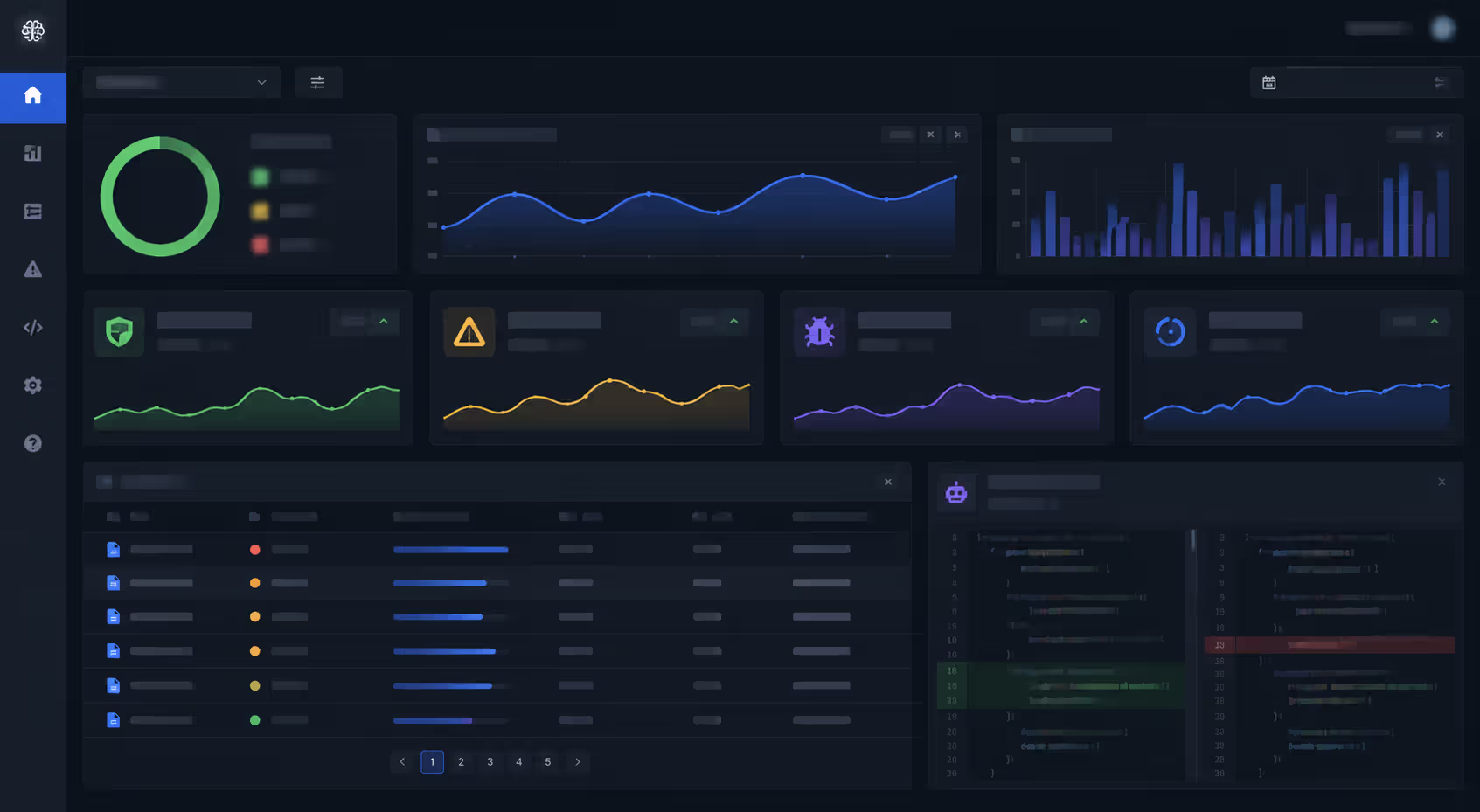
Developers spend hours every week reading pull requests, hunting for bugs, and debating code style. It's necessary work, but it's slow. AI code review tools promise to speed that up by analyzing your code automatically, catching issues before human reviewers even open the PR. These tools use machine learning and large language models to spot patterns, flag vulnerabilities, and suggest improvements in seconds. But can they really replace the careful eye of an experienced developer? And which tools actually deliver on the hype? Let's break down how AI code review works, what it can and can't do, and whether it's worth adding to your workflow.
What Is AI Code Review
AI code review is the automated analysis of source code using artificial intelligence to identify bugs, security flaws, style violations, and performance issues. Instead of relying solely on human reviewers to examine every line, AI tools scan code submissions and provide feedback based on learned patterns from millions of code samples.
The core difference from manual review is speed and scope. A human reviewer might catch logic errors and architectural concerns but miss subtle security vulnerabilities buried in dependencies. An AI tool processes the entire codebase in seconds, cross-referencing known vulnerability databases and applying learned patterns from vast training datasets.
Most modern automated code review with ai relies on two technologies: large language models (LLMs) and traditional machine learning classifiers. LLMs like GPT-4 and Code Llama understand code context and can generate human-readable explanations of issues. They're trained on billions of lines of public code and can recognize patterns across different programming languages. Traditional ML models, meanwhile, excel at specific tasks like detecting SQL injection risks or identifying unused variables.
The pattern I see most often is teams using AI for first-pass review—catching the obvious stuff—then having humans focus on architecture and business logic. That division of labor makes sense. AI doesn't get tired or overlook a missing null check at 5 PM on Friday.
One common misconception: AI code review isn't just static analysis with a new label. Static analyzers follow predefined rules (if X, flag Y). AI tools learn from examples and adapt. They can catch issues that don't match any existing rule because they've seen similar problems in training data.
Author: Isabelle Norwyn;
Source: aleanetwork.net
How AI Code Review Tools Work
The process starts when you submit code—usually as a pull request or commit. The AI tool ingests the changed files, along with context from surrounding code, commit messages, and sometimes issue tracker references.
Next comes analysis. The tool runs multiple passes:
Syntax and structure parsing – Building an abstract syntax tree to understand code relationships
Pattern matching – Comparing against known bug patterns, security vulnerabilities, and anti-patterns
Contextual analysis – Using LLMs to understand intent and flag logical inconsistencies
Diff analysis – Focusing on what changed and how it affects existing functionality
After analysis, the tool generates feedback. Better ai code inspection tools surface the most critical issues first and provide actionable suggestions, not just "this might be a problem" warnings. Some even propose code fixes directly in the PR as suggested commits.
Here's how manual and automated approaches compare:
Aspect
Manual Review
AI Review
Speed
Hours to days per PR
Seconds to minutes
Consistency
Varies by reviewer mood, experience, workload
Identical standards every time
Cost
High (senior developer time)
Low (subscription or compute cost)
Scalability
Limited by team size
Handles unlimited PRs simultaneously
Context Understanding
Excellent for business logic and architecture
Weak on domain-specific requirements
The speed difference is dramatic. A human reviewer might spend 30 minutes on a 200-line change. An AI tool finishes in under a minute. But that human reviewer understands why the code exists and whether it solves the right problem. AI doesn't.
Most ai code analysis tools integrate directly with GitHub, GitLab, or Bitbucket. They run as CI/CD pipeline steps or GitHub Actions, posting comments on PRs just like a human reviewer would. The setup typically takes under an hour—connect your repo, configure rule sets, and you're done.
AI Code Quality Analysis Features
Modern tools go way beyond "you forgot a semicolon." They analyze code across multiple dimensions, each targeting different quality concerns.
Pull Request Review Automation
AI pull request review tools monitor incoming PRs and automatically comment on issues before any human looks at the code. They check for:
Code duplication – Flagging copy-pasted logic that should be refactored into shared functions
Complexity metrics – Warning when cyclomatic complexity exceeds thresholds
Test coverage gaps – Identifying changed code that lacks corresponding tests
Breaking changes – Detecting modifications that could break backward compatibility
The best tools learn your team's preferences over time. If you consistently ignore certain warnings, they'll deprioritize those issues. Some let you upvote or downvote suggestions, training the model on your codebase's specific needs.
One counterintuitive finding: teams that adopt PR automation often see review time increase initially. Why? Because the AI surfaces issues developers previously missed. After a few weeks, though, total review time drops as developers learn to avoid flagged patterns before submitting.
Author: Isabelle Norwyn;
Source: aleanetwork.net
Code Inspection and Auditing
When you need a comprehensive ai code audit explained, think of it as a deep scan of your entire codebase, not just new changes. Audit tools analyze:
Accessibility issues – For front-end code, flagging missing ARIA labels or color contrast problems
These audits generate reports that prioritize findings by severity. Critical security flaws appear first, minor style issues last. Some tools estimate remediation time for each issue, helping you plan sprint work.
A common mistake: running a full audit, getting overwhelmed by 500 findings, and ignoring the tool entirely. Start with critical and high-severity issues only. Fix those, then expand.
Popular AI Code Analysis Tools
The market's crowded, but a few platforms stand out. Here's what you'll find in 2026:
GitHub Copilot Workspace combines code generation with review. It suggests fixes for flagged issues and explains why they're problems. The integration is seamless if you're already on GitHub. Pricing runs $10–20 per developer per month.
Qodana from JetBrains brings IDE-level analysis to CI/CD pipelines. It supports 60+ languages and catches issues that simpler linters miss. It's particularly strong on Java and Kotlin. Pricing starts at $15/month per active committer.
Snyk Code focuses heavily on security, scanning for vulnerabilities in your code and dependencies. It's powered by a knowledge base of millions of open-source projects. Plans start free for small teams, scaling to enterprise pricing.
CodeRabbit uses GPT-4 to provide conversational code reviews. It explains issues in plain English and can answer follow-up questions in PR comments. Pricing is around $12 per developer monthly.
SonarQube with AI extensions remains popular for teams that want self-hosted analysis. The AI add-ons enhance traditional rule-based scanning with learned patterns. Licensing varies widely based on lines of code.
Tool
Key Features
Pricing Model
Supported Languages
Integrations
GitHub Copilot Workspace
AI fixes, contextual explanations, PR summaries
$10–20/dev/month
20+ including Python, JavaScript, Go, Rust
GitHub, VS Code
Qodana
Deep static analysis, IDE-quality checks, custom rules
Choosing between them depends on your priorities. Need security above all? Go with Snyk. Want tight JetBrains integration? Qodana. Already paying for GitHub? Copilot Workspace is the obvious pick.
The simpler option usually wins here. Don't overthink it—pick a tool, try it for a month, and see if your team actually uses the feedback.
Author: Isabelle Norwyn;
Source: aleanetwork.net
Benefits and Limitations of Automated Code Review
The advantages are real. AI code review delivers speed that human reviewers can't match. You'll get feedback in seconds, not hours. That matters for fast-moving teams shipping multiple times daily. Consistency is another win—the AI applies the same standards to every PR, eliminating "it depends who reviews it" variability.
Scalability changes the game for growing teams. Hiring senior developers to review code is expensive and slow. An AI tool scales instantly. Add 50 developers tomorrow, and the tool handles it without complaint.
Cost savings are significant. If a senior developer spends 10 hours weekly on code review at $100/hour, that's $52,000 annually just in review time. An AI tool might cost $2,000–5,000 per year for the whole team.
But limitations exist. Context understanding remains weak. AI doesn't know that "users" in your codebase refers to paying customers, not internal staff. It can't judge whether your architectural decisions align with business goals. It'll flag technically correct code that's wrong for your specific use case.
AI code review tools excel at catching the mechanical errors that waste human reviewers' time, but they can't replace the judgment that comes from understanding the problem you're solving. Use them to handle the routine, so your team can focus on the nuanced discussions that actually improve software design.
— Fowler Martin
False positives frustrate teams. An AI might flag intentional code patterns as bugs, or warn about "vulnerabilities" that don't apply to your context. You'll spend time dismissing irrelevant warnings, which erodes trust in the tool.
The learning curve varies. Some tools work out of the box with sensible defaults. Others require extensive configuration to avoid noise. Budget time for tuning, especially in the first month.
One limitation that's easy to overlook: AI tools struggle with novel patterns. If you're building something genuinely new, the AI has no training examples to learn from. It'll either stay silent or flag everything as suspicious.
When to Use an LLM-Based Debugging Assistant
An llm based debugging assistant shines in specific scenarios. Use one when you're stuck on an error message you don't understand. Paste the stack trace and surrounding code, and the LLM will often explain what's wrong and suggest fixes. This works particularly well for common errors in popular frameworks.
They're also great for exploring unfamiliar codebases. Ask "what does this function do?" or "how does authentication work in this app?" and get plain-English explanations. That beats reading documentation or guessing from variable names.
Team size matters. Small teams (under 10 developers) get the most value. The LLM acts as an on-demand senior developer, filling knowledge gaps without hiring. Larger teams with deep expertise might find LLM suggestions too basic.
Integration with existing workflows is straightforward. Most LLM debugging tools work as IDE plugins or chat interfaces. You don't need to change your development process—just add a new resource for when you're stuck.
Author: Isabelle Norwyn;
Source: aleanetwork.net
Use cases that work well:
Debugging cryptic errors – When the error message doesn't point to the root cause
Learning new languages – Getting syntax help and idiom suggestions
Refactoring guidance – Asking "how should I restructure this?" before starting
Domain-specific logic bugs – The LLM doesn't understand your business rules
Concurrency issues – Race conditions and deadlocks require deep system understanding
Production incident response – Too slow and uncertain when you need definitive answers fast
The pattern that works: use the LLM for initial investigation, then verify with traditional debugging tools. Don't trust its suggestions blindly. Test them.
FAQ: AI Code Review Questions Answered
Is AI code review as accurate as human review?
Not quite, but it depends what you're measuring. AI tools are more accurate at catching syntax errors, common bugs, and known security vulnerabilities. They don't miss things because they're tired or in a hurry. But humans are far more accurate at understanding whether code solves the right problem or fits the architecture. AI can't evaluate "is this the best approach?" or "does this align with our product strategy?" Think of AI as highly accurate for mechanical issues, less so for judgment calls.
How much does AI code review cost?
Pricing typically ranges from $10–25 per developer per month for cloud-hosted tools. Some platforms offer free tiers for small teams or open-source projects. Self-hosted options like SonarQube have different models based on lines of code analyzed, which can be cheaper for large teams but require infrastructure investment. Enterprise plans with custom integrations and dedicated support start around $50 per user monthly. Most tools offer free trials, so you can test before committing.
Can AI code review replace manual code review entirely?
No, and you shouldn't try. AI handles repetitive checks—style violations, common bugs, security patterns. But it can't evaluate architectural decisions, business logic correctness, or whether the code solves the actual problem. The best workflow combines both: AI does the first pass and flags mechanical issues, then humans review for design, maintainability, and alignment with requirements. Teams that skip human review entirely end up with technically correct code that doesn't meet user needs.
What programming languages do AI code review tools support?
Most tools support 15–30 languages, with the best coverage for JavaScript, Python, Java, C#, Go, and TypeScript. Less common languages like Rust, Kotlin, Swift, and PHP are increasingly supported. Niche languages like Elixir, Clojure, or Haskell have limited support—you'll find basic linting but not deep AI analysis. If you work in a less common language, check specific tool documentation before subscribing. Support quality varies too; a tool might "support" Ruby but catch far fewer issues than it does for JavaScript.
How long does it take to integrate AI code review into a workflow?
Initial setup takes 30 minutes to 2 hours depending on the tool. You'll connect your repository, configure access permissions, and set up CI/CD integration. The real integration time is longer—expect 2–4 weeks for your team to adjust. Developers need time to learn which warnings matter, how to dismiss false positives, and when to override suggestions. Plan for a tuning period where you'll adjust rule sets and thresholds based on team feedback. After a month, it should feel like a natural part of the workflow.
Do AI code review tools store my code?
It depends on the tool. Cloud-based services typically process your code on their servers and may retain it temporarily for analysis. Most reputable vendors claim they don't use customer code for model training, but read the terms carefully. Some tools offer on-premise or self-hosted versions that keep all code within your infrastructure—useful for regulated industries or proprietary codebases. If data sovereignty matters to your organization, prioritize tools with clear data handling policies and compliance certifications like SOC 2 or ISO 27001.
AI code review tools won't replace your development team, but they'll make that team more efficient. They catch the tedious bugs and style issues that slow down manual review, freeing humans to focus on architecture and design. Start with one tool, integrate it into your workflow, and see what your team actually uses. Ignore the hype about AI replacing developers—focus on whether it saves your reviewers time and catches real issues. That's the metric that matters.
Regression testing prevents code changes from breaking existing functionality. This guide covers regression test types, manual vs. automated approaches, building effective test suites, and implementing regression testing in agile and CI/CD environments.
Discover how DevOps automation transforms software delivery through automated pipelines, CI/CD tools, and intelligent deployment strategies. Learn which tools to use, how to implement continuous deployment, and best practices that reduce errors while accelerating releases.
Discover how generative AI is changing software development in practice. This guide covers workflow integration, code quality concerns, tool comparisons, and real-world implementation strategies for development teams looking to adopt AI coding assistants effectively.
Low code platforms let teams build applications using visual interfaces and pre-built components instead of writing extensive code. This guide explains how low code development works, who uses it, key benefits and limitations, and how to choose the right platform for your needs.
The content on this website is provided for general informational and educational purposes only. It is intended to explain concepts related to AI tools, agents, developer infrastructure, coding assistants, APIs, and productivity workflows.
All information on this website, including articles, guides, and examples, is presented for general educational purposes. Outcomes and tool performance may vary depending on implementation, skill level, and use case.
This website does not provide professional AI consulting, development services, or guarantees of results, and the information presented should not be used as a substitute for consultation with qualified AI or software development professionals.
The website and its authors are not responsible for any errors or omissions, or for any outcomes resulting from decisions made based on the information provided on this website.